
PBAN95 - Minecraft Skins & Skin History
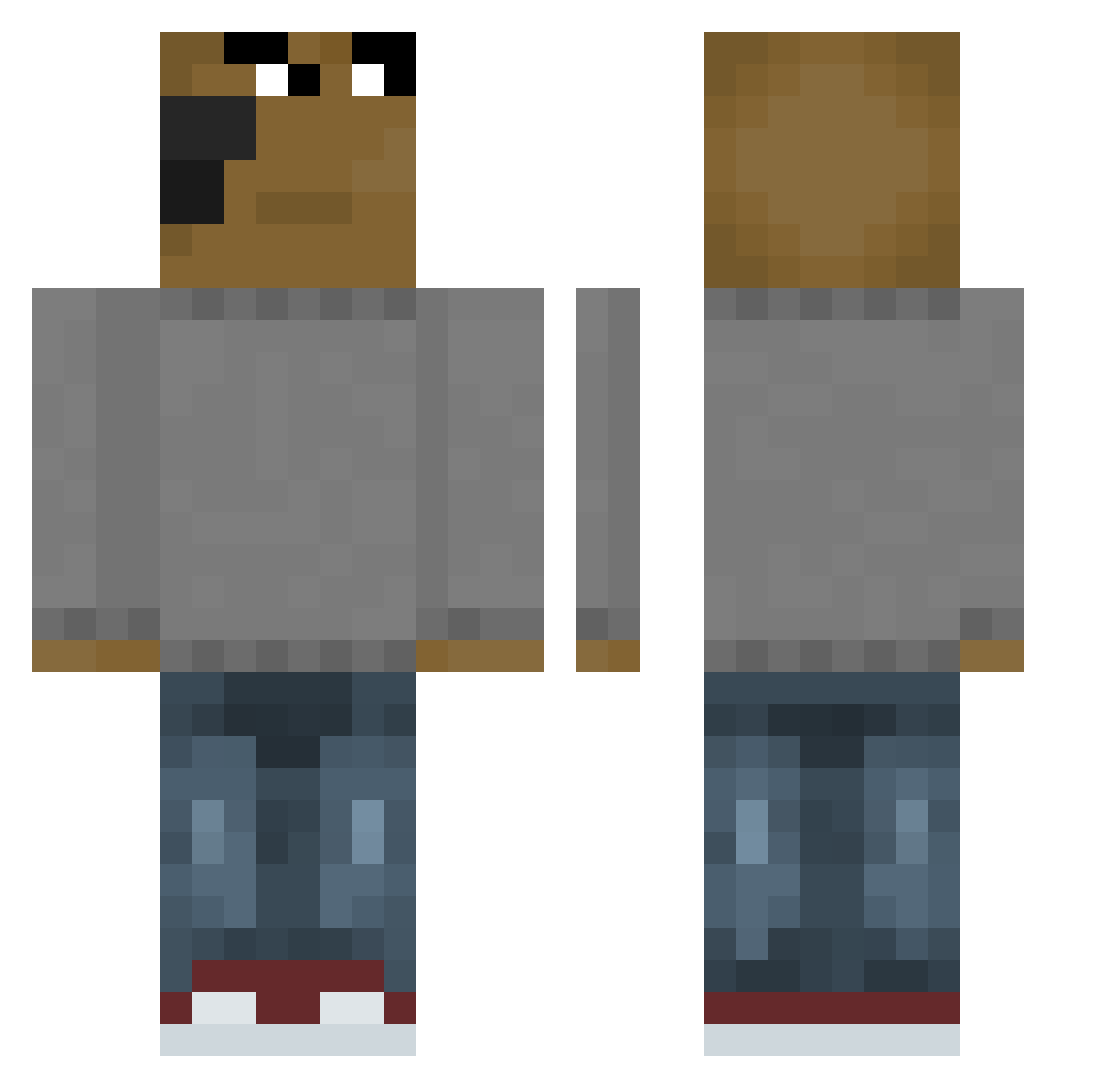
Current Minecraft skin of the player PBAN95, loaded from the official Mojang API. Rotate the 3D model with your mouse or finger, then download the skin as a PNG file and use it in Minecraft: Bedrock Edition or Java Edition for free. When PBAN95 changes their skin, this page updates automatically and the old skin stays in the history below.
Other players with this skin (658)
PBAN95 was the 428th player we have seen with this skin, first spotted on 04.10.2026. The same skin was seen on these players. Open a nickname to see their current skin and skin history.
 SigmaAAAAAAAAAAA op1ta5 Augustenzo WASAB1_MAYO geleiaplays2206 cz4rnyg3j kasperekufu BRKCN38 effect0406 Berelli1233 Pauli2080 172mochi DIEGARDOTORRES Sgeekyr BeeKing09 RaPhA50 piotrkeee jisung1002 BradyT914 dsma1 ver1iebt Camaronsito3073 gucio_15 hyricannn Wolfs2Mu cookiemonster256 TomySL Pippuzzo06 v1FredYT ssm9884 AUei10 Yezir_ littleyungin nwarz__ Tunixosito antoniovaly destroyerMAX16 Hymounbaba PiptoTheMoon LastKungZa sackeman Chill_guy_00 tagil96 Mootsifer _Anguish Kuraboy_ Lopinho56 LAMALAESTGANGX87 cffffffffkfffffu Nibui_ goxue 00Crazzy00 NguyenDixie121 Alexushimon astorcha axemainchillguy praguespring _Meh82 IceWrld55 kingrei03
How to install the PBAN95 skin
- Press the Download button above to save the skin as a PNG file.
- Minecraft: Bedrock Edition (PE): open the Dressing Room from the main menu (or tap your character → Edit Character), go to Classic Skins → Owned, press the + (new skin) button, choose the downloaded PNG and pick the Classic (Steve) model. Works on PC and mobile; consoles cannot import custom skins.
- Minecraft: Java Edition: open the Minecraft Launcher, go to the Skins tab, click New Skin, load the PNG, pick the Classic (Steve) model and press Save & Use. You can also upload it at minecraft.net → Profile → Change Skin.
The skin does not show up after import - what should I do?
Restart Minecraft and open the Dressing Room again - imported skins sometimes appear only after a restart. Also make sure you selected the imported skin and picked the Classic (Steve) model.
Which model should I choose, Classic or Slim?
This skin is designed for the Classic (Steve) model. If you pick the wrong model, the arms of the skin will look stretched or squeezed.
Is the skin of PBAN95 free to download?
Yes. Press Download, save the PNG file and use it in Minecraft: Bedrock Edition or Java Edition - no payment or registration needed. The skin also works on multiplayer servers and Realms.
More skins
Looking for more? Go back to all Minecraft skins and check the top skins of the week, month and all time, or find any player's skin by nickname.