
Ozzwald98 - Minecraft Skins & Skin History
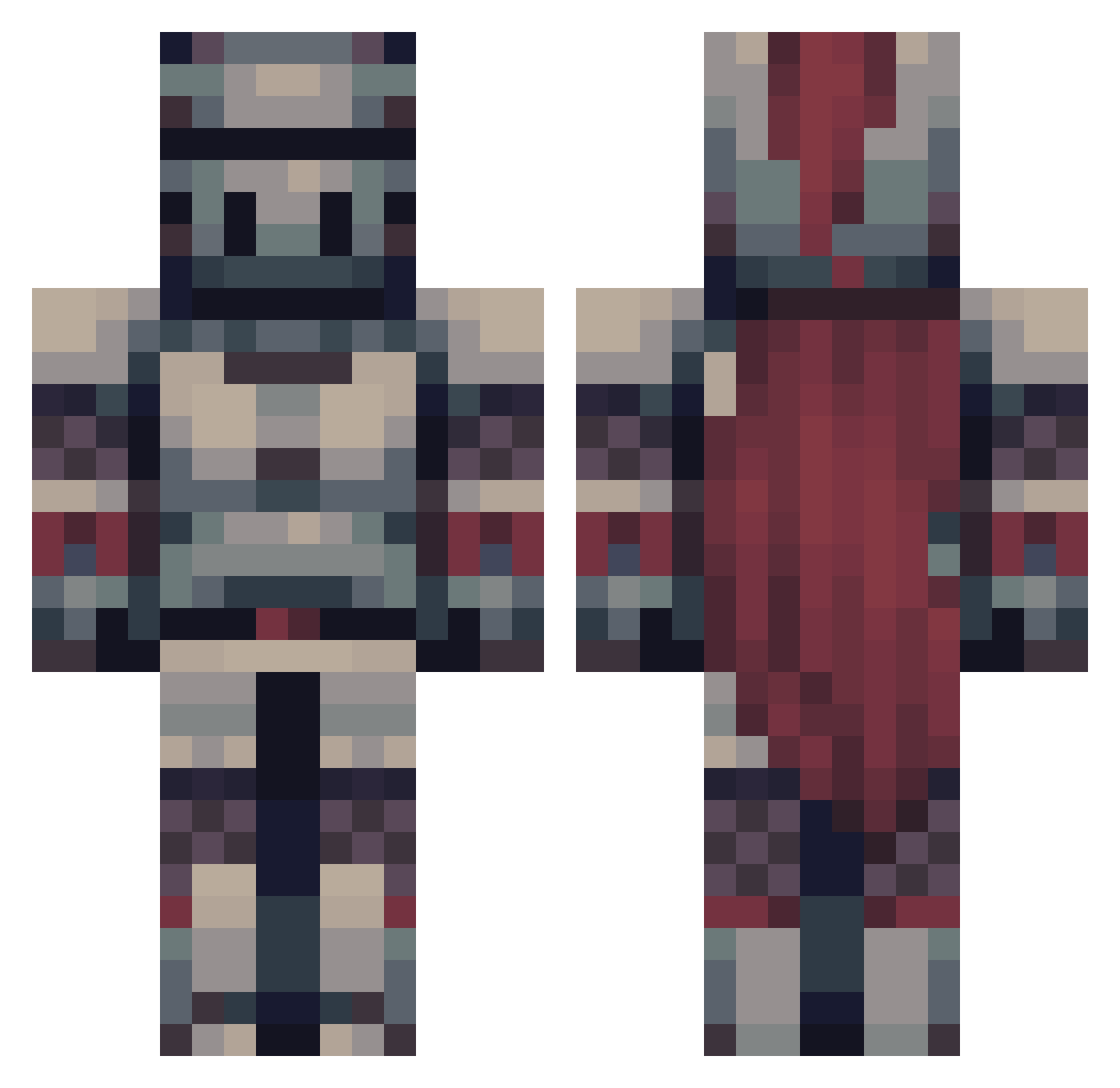
Current Minecraft skin of the player Ozzwald98, loaded from the official Mojang API. Rotate the 3D model with your mouse or finger, then download the skin as a PNG file and use it in Minecraft: Bedrock Edition or Java Edition for free. When Ozzwald98 changes their skin, this page updates automatically and the old skin stays in the history below.
Other players with this skin (475)
Ozzwald98 was the 311th player we have seen with this skin, first spotted on 02.10.2026. The same skin was seen on these players. Open a nickname to see their current skin and skin history.
 Krookodile_ Moonflower1998 RealFrstedFlakes iamsamsclub BushBoiOfWookie sszpunar Tidalzebra358 Ithijmen Nexsus_P RS42_ Chumbyy DaPootisMan Gloshnarb Aarendboy stealthyhunter01 Slashinglion7 Jonvictus LinusLion7 Thedemonicapple Shookkn1ght BigBeefey Canseeno SirSamples FruitCat32 poorperson happymarjan Crazyhulk2009 User_Arkan RubbaDubKid Oakman2486 OHOY1234 Tyrionclaw Artucor Sanastin VulcanIT OM1ND DreadLord898 HarmlessJoker90 LargeDarius34 WorldAnchor22 Madara34 BalintK2 rangers_curse Zeedonis snoweeeyyy Superpie10045 orpheus_2 B0bthebuilderrr Violencia_ Bloodcaller ItzKCB NotALizard206 ProspectOfDoom Corfraz KingofTrout Han_Alister CoopTuberCraft Ale2367 Diabolickal Monkeyshoes8
More Knight Minecraft skins
How to install the Ozzwald98 skin
- Press the Download button above to save the skin as a PNG file.
- Minecraft: Bedrock Edition (PE): open the Dressing Room from the main menu (or tap your character → Edit Character), go to Classic Skins → Owned, press the + (new skin) button, choose the downloaded PNG and pick the Classic (Steve) model. Works on PC and mobile; consoles cannot import custom skins.
- Minecraft: Java Edition: open the Minecraft Launcher, go to the Skins tab, click New Skin, load the PNG, pick the Classic (Steve) model and press Save & Use. You can also upload it at minecraft.net → Profile → Change Skin.
The skin does not show up after import - what should I do?
Restart Minecraft and open the Dressing Room again - imported skins sometimes appear only after a restart. Also make sure you selected the imported skin and picked the Classic (Steve) model.
Which model should I choose, Classic or Slim?
This skin is designed for the Classic (Steve) model. If you pick the wrong model, the arms of the skin will look stretched or squeezed.
Is the skin of Ozzwald98 free to download?
Yes. Press Download, save the PNG file and use it in Minecraft: Bedrock Edition or Java Edition - no payment or registration needed. The skin also works on multiplayer servers and Realms.
More skins
Looking for more? Go back to all Minecraft skins and check the top skins of the week, month and all time, or find any player's skin by nickname.