
OzmoZ - Minecraft Skins & Skin History
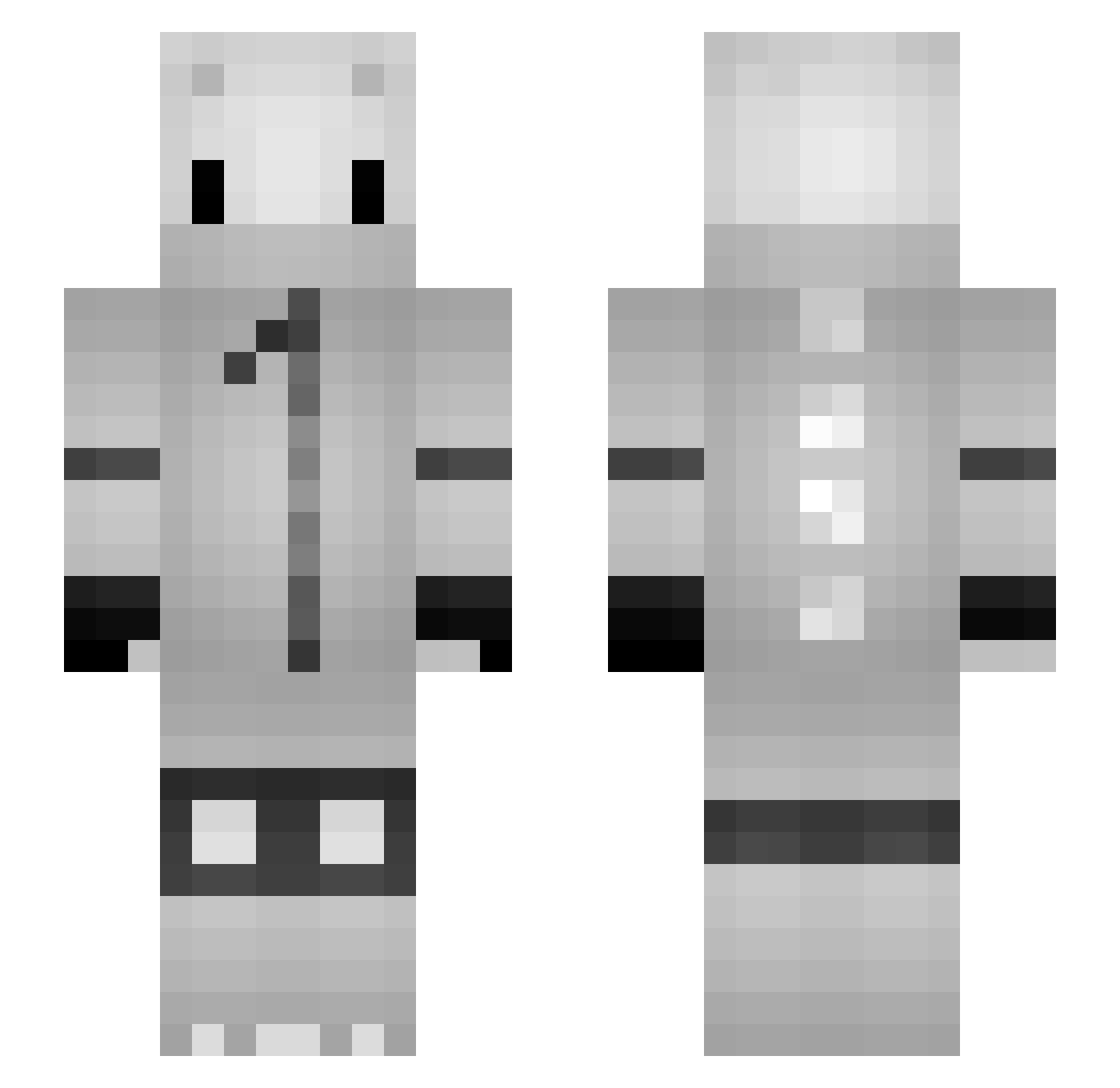
Current Minecraft skin of the player OzmoZ, loaded from the official Mojang API. Rotate the 3D model with your mouse or finger, then download the skin as a PNG file and use it in Minecraft: Bedrock Edition or Java Edition for free. When OzmoZ changes their skin, this page updates automatically and the old skin stays in the history below.
Other players with this skin (132)
OzmoZ was the 12th player we have seen with this skin, first spotted on 09.08.2026. The same skin was seen on these players. Open a nickname to see their current skin and skin history.
 PinkYeti412 Fre3zz2yO UneNouille BEARxLEGION EdiiBear Ponynja AnthonynXD kimjonsson22 StrikesPT INT_Leik Koscielski NiqoCW Troy_PvP DODOLEFOU Eingebildet Foxevent1 LeFriXion sinroon JustBlew _Score_ Vendeur2KeBaB SpielKind_15 vogelwild maclovius DontQQImLegit GrafitiGun denyuuden07ghost ovid6892_ske58 _ZenoxX_ WarOfTheShadows APKAH pezt ImBrito ceeldred MysteriX mustafa_VIP Tamca NWX_Fiphpo jaminking Lange04 Uxeye_ xMatiLess17 hammervold8 Zoorix nath723 FeeIix Nexquis23 ukindasus NebelCrize SqlStep HuKiPL ven_ralle Shadows97480 SuchstDuMitte Gostriker_ gailco ANYON3 crazygamer9643 Miuller Lange05_On_YT
More Nagito Komaeda Minecraft skins
See all 58 Nagito Komaeda skins
How to install the OzmoZ skin
- Press the Download button above to save the skin as a PNG file.
- Minecraft: Bedrock Edition (PE): open the Dressing Room from the main menu (or tap your character → Edit Character), go to Classic Skins → Owned, press the + (new skin) button, choose the downloaded PNG and pick the Slim (Alex) model. Works on PC and mobile; consoles cannot import custom skins.
- Minecraft: Java Edition: open the Minecraft Launcher, go to the Skins tab, click New Skin, load the PNG, pick the Slim (Alex) model and press Save & Use. You can also upload it at minecraft.net → Profile → Change Skin.
The skin does not show up after import - what should I do?
Restart Minecraft and open the Dressing Room again - imported skins sometimes appear only after a restart. Also make sure you selected the imported skin and picked the Slim (Alex) model.
Which model should I choose, Classic or Slim?
This skin is designed for the Slim (Alex) model. If you pick the wrong model, the arms of the skin will look stretched or squeezed.
Is the skin of OzmoZ free to download?
Yes. Press Download, save the PNG file and use it in Minecraft: Bedrock Edition or Java Edition - no payment or registration needed. The skin also works on multiplayer servers and Realms.
More skins
Looking for more? Go back to all Minecraft skins and check the top skins of the week, month and all time, or find any player's skin by nickname.