
OzZeRRR - Minecraft Skins & Skin History
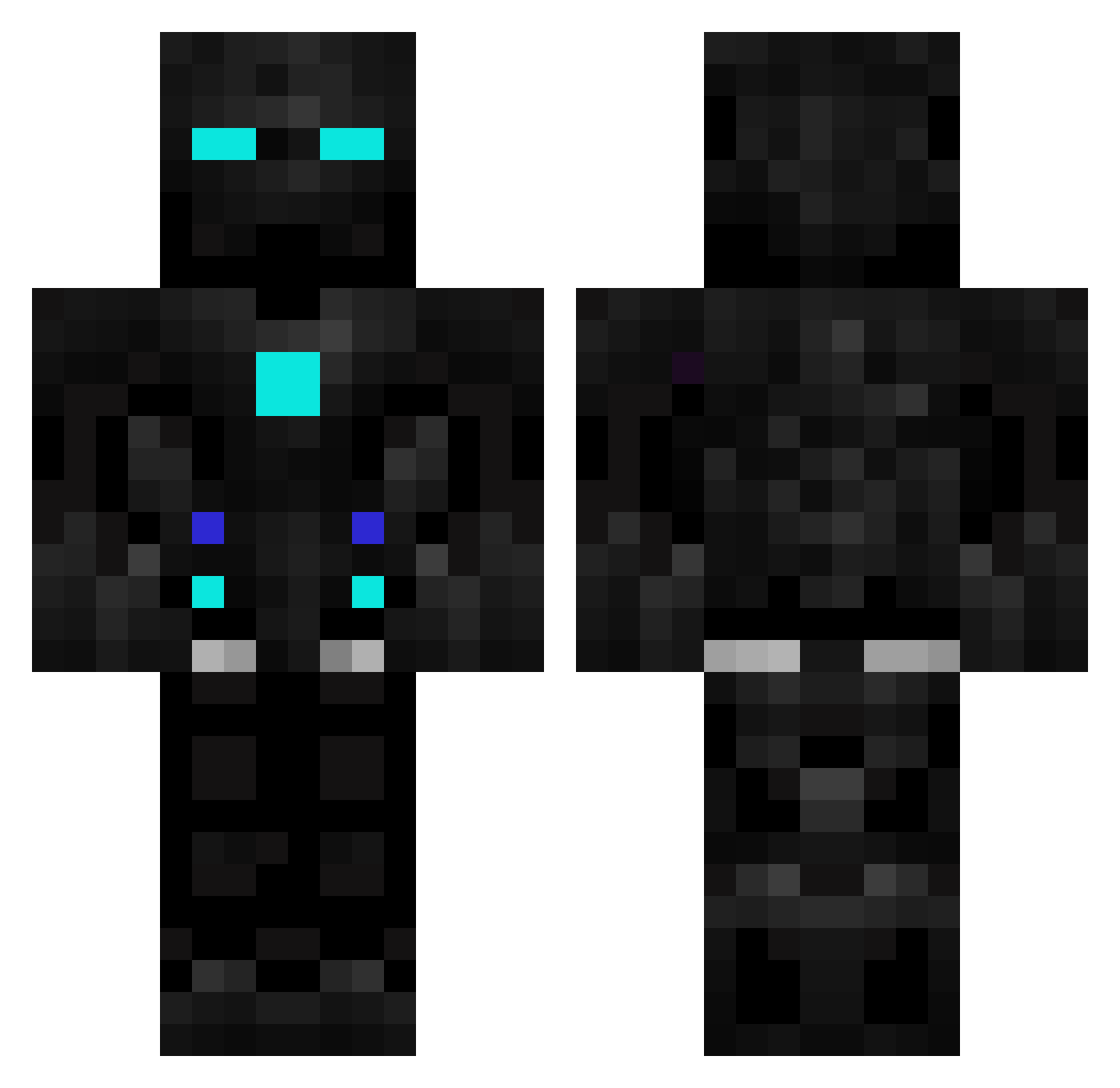
Current Minecraft skin of the player OzZeRRR, loaded from the official Mojang API. Rotate the 3D model with your mouse or finger, then download the skin as a PNG file and use it in Minecraft: Bedrock Edition or Java Edition for free. When OzZeRRR changes their skin, this page updates automatically and the old skin stays in the history below.
Other players with this skin (602)
OzZeRRR was the 320th player we have seen with this skin, first spotted on 27.09.2026. The same skin was seen on these players. Open a nickname to see their current skin and skin history.
 Eliasazerty SigmaMiki13 its_og SkinnyBailey Ola_Solbakken icedragonslayer0 Skyhawk_10 AntonioVivaldi2 Naruto_2014 Nugs06 theloottaker1 XxXxDREAMxXxX DJA_13 ossette Sqrab GrimReapergamern JosueMich 15Minecraft2000 CoolBoi_ abtorun Killian_68 alfredbulltop darkangelina_v2 mbabi DrHyp3 XxMitchTxX YemrysS Coolfool07 Eliteagent1231 General_Sad EliandJackson B03l0 Chengaboi baamond _ProSwat_ alabbas_algade7 nrgrfan Diedfor_myzens Argenterner Sunflower308 Probot2k forestplays Djobba TheHaci xEndstuffx EpicGuy124 gabec313 FFrazien StreetTacokiller LacsapII DAzaVOO ironman968 jimpromax Maje0617 LegendDestROYer1 kapteinsjakkel krystek090 Phanter091 Lukas111009 ERICK3705
More Robot Minecraft skins
How to install the OzZeRRR skin
- Press the Download button above to save the skin as a PNG file.
- Minecraft: Bedrock Edition (PE): open the Dressing Room from the main menu (or tap your character → Edit Character), go to Classic Skins → Owned, press the + (new skin) button, choose the downloaded PNG and pick the Classic (Steve) model. Works on PC and mobile; consoles cannot import custom skins.
- Minecraft: Java Edition: open the Minecraft Launcher, go to the Skins tab, click New Skin, load the PNG, pick the Classic (Steve) model and press Save & Use. You can also upload it at minecraft.net → Profile → Change Skin.
The skin does not show up after import - what should I do?
Restart Minecraft and open the Dressing Room again - imported skins sometimes appear only after a restart. Also make sure you selected the imported skin and picked the Classic (Steve) model.
Which model should I choose, Classic or Slim?
This skin is designed for the Classic (Steve) model. If you pick the wrong model, the arms of the skin will look stretched or squeezed.
Is the skin of OzZeRRR free to download?
Yes. Press Download, save the PNG file and use it in Minecraft: Bedrock Edition or Java Edition - no payment or registration needed. The skin also works on multiplayer servers and Realms.
More skins
Looking for more? Go back to all Minecraft skins and check the top skins of the week, month and all time, or find any player's skin by nickname.