
OreosMadre - Minecraft Skins & Skin History
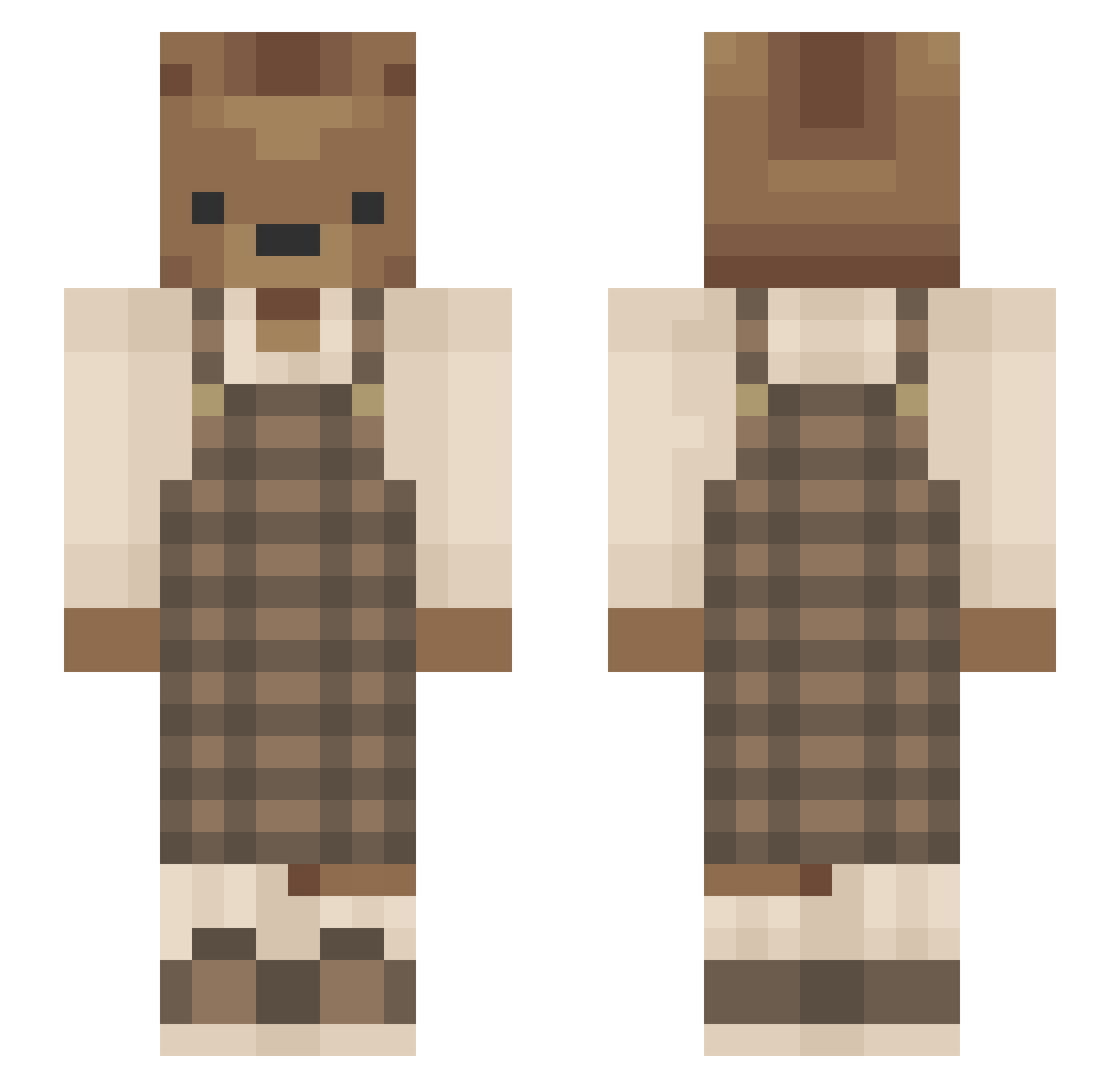
Current Minecraft skin of the player OreosMadre, loaded from the official Mojang API. Rotate the 3D model with your mouse or finger, then download the skin as a PNG file and use it in Minecraft: Bedrock Edition or Java Edition for free. When OreosMadre changes their skin, this page updates automatically and the old skin stays in the history below.
Other players with this skin (637)
OreosMadre was the 108th player we have seen with this skin, first spotted on 16.08.2026. The same skin was seen on these players. Open a nickname to see their current skin and skin history.
 hdlee98 graacesmiith Greamper BearaKO creativartis menagerae ChocolateIced zPoPiKz eggoem_ itsMaijin tropicalmouse70 futi_33 Gurrrraa GrizzlyGT1 BennettLi02 MrNyqo sohyun1230 SADBOYUS Okey_lets_go toweiz Sushi233 jazzydassy Astonishng velican oreo8u Hasollan tannedpotato XxLenachenxX Novembear_69 rinkydinky0 Figzagoon STOOFPEER_0591 drewbarrymores ungeschlaft marg44 PettyProsecutor audreymichele NotDpa Midoriiiya PorkyPine272 DylanYama OliveTheSimp akkui ArabicaCoffee bluejayuwu salsaallen peachbeannn sa__ja KyotaroIchikawa MoPlatesMoDates ole_cram whoskati3 Funnykittymeow iancom Ohmygracies dvdgamert RedRaven269 rainypeach Gameshoww senor_pogers
More Bear Minecraft skins
How to install the OreosMadre skin
- Press the Download button above to save the skin as a PNG file.
- Minecraft: Bedrock Edition (PE): open the Dressing Room from the main menu (or tap your character → Edit Character), go to Classic Skins → Owned, press the + (new skin) button, choose the downloaded PNG and pick the Slim (Alex) model. Works on PC and mobile; consoles cannot import custom skins.
- Minecraft: Java Edition: open the Minecraft Launcher, go to the Skins tab, click New Skin, load the PNG, pick the Slim (Alex) model and press Save & Use. You can also upload it at minecraft.net → Profile → Change Skin.
The skin does not show up after import - what should I do?
Restart Minecraft and open the Dressing Room again - imported skins sometimes appear only after a restart. Also make sure you selected the imported skin and picked the Slim (Alex) model.
Which model should I choose, Classic or Slim?
This skin is designed for the Slim (Alex) model. If you pick the wrong model, the arms of the skin will look stretched or squeezed.
Is the skin of OreosMadre free to download?
Yes. Press Download, save the PNG file and use it in Minecraft: Bedrock Edition or Java Edition - no payment or registration needed. The skin also works on multiplayer servers and Realms.
More skins
Looking for more? Go back to all Minecraft skins and check the top skins of the week, month and all time, or find any player's skin by nickname.