
Opt_Kid - Minecraft Skins & Skin History
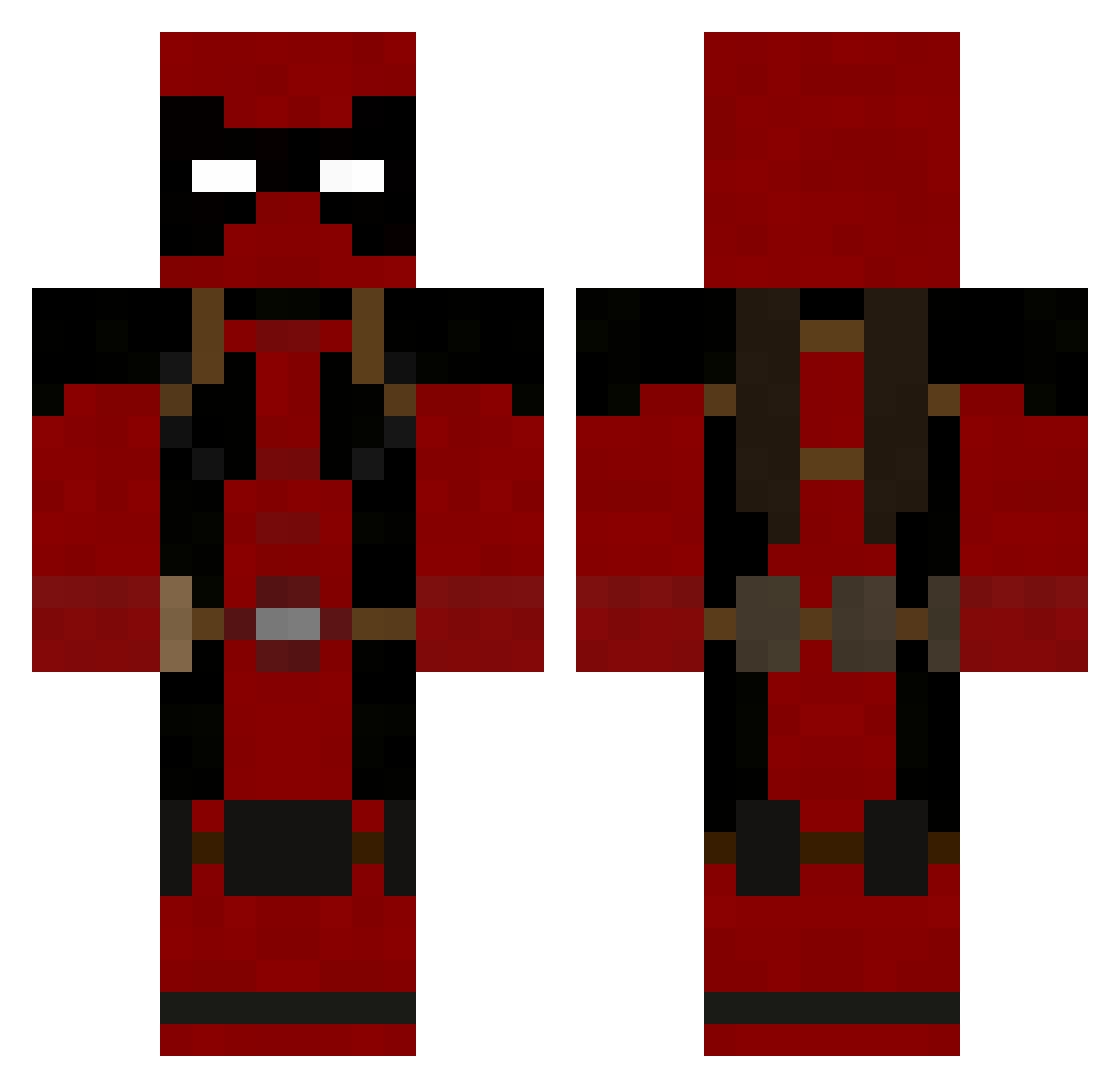
Current Minecraft skin of the player Opt_Kid, loaded from the official Mojang API. Rotate the 3D model with your mouse or finger, then download the skin as a PNG file and use it in Minecraft: Bedrock Edition or Java Edition for free. When Opt_Kid changes their skin, this page updates automatically and the old skin stays in the history below.
Other players with this skin (752)
Opt_Kid was the 380th player we have seen with this skin, first spotted on 11.09.2026. The same skin was seen on these players. Open a nickname to see their current skin and skin history.
 MjrFruits mateo2556 kokopuffs101 lgneon2 remiric HellzInc icenabaru Luelas Thornton666 dXception_ AbnormalCuBaN VladimirSD Rectangle26 michael14661 Kr3ker1s mathias090999 Negrodomas bugsy53 falcon11211 Gseff iceman123203 Jackt009 lazer792 DivineCrysis BsPaDdEn drod20 Valeguard Stewaaart Dixize dummer_1 cptskittles545 BrownBear12 doughnutsandjoe Crono40k BeefOnMoon ShaarksRepper yakuwo chili_chill SarahNicola hockeydude717 Grim_Theory DudePhoenix Zb00by extv RichHomieThomas EmilioKid Crach76 erratique aether4311 4Tw3nty Kapoue39 Xypha Young_Nito Zunigafredy link1cool LeTheris gmaccrew Vygina Collado_X Saddison01
More Deadpool Minecraft skins
How to install the Opt_Kid skin
- Press the Download button above to save the skin as a PNG file.
- Minecraft: Bedrock Edition (PE): open the Dressing Room from the main menu (or tap your character → Edit Character), go to Classic Skins → Owned, press the + (new skin) button, choose the downloaded PNG and pick the Classic (Steve) model. Works on PC and mobile; consoles cannot import custom skins.
- Minecraft: Java Edition: open the Minecraft Launcher, go to the Skins tab, click New Skin, load the PNG, pick the Classic (Steve) model and press Save & Use. You can also upload it at minecraft.net → Profile → Change Skin.
The skin does not show up after import - what should I do?
Restart Minecraft and open the Dressing Room again - imported skins sometimes appear only after a restart. Also make sure you selected the imported skin and picked the Classic (Steve) model.
Which model should I choose, Classic or Slim?
This skin is designed for the Classic (Steve) model. If you pick the wrong model, the arms of the skin will look stretched or squeezed.
Is the skin of Opt_Kid free to download?
Yes. Press Download, save the PNG file and use it in Minecraft: Bedrock Edition or Java Edition - no payment or registration needed. The skin also works on multiplayer servers and Realms.
More skins
Looking for more? Go back to all Minecraft skins and check the top skins of the week, month and all time, or find any player's skin by nickname.