
OMGitsnutlla1 - Minecraft Skins & Skin History
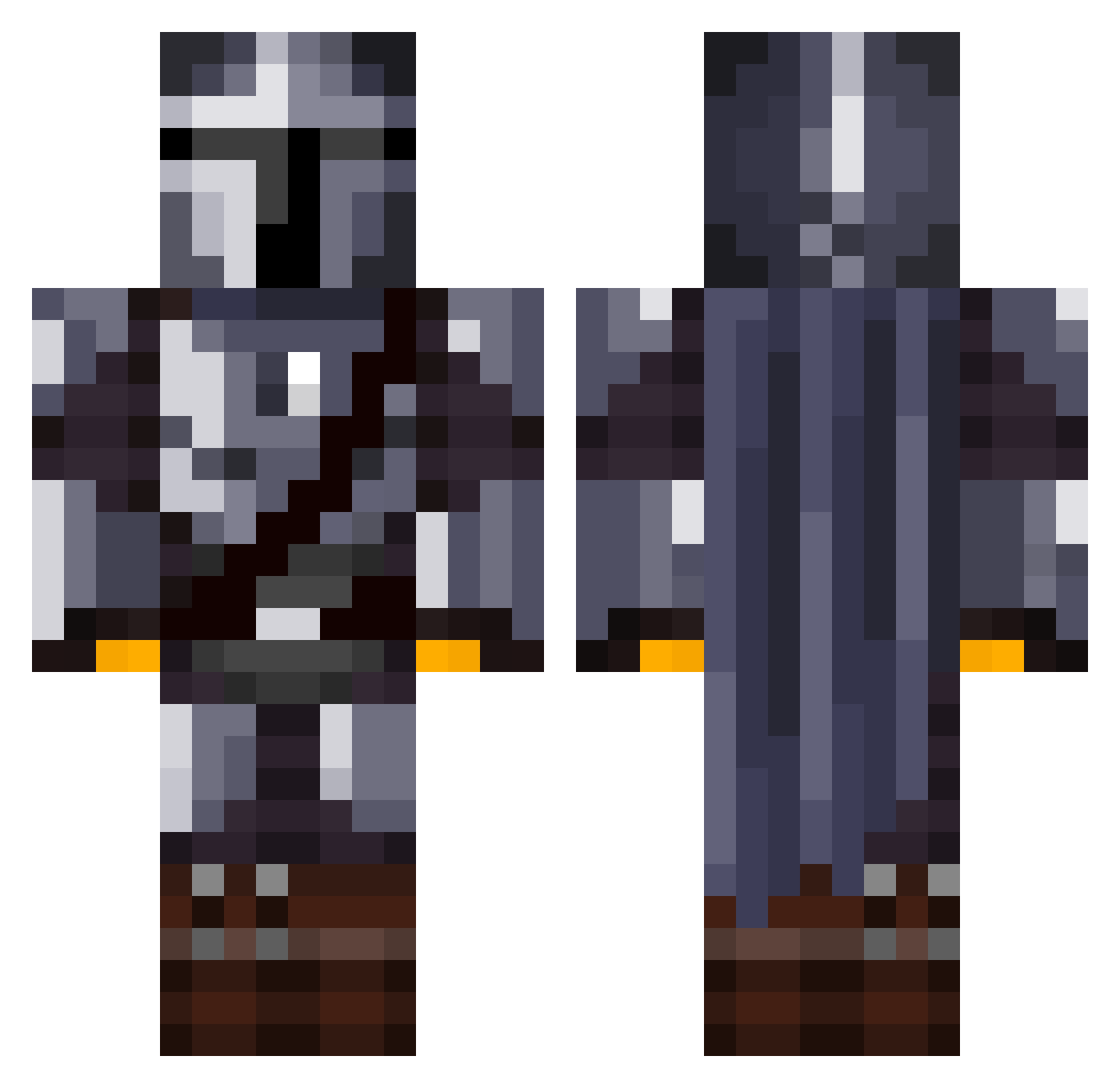
Current Minecraft skin of the player OMGitsnutlla1, loaded from the official Mojang API. Rotate the 3D model with your mouse or finger, then download the skin as a PNG file and use it in Minecraft: Bedrock Edition or Java Edition for free. When OMGitsnutlla1 changes their skin, this page updates automatically and the old skin stays in the history below.
Other players with this skin (1072)
OMGitsnutlla1 was the 735th player we have seen with this skin, first spotted on 27.09.2026. The same skin was seen on these players. Open a nickname to see their current skin and skin history.
 XOLDBIGX chickenpickle SnipersAlt Husker140 FlipEngr Raph_Ki_Tue Mistik95 keithhbova MidderBork Lemonpoint JustSaucyPK DudosoLC jamiedraper LackaHand Kaddmos ElMandaLord shmalayna OtterHacker pitrab Dor0b0 kili13 LeGhost38 General_Ken_obi McGettiganKyle Samplingg _MemoRex_ UBERtank69 Stullyboi Duny10 TD110 CallumDawe1 LaysKettleCooked AFKaush Sweatyyy_Morty M4anfred Couny_ BombayBadBoy1 jirvin747 Razoorx Vondetann HoppinMC MandolorianKing Tocallo Derbking7 Dripped_Out HaydenBadeaux iJessse Twammers M_Siqueira txnvir WholesomeBosco Tomiicb communistuncle soukaGANG marcommacedo DragonBeagle DamienSilvert MLH12 JebRaheb HappyMimile
More The Mandalorian Minecraft skins
See all 525 The Mandalorian skins
How to install the OMGitsnutlla1 skin
- Press the Download button above to save the skin as a PNG file.
- Minecraft: Bedrock Edition (PE): open the Dressing Room from the main menu (or tap your character → Edit Character), go to Classic Skins → Owned, press the + (new skin) button, choose the downloaded PNG and pick the Classic (Steve) model. Works on PC and mobile; consoles cannot import custom skins.
- Minecraft: Java Edition: open the Minecraft Launcher, go to the Skins tab, click New Skin, load the PNG, pick the Classic (Steve) model and press Save & Use. You can also upload it at minecraft.net → Profile → Change Skin.
The skin does not show up after import - what should I do?
Restart Minecraft and open the Dressing Room again - imported skins sometimes appear only after a restart. Also make sure you selected the imported skin and picked the Classic (Steve) model.
Which model should I choose, Classic or Slim?
This skin is designed for the Classic (Steve) model. If you pick the wrong model, the arms of the skin will look stretched or squeezed.
Is the skin of OMGitsnutlla1 free to download?
Yes. Press Download, save the PNG file and use it in Minecraft: Bedrock Edition or Java Edition - no payment or registration needed. The skin also works on multiplayer servers and Realms.
More skins
Looking for more? Go back to all Minecraft skins and check the top skins of the week, month and all time, or find any player's skin by nickname.