
NoamLostHisIQ - Minecraft Skins & Skin History
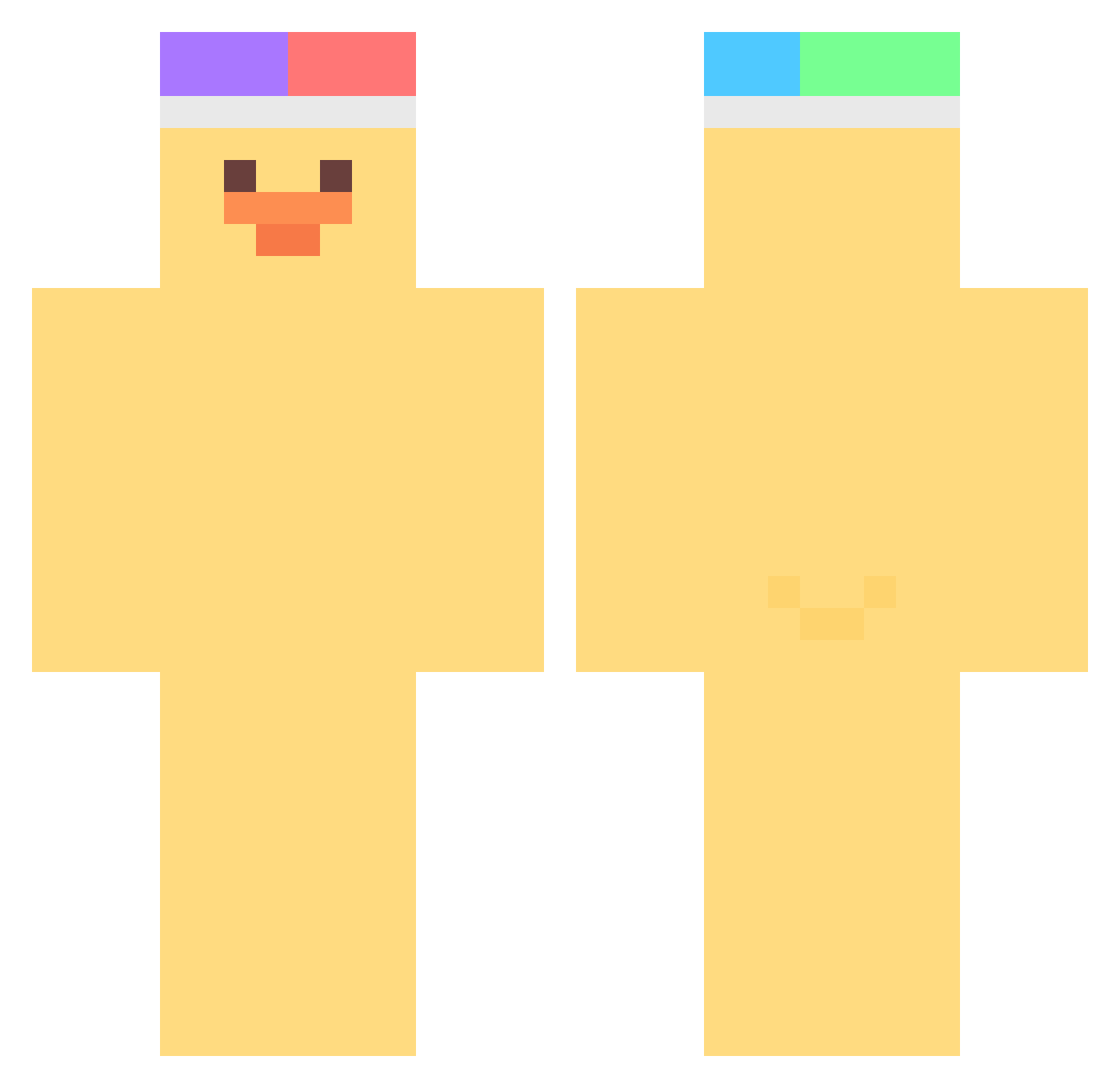
Current Minecraft skin of the player NoamLostHisIQ, loaded from the official Mojang API. Rotate the 3D model with your mouse or finger, then download the skin as a PNG file and use it in Minecraft: Bedrock Edition or Java Edition for free. When NoamLostHisIQ changes their skin, this page updates automatically and the old skin stays in the history below.
Other players with this skin (490)
NoamLostHisIQ was the 491st player we have seen with this skin, first spotted on 10.11.2026. The same skin was seen on these players. Open a nickname to see their current skin and skin history.
 Luna__heart nekneknekneknek SubTozBudjaMC Maru_98 whtiegivefather podiry Lynexia_ serviliaa chlgP froggyhours nsmentz Gabe_Itches_ 76mins Loiyuu PolpoEye aisutabetai kimkim1217 jJoapn IlIlIIlllIlI Kyungwon_0112 _taehyeon_ abrobacomleite ajji06 asghfkj glossygrande semn1 taichan2525 tetr0doxin E_yop1806 nadang1 Andy5458 0imda0 oysum cana2231 injeol2 jayl22n silvanemic jacobb narae02 DUNDUNNII xPam983 wickleberry HaeyoungKim Jeong2640 _Hanezu_ sociopathchick DDomyu olololcln heather_6 Lineway Bottle_min kimsmell2 greenmangos spiider uface9999 v3vHoyi _dogo luoeona justin5040 assassin1134
More Duck Minecraft skins
How to install the NoamLostHisIQ skin
- Press the Download button above to save the skin as a PNG file.
- Minecraft: Bedrock Edition (PE): open the Dressing Room from the main menu (or tap your character → Edit Character), go to Classic Skins → Owned, press the + (new skin) button, choose the downloaded PNG and pick the Classic (Steve) model. Works on PC and mobile; consoles cannot import custom skins.
- Minecraft: Java Edition: open the Minecraft Launcher, go to the Skins tab, click New Skin, load the PNG, pick the Classic (Steve) model and press Save & Use. You can also upload it at minecraft.net → Profile → Change Skin.
The skin does not show up after import - what should I do?
Restart Minecraft and open the Dressing Room again - imported skins sometimes appear only after a restart. Also make sure you selected the imported skin and picked the Classic (Steve) model.
Which model should I choose, Classic or Slim?
This skin is designed for the Classic (Steve) model. If you pick the wrong model, the arms of the skin will look stretched or squeezed.
Is the skin of NoamLostHisIQ free to download?
Yes. Press Download, save the PNG file and use it in Minecraft: Bedrock Edition or Java Edition - no payment or registration needed. The skin also works on multiplayer servers and Realms.
More skins
Looking for more? Go back to all Minecraft skins and check the top skins of the week, month and all time, or find any player's skin by nickname.