
Nixlad_ - Minecraft Skins & Skin History
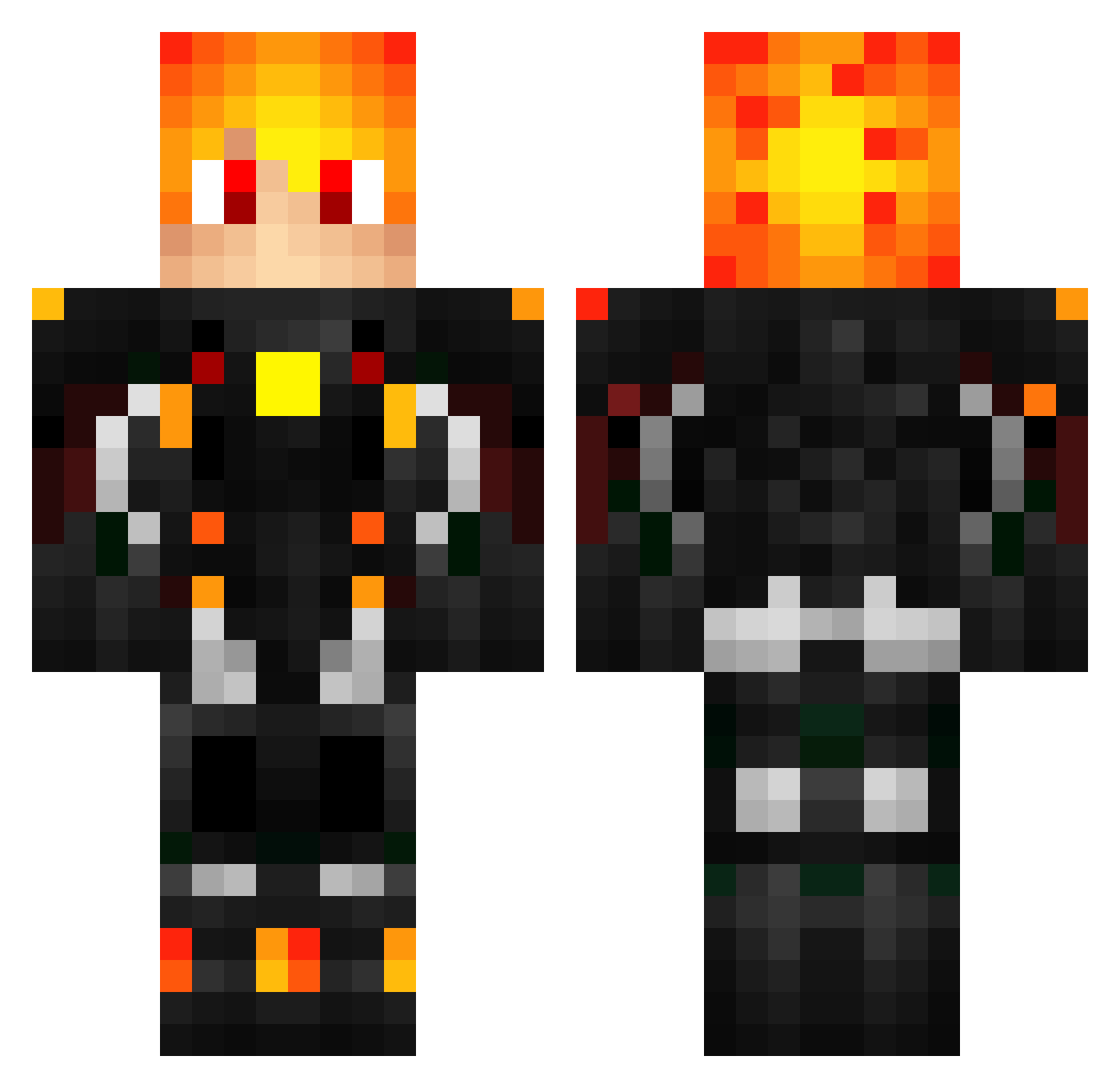
Current Minecraft skin of the player Nixlad_, loaded from the official Mojang API. Rotate the 3D model with your mouse or finger, then download the skin as a PNG file and use it in Minecraft: Bedrock Edition or Java Edition for free. When Nixlad_ changes their skin, this page updates automatically and the old skin stays in the history below.
Other players with this skin (442)
Nixlad_ was the 71st player we have seen with this skin, first spotted on 11.08.2026. The same skin was seen on these players. Open a nickname to see their current skin and skin history.
 ZeglusK OdinTheUnicorn GauMapDev luk3884 Tierzy Rjjgamer derMio MasterxZero SAGA001 PaRaNorMalice12 Anarch0s Ruirrrzz dartelac svennAlbert Pesztom Chardax Sazamael Tirmikir69 mi_kou29 yocuuu Tommy_Fire manja05 Schmit44 hoppel07 Anetrin _NeroClaudius OhGodOhFu HinFern0_974 Aedeus _Maxlar_ ZKersz Wh3R0o LividOblivion eshvar Daboo86 Drefer _Neronix_ FyrWizard RevBanger allstarjs quicheman5896 Wilson1030415 Jacobb78 Bossman0208 Rinzler007 xHarryPlayzz Barto7249 JSiang24 _20_ RealSyroXxX Bloodraven43 dingdingbear Zerko7 JhonCvr AWENGERSX xIBelive SkarCrowXD Sundeth ikun2002 TurtleexD
More Futuristic Armor Minecraft skins
See all 514 Futuristic Armor skins
How to install the Nixlad_ skin
- Press the Download button above to save the skin as a PNG file.
- Minecraft: Bedrock Edition (PE): open the Dressing Room from the main menu (or tap your character → Edit Character), go to Classic Skins → Owned, press the + (new skin) button, choose the downloaded PNG and pick the Classic (Steve) model. Works on PC and mobile; consoles cannot import custom skins.
- Minecraft: Java Edition: open the Minecraft Launcher, go to the Skins tab, click New Skin, load the PNG, pick the Classic (Steve) model and press Save & Use. You can also upload it at minecraft.net → Profile → Change Skin.
The skin does not show up after import - what should I do?
Restart Minecraft and open the Dressing Room again - imported skins sometimes appear only after a restart. Also make sure you selected the imported skin and picked the Classic (Steve) model.
Which model should I choose, Classic or Slim?
This skin is designed for the Classic (Steve) model. If you pick the wrong model, the arms of the skin will look stretched or squeezed.
Is the skin of Nixlad_ free to download?
Yes. Press Download, save the PNG file and use it in Minecraft: Bedrock Edition or Java Edition - no payment or registration needed. The skin also works on multiplayer servers and Realms.
More skins
Looking for more? Go back to all Minecraft skins and check the top skins of the week, month and all time, or find any player's skin by nickname.