
Nexus_Marvin - Minecraft Skins & Skin History
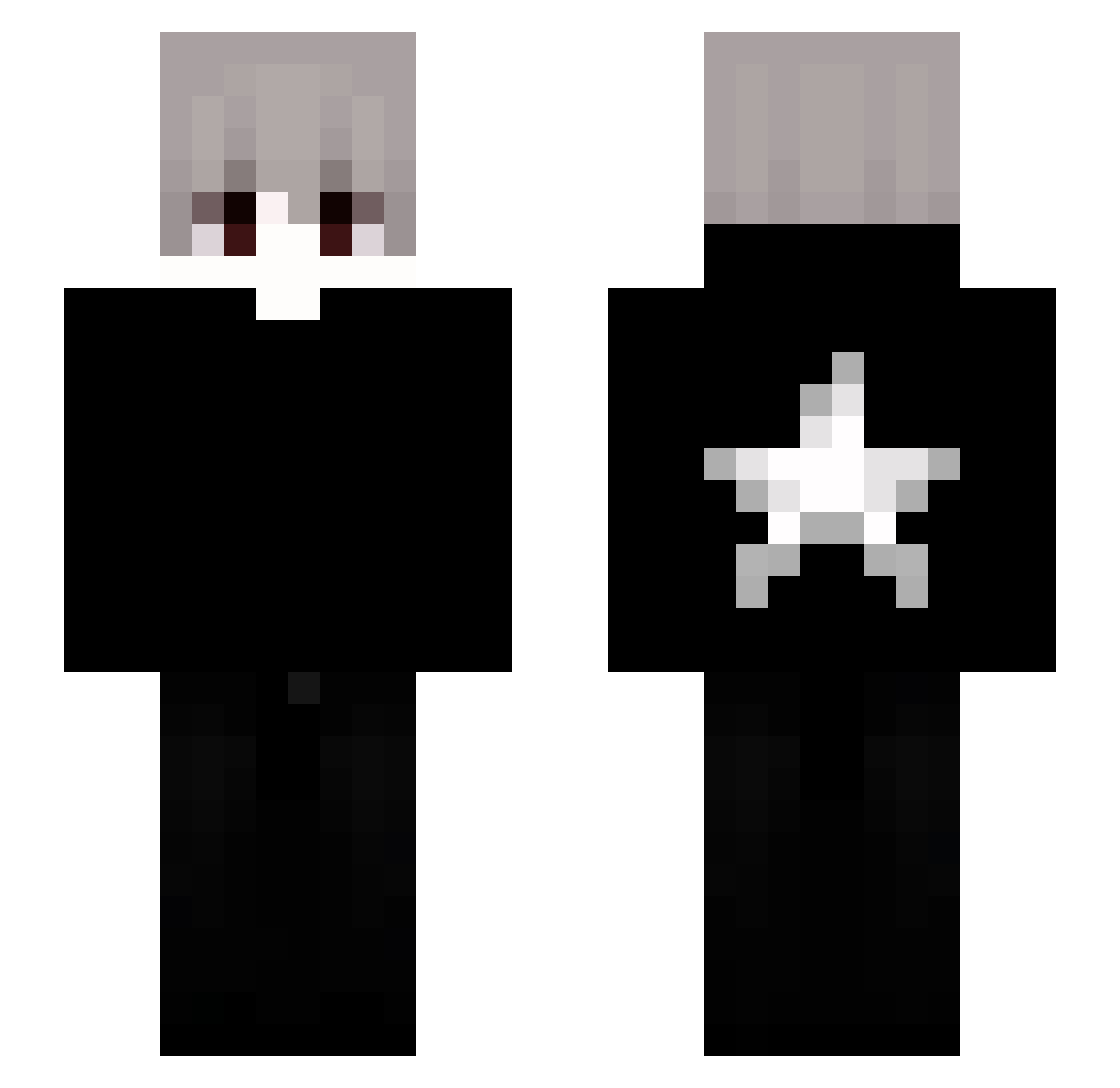
Current Minecraft skin of the player Nexus_Marvin, loaded from the official Mojang API. Rotate the 3D model with your mouse or finger, then download the skin as a PNG file and use it in Minecraft: Bedrock Edition or Java Edition for free. When Nexus_Marvin changes their skin, this page updates automatically and the old skin stays in the history below.
Other players with this skin (83)
Nexus_Marvin was the 45th player we have seen with this skin, first spotted on 22.09.2026. The same skin was seen on these players. Open a nickname to see their current skin and skin history.
 JerzMate sobekxx 9_qv tunjay6767 97hr 0obr Qlinh_ Frugo_Adas123 F4zeLuca Starblazeryt Tryhzz xSharpneQ CRLWY re0Rivon6342
 MAXIPRO08 Riquzin01 bartuwa_ s1ksakNP kristalik825 LukaBeno MuYQQ Juank4s IdzSieMyc1337 KuAsa77 ForjaMaestro wished1 SuperZinx DuzeraBR Vincent9019 MC_chenlu xigi16x muhammedfirat ElectronicMem ItzRens1 nadFoxuhi thegoat2314 3zuzo0 malveillantes Acrelyx Flywen99 EKKOREE_un5wt2s8 iLoveYouAres_ FlintCore _3ws feliz6 Frame0Bm vnhv Jm_HD OlekBrzeczypalka HJSU Spardryn Kle1nN WhoNeedYou iMiguelARM ClumpThechildHan LuizingameprayKk zenyx__ LauKin1s_seni xSajreh kazinxz
More Stars Minecraft skins
How to install the Nexus_Marvin skin
- Press the Download button above to save the skin as a PNG file.
- Minecraft: Bedrock Edition (PE): open the Dressing Room from the main menu (or tap your character → Edit Character), go to Classic Skins → Owned, press the + (new skin) button, choose the downloaded PNG and pick the Slim (Alex) model. Works on PC and mobile; consoles cannot import custom skins.
- Minecraft: Java Edition: open the Minecraft Launcher, go to the Skins tab, click New Skin, load the PNG, pick the Slim (Alex) model and press Save & Use. You can also upload it at minecraft.net → Profile → Change Skin.
The skin does not show up after import - what should I do?
Restart Minecraft and open the Dressing Room again - imported skins sometimes appear only after a restart. Also make sure you selected the imported skin and picked the Slim (Alex) model.
Which model should I choose, Classic or Slim?
This skin is designed for the Slim (Alex) model. If you pick the wrong model, the arms of the skin will look stretched or squeezed.
Is the skin of Nexus_Marvin free to download?
Yes. Press Download, save the PNG file and use it in Minecraft: Bedrock Edition or Java Edition - no payment or registration needed. The skin also works on multiplayer servers and Realms.
More skins
Looking for more? Go back to all Minecraft skins and check the top skins of the week, month and all time, or find any player's skin by nickname.