
NewMraio - Minecraft Skins & Skin History
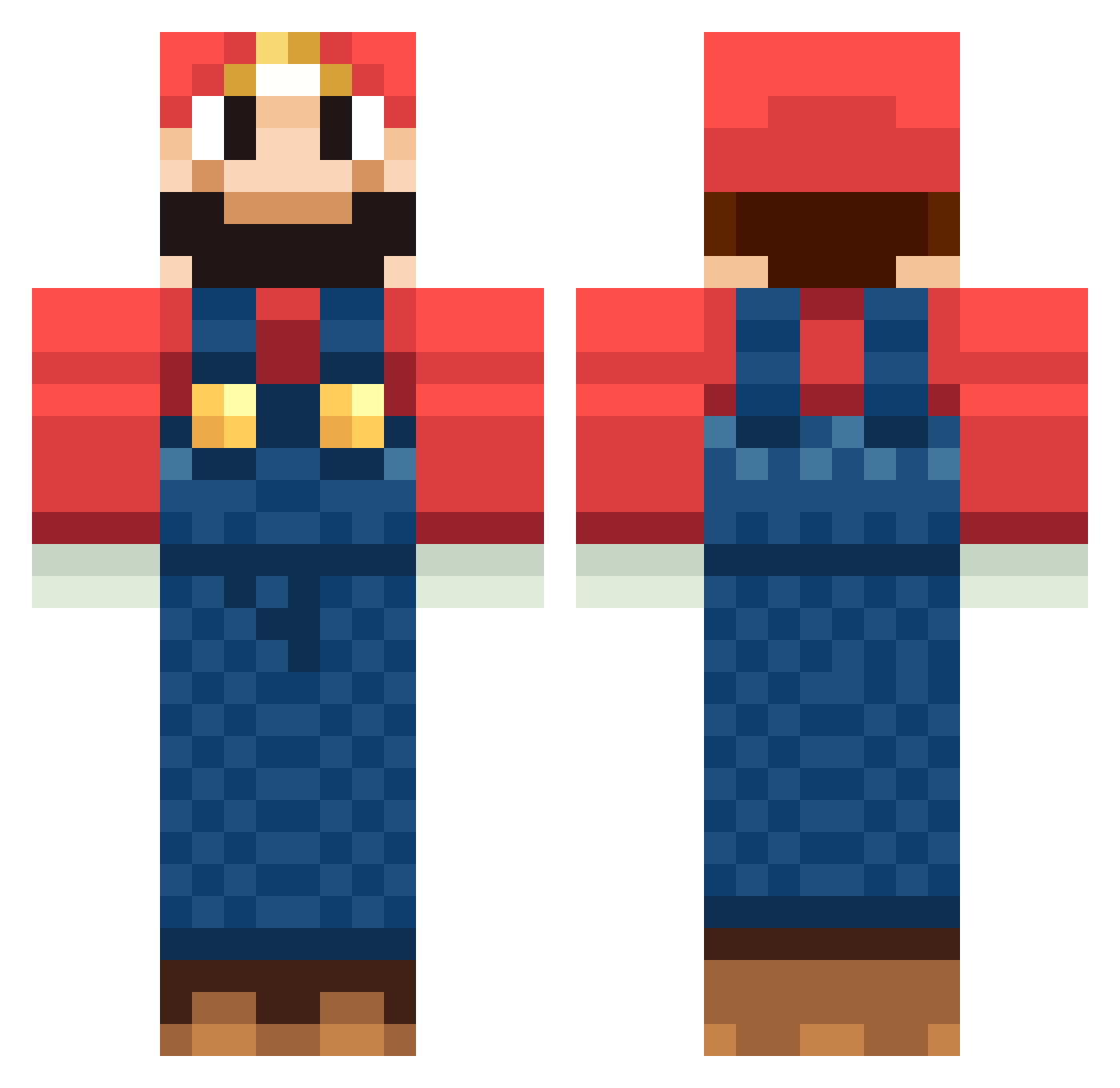
Current Minecraft skin of the player NewMraio, loaded from the official Mojang API. Rotate the 3D model with your mouse or finger, then download the skin as a PNG file and use it in Minecraft: Bedrock Edition or Java Edition for free. When NewMraio changes their skin, this page updates automatically and the old skin stays in the history below.
Other players with this skin (57)
NewMraio was the 35th player we have seen with this skin, first spotted on 23.09.2026. The same skin was seen on these players. Open a nickname to see their current skin and skin history.
 shoo_ter degenerich brianhxc Scusemua MCT32 FocusedCalm454 sanekaze mrspookypants3 Arim0 Fjoelnyr klauscheng pchristiansen PainsChauds MarioKartMaster VyansMyDad Mux doxxvictim Volodimir RiccardoG Firewalk129 Sythnit cooldude1678 piercap elonsmusk67 danielfin003
 Superaitorrrrr track100 der_MM corbier0 Chaospriestr spoogie5 snazzysunscreen Mario1up BiFii pivoerii Aythander StopherLodge Von_Winner Niqolo Antonio125_ Sefalo Todorke Hughlu AtSpazmataz mr_jaason marioandy MarioAwesome ethand1980 Clyter NeKkroN_SP coldjacob
 mangrajalkin manuelorantes YourAdHere27 Ledlauzis Frosttree Epiclemon717
More Mario Minecraft skins
How to install the NewMraio skin
- Press the Download button above to save the skin as a PNG file.
- Minecraft: Bedrock Edition (PE): open the Dressing Room from the main menu (or tap your character → Edit Character), go to Classic Skins → Owned, press the + (new skin) button, choose the downloaded PNG and pick the Classic (Steve) model. Works on PC and mobile; consoles cannot import custom skins.
- Minecraft: Java Edition: open the Minecraft Launcher, go to the Skins tab, click New Skin, load the PNG, pick the Classic (Steve) model and press Save & Use. You can also upload it at minecraft.net → Profile → Change Skin.
The skin does not show up after import - what should I do?
Restart Minecraft and open the Dressing Room again - imported skins sometimes appear only after a restart. Also make sure you selected the imported skin and picked the Classic (Steve) model.
Which model should I choose, Classic or Slim?
This skin is designed for the Classic (Steve) model. If you pick the wrong model, the arms of the skin will look stretched or squeezed.
Is the skin of NewMraio free to download?
Yes. Press Download, save the PNG file and use it in Minecraft: Bedrock Edition or Java Edition - no payment or registration needed. The skin also works on multiplayer servers and Realms.
More skins
Looking for more? Go back to all Minecraft skins and check the top skins of the week, month and all time, or find any player's skin by nickname.