
Neurami - Minecraft Skins & Skin History
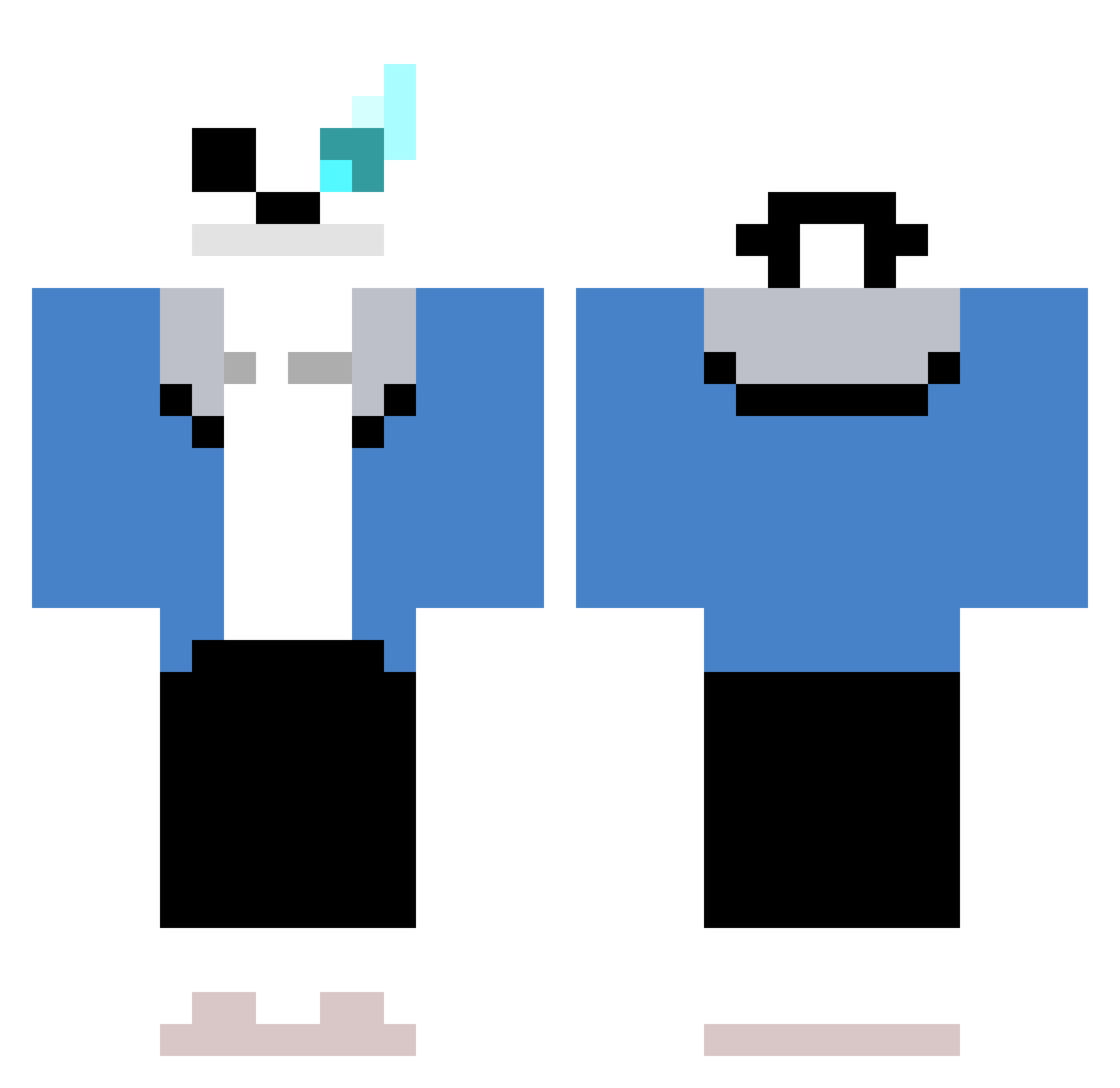
Current Minecraft skin of the player Neurami, loaded from the official Mojang API. Rotate the 3D model with your mouse or finger, then download the skin as a PNG file and use it in Minecraft: Bedrock Edition or Java Edition for free. When Neurami changes their skin, this page updates automatically and the old skin stays in the history below.
Other players with this skin (716)
Neurami was the 619th player we have seen with this skin, first spotted on 18.10.2026. The same skin was seen on these players. Open a nickname to see their current skin and skin history.
 DrinKaBeer subi0331 Crivit Rhoggu Borek420 Iroczny entschri3 mumj09 muzi_1116 HongYee0918 SKALATONE Sans_Undertale34 HORACEHY Pink_Guy69 sebas919 meziane__ DziunixX smerte425 rlaalsdn03 ccponpon Zaquenatos soccer_spider Brasileiro225 SelimTurkoglu Cathunderr K1llercl0wn Xardelph F1RetroForm YUTAROU315 Qart_done ronron7188 B_tos rgferrari monkeymadness35 333DDD Methenoobjk Leo_spdr121420 AEWestCrafts Maeghan10 DumdiRim foxy2010 RedRoot1781 sehoon0916 asc88 DenkDochNach Creator_Adam Cagney_Carnation Sans_0011 kameeeeeeeeeeeee ChaDeCamomila7 starfox387 DSVale __Lexicon Andreasvu No1nhat Vinny002 eomjunsig112 Ghoumon Lilpej_j SnipJ
More Sans Minecraft skins
How to install the Neurami skin
- Press the Download button above to save the skin as a PNG file.
- Minecraft: Bedrock Edition (PE): open the Dressing Room from the main menu (or tap your character → Edit Character), go to Classic Skins → Owned, press the + (new skin) button, choose the downloaded PNG and pick the Classic (Steve) model. Works on PC and mobile; consoles cannot import custom skins.
- Minecraft: Java Edition: open the Minecraft Launcher, go to the Skins tab, click New Skin, load the PNG, pick the Classic (Steve) model and press Save & Use. You can also upload it at minecraft.net → Profile → Change Skin.
The skin does not show up after import - what should I do?
Restart Minecraft and open the Dressing Room again - imported skins sometimes appear only after a restart. Also make sure you selected the imported skin and picked the Classic (Steve) model.
Which model should I choose, Classic or Slim?
This skin is designed for the Classic (Steve) model. If you pick the wrong model, the arms of the skin will look stretched or squeezed.
Is the skin of Neurami free to download?
Yes. Press Download, save the PNG file and use it in Minecraft: Bedrock Edition or Java Edition - no payment or registration needed. The skin also works on multiplayer servers and Realms.
More skins
Looking for more? Go back to all Minecraft skins and check the top skins of the week, month and all time, or find any player's skin by nickname.