
Naxoutix - Minecraft Skins & Skin History
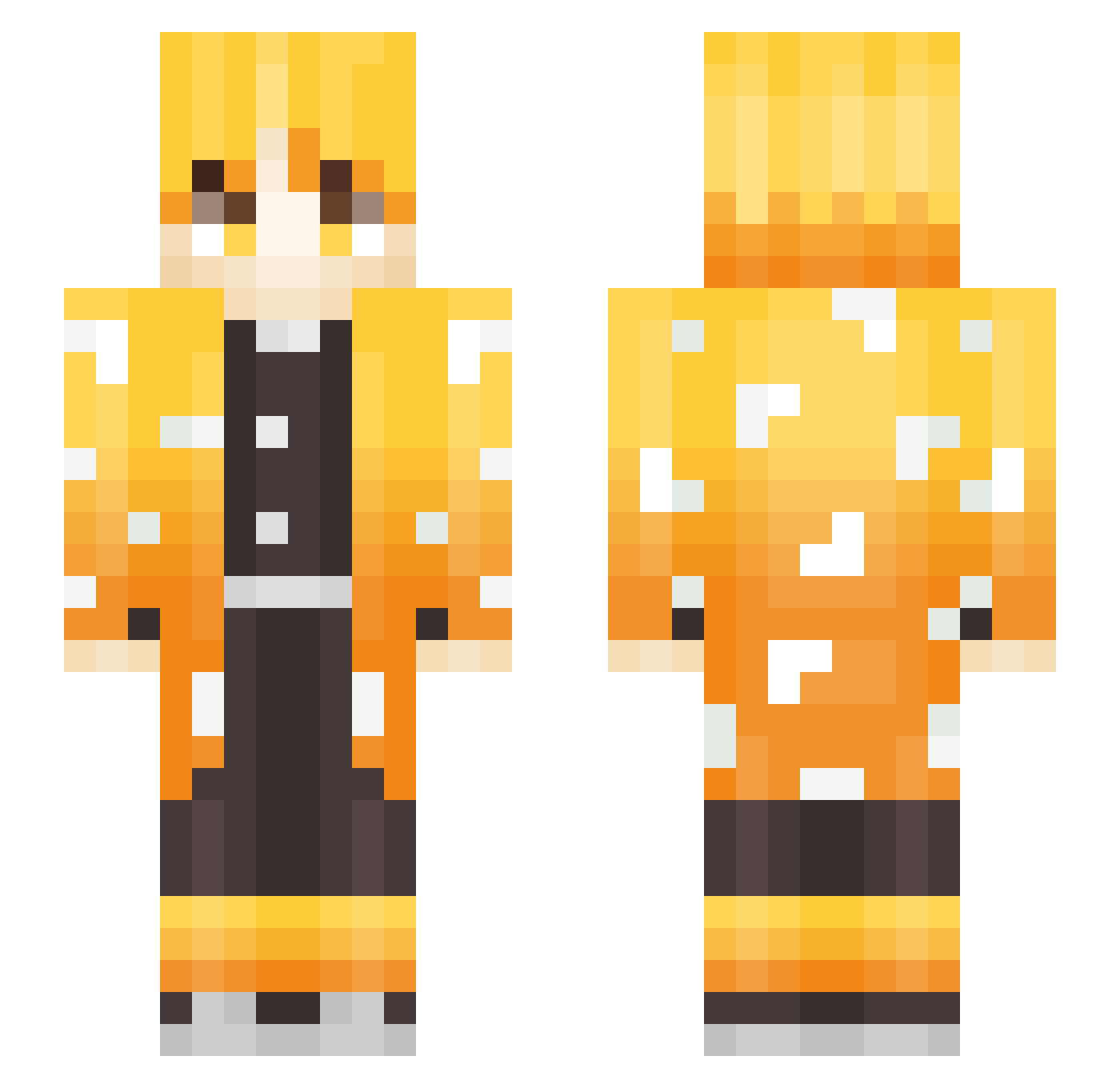
Current Minecraft skin of the player Naxoutix, loaded from the official Mojang API. Rotate the 3D model with your mouse or finger, then download the skin as a PNG file and use it in Minecraft: Bedrock Edition or Java Edition for free. When Naxoutix changes their skin, this page updates automatically and the old skin stays in the history below.
Other players with this skin (250)
Naxoutix was the 100th player we have seen with this skin, first spotted on 31.08.2026. The same skin was seen on these players. Open a nickname to see their current skin and skin history.
 Minchooo X_EL SirTremis nasaro APenguinA SmilingLlama806 KawinQ Aesi01 LIuvia Rokotastic wl02467062 kuz_eo KvJos Oat_Survival Natruffyx Chiggles2525 bamboojack Igotadog15078 ChaoticLizzard williamine0 XiaoZhi980 Blueflatts Teilun Uliceut SoGBo YoungShady Septicabi Reho_ Smokeyz JorgeGR15 iM1riXGG yuutadazo JaeMirr Gaminghai andromaDABB _SamBGR_ benjamin_yyh Alejo44 RVN_WhiteZ adumyumyum ReplicaSensei Foockr Schere_Lp KingSaints Blucky359 Im_Zenitsu Nataman95 marcos909 Duhpho ShineyHP zJxsper purple_SKY1 hssmysn DragonLive123 SpiritInk Alp3x Qebuh Mattosin Kurokiichi dame_YoYo
More Zenitsu Agatsuma Minecraft skins
See all 170 Zenitsu Agatsuma skins
How to install the Naxoutix skin
- Press the Download button above to save the skin as a PNG file.
- Minecraft: Bedrock Edition (PE): open the Dressing Room from the main menu (or tap your character → Edit Character), go to Classic Skins → Owned, press the + (new skin) button, choose the downloaded PNG and pick the Slim (Alex) model. Works on PC and mobile; consoles cannot import custom skins.
- Minecraft: Java Edition: open the Minecraft Launcher, go to the Skins tab, click New Skin, load the PNG, pick the Slim (Alex) model and press Save & Use. You can also upload it at minecraft.net → Profile → Change Skin.
The skin does not show up after import - what should I do?
Restart Minecraft and open the Dressing Room again - imported skins sometimes appear only after a restart. Also make sure you selected the imported skin and picked the Slim (Alex) model.
Which model should I choose, Classic or Slim?
This skin is designed for the Slim (Alex) model. If you pick the wrong model, the arms of the skin will look stretched or squeezed.
Is the skin of Naxoutix free to download?
Yes. Press Download, save the PNG file and use it in Minecraft: Bedrock Edition or Java Edition - no payment or registration needed. The skin also works on multiplayer servers and Realms.
More skins
Looking for more? Go back to all Minecraft skins and check the top skins of the week, month and all time, or find any player's skin by nickname.