
NathyPvP - Minecraft Skins & Skin History
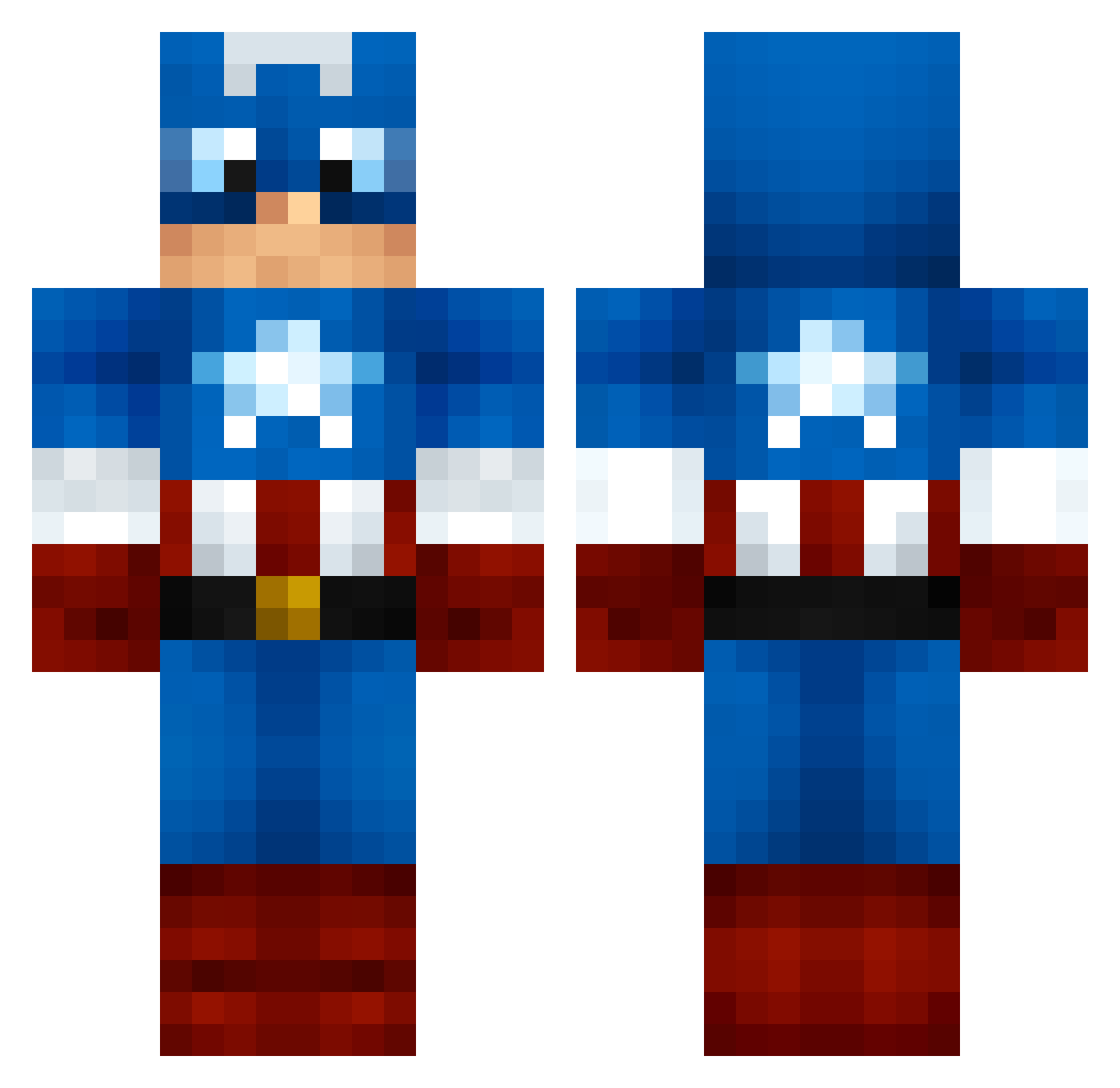
Current Minecraft skin of the player NathyPvP, loaded from the official Mojang API. Rotate the 3D model with your mouse or finger, then download the skin as a PNG file and use it in Minecraft: Bedrock Edition or Java Edition for free. When NathyPvP changes their skin, this page updates automatically and the old skin stays in the history below.
Other players with this skin (1166)
NathyPvP was the 856th player we have seen with this skin, first spotted on 10.10.2026. The same skin was seen on these players. Open a nickname to see their current skin and skin history.
 hawkeyefan27 JaJaLieke hirsty666 strawberryswagg danksey cheesetorch cho_me chuncai RazedXXX Lobcorp SuperAlec821 sophie121215 coolioboy11 ThijsFriso Cpt_Cornbread chilichicken123 HarryL2000 frede01 Zinkzn naser_king1 CaptainAwesum04 Knukzi LizardMan69 Wolflineeee stay_g0lden libasa lightningkenno12 xxbaconxx G0lvar Spiegs14 Electoisies CaptainV Gengstar2506 BeefyPhil jakemakescakes michael_kk Wixman23 jminecraft7 Dennis2202 Hultmann peterholmvik Zakharris AnthonyD2003 TKGpuppet cdlamantia Samuel_Rules sikityan MandoC09 Kuraidragon WhatSquat JohnMalcolm giulioxxx The_Cornballer18 Jopie3108 brayden620 willc2004 Nerdsbeware JoJokingkong spooky1805 StrickenHD
More Captain America Minecraft skins
See all 164 Captain America skins
How to install the NathyPvP skin
- Press the Download button above to save the skin as a PNG file.
- Minecraft: Bedrock Edition (PE): open the Dressing Room from the main menu (or tap your character → Edit Character), go to Classic Skins → Owned, press the + (new skin) button, choose the downloaded PNG and pick the Classic (Steve) model. Works on PC and mobile; consoles cannot import custom skins.
- Minecraft: Java Edition: open the Minecraft Launcher, go to the Skins tab, click New Skin, load the PNG, pick the Classic (Steve) model and press Save & Use. You can also upload it at minecraft.net → Profile → Change Skin.
The skin does not show up after import - what should I do?
Restart Minecraft and open the Dressing Room again - imported skins sometimes appear only after a restart. Also make sure you selected the imported skin and picked the Classic (Steve) model.
Which model should I choose, Classic or Slim?
This skin is designed for the Classic (Steve) model. If you pick the wrong model, the arms of the skin will look stretched or squeezed.
Is the skin of NathyPvP free to download?
Yes. Press Download, save the PNG file and use it in Minecraft: Bedrock Edition or Java Edition - no payment or registration needed. The skin also works on multiplayer servers and Realms.
More skins
Looking for more? Go back to all Minecraft skins and check the top skins of the week, month and all time, or find any player's skin by nickname.