
Nathan1073 - Minecraft Skins & Skin History
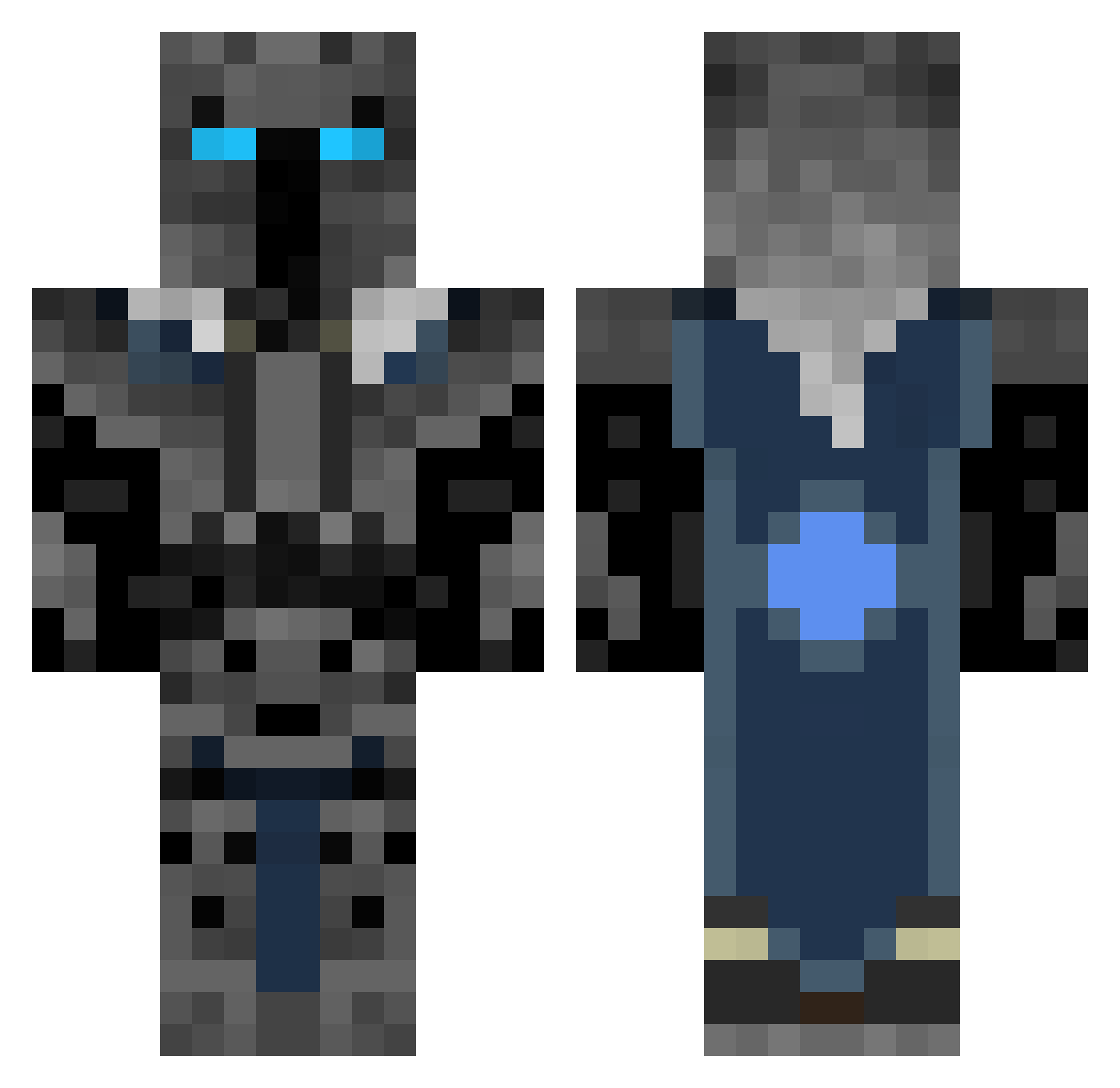
Current Minecraft skin of the player Nathan1073, loaded from the official Mojang API. Rotate the 3D model with your mouse or finger, then download the skin as a PNG file and use it in Minecraft: Bedrock Edition or Java Edition for free. When Nathan1073 changes their skin, this page updates automatically and the old skin stays in the history below.
Other players with this skin (360)
Nathan1073 was the 168th player we have seen with this skin, first spotted on 13.09.2026. The same skin was seen on these players. Open a nickname to see their current skin and skin history.
 Ianrath Mylesaparker HORTON2004 ANDREW0217 bluedevils16 philip295 blondie1065 Rooster143 TheFoodReviewer CaptainWalruz RiCeZxEnerGeyzeD jakieboyrocks charlieforth Arrowhead777 deathstroke_010 BigHossGames jrw2007 ThegamerGT tobias9391 JosiahHD Henry560 RylanLouis Jeramiah702 JADYNLT Warrior_Arthus Bishoppain StreMadNess TRETRETHEKING fan424 msqp Happyth3Cat kungfumasterleaf CedHD2002 RD1100 core_i9 CreepingCat88 FACE_DUCK Craftalogical99 Bennett16 rchiazza Sniperxyz superilan1 minermatt05 Ghoster072 NicMooper 1popularmmos OneShot2K JacobsMinecraft1 343GSpark GIANNALO sr_fallenangel AtomicBilzzard92 _Spirit_57 Devinedevil BlackBurger irussell2019 EvalMonkee kman022706 Treacy23 TH3BOSS
More Knight Minecraft skins
How to install the Nathan1073 skin
- Press the Download button above to save the skin as a PNG file.
- Minecraft: Bedrock Edition (PE): open the Dressing Room from the main menu (or tap your character → Edit Character), go to Classic Skins → Owned, press the + (new skin) button, choose the downloaded PNG and pick the Classic (Steve) model. Works on PC and mobile; consoles cannot import custom skins.
- Minecraft: Java Edition: open the Minecraft Launcher, go to the Skins tab, click New Skin, load the PNG, pick the Classic (Steve) model and press Save & Use. You can also upload it at minecraft.net → Profile → Change Skin.
The skin does not show up after import - what should I do?
Restart Minecraft and open the Dressing Room again - imported skins sometimes appear only after a restart. Also make sure you selected the imported skin and picked the Classic (Steve) model.
Which model should I choose, Classic or Slim?
This skin is designed for the Classic (Steve) model. If you pick the wrong model, the arms of the skin will look stretched or squeezed.
Is the skin of Nathan1073 free to download?
Yes. Press Download, save the PNG file and use it in Minecraft: Bedrock Edition or Java Edition - no payment or registration needed. The skin also works on multiplayer servers and Realms.
More skins
Looking for more? Go back to all Minecraft skins and check the top skins of the week, month and all time, or find any player's skin by nickname.