
NatalMarker - Minecraft Skins & Skin History
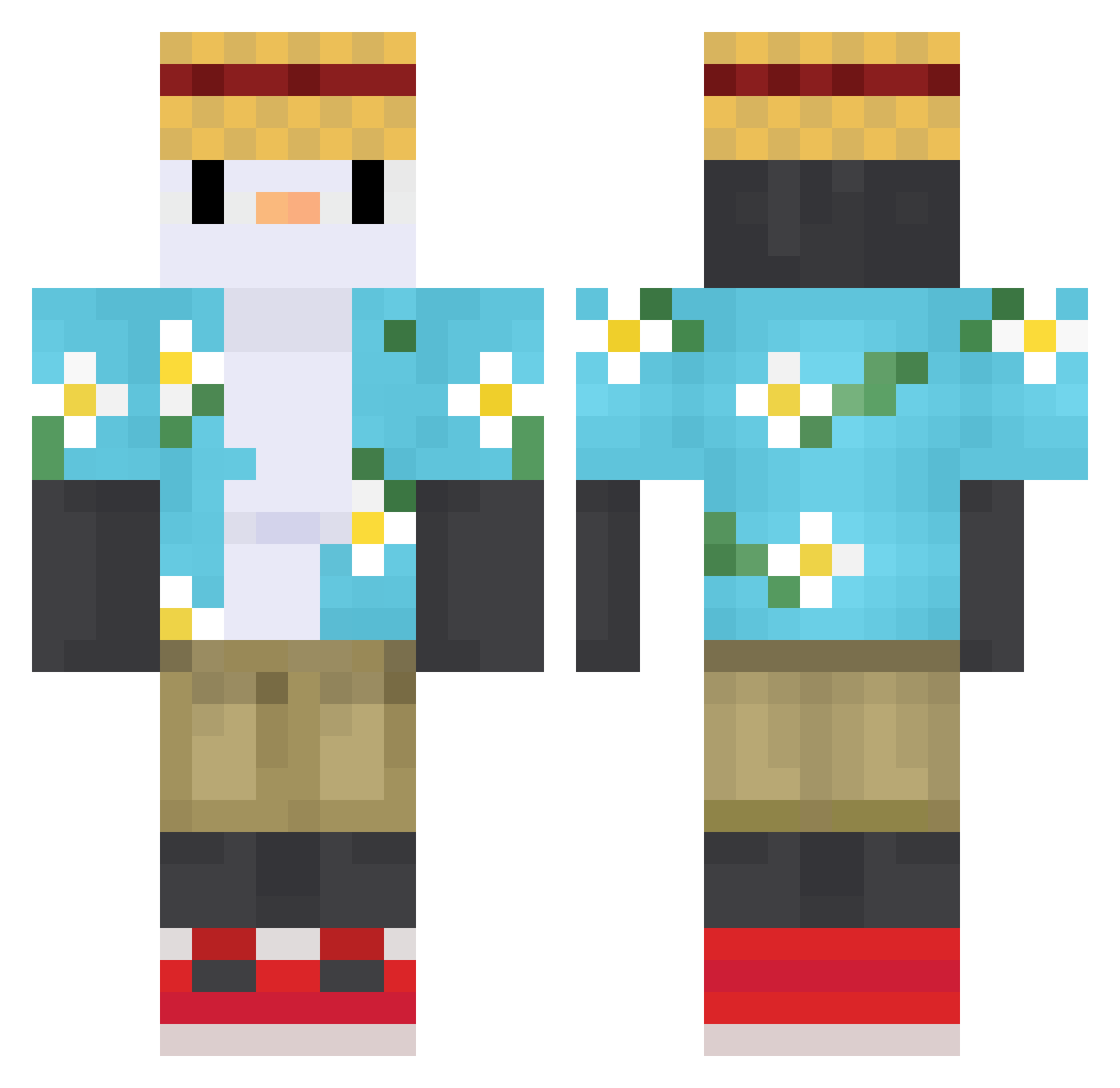
Current Minecraft skin of the player NatalMarker, loaded from the official Mojang API. Rotate the 3D model with your mouse or finger, then download the skin as a PNG file and use it in Minecraft: Bedrock Edition or Java Edition for free. When NatalMarker changes their skin, this page updates automatically and the old skin stays in the history below.
Other players with this skin (758)
NatalMarker was the 657th player we have seen with this skin, first spotted on 06.11.2026. The same skin was seen on these players. Open a nickname to see their current skin and skin history.
 KvietiniaiMiltai Plxng_cbt dcc031 SGARU11 ibrahimMASTER LOVC_17 Antoniolfl NoobPlayground CraftyyJere xmastorx Spawah Quentiinou_00 KevinTeen Barquito0 TomTvPl Eldrazi01 NapalmSC goodgala 1yangup Sil_20 Mex4321 leroyx1d2 sovqqq SakuraSakuya snouf56 SuhDoot MacEquet zetaaa05 louisdercool BeerMania Ariial loo0ool MakKouwaii Fuzhang sugo1072 Yowozzi PtitFrigo OocsoO JH_Roky ImZJdes Elephantn Eternalgame Patryk128 car0lim3 bestwen geunjae123 NicolasVert Yezz00 Sfernox__ Greesia Phtato z1z2w3_ KevinnCesar pablo_Shinoboom Bolmug enzovanden bingtyl JDChanis Jefferson_He 9cap
More Straw Hat Minecraft skins
How to install the NatalMarker skin
- Press the Download button above to save the skin as a PNG file.
- Minecraft: Bedrock Edition (PE): open the Dressing Room from the main menu (or tap your character → Edit Character), go to Classic Skins → Owned, press the + (new skin) button, choose the downloaded PNG and pick the Classic (Steve) model. Works on PC and mobile; consoles cannot import custom skins.
- Minecraft: Java Edition: open the Minecraft Launcher, go to the Skins tab, click New Skin, load the PNG, pick the Classic (Steve) model and press Save & Use. You can also upload it at minecraft.net → Profile → Change Skin.
The skin does not show up after import - what should I do?
Restart Minecraft and open the Dressing Room again - imported skins sometimes appear only after a restart. Also make sure you selected the imported skin and picked the Classic (Steve) model.
Which model should I choose, Classic or Slim?
This skin is designed for the Classic (Steve) model. If you pick the wrong model, the arms of the skin will look stretched or squeezed.
Is the skin of NatalMarker free to download?
Yes. Press Download, save the PNG file and use it in Minecraft: Bedrock Edition or Java Edition - no payment or registration needed. The skin also works on multiplayer servers and Realms.
More skins
Looking for more? Go back to all Minecraft skins and check the top skins of the week, month and all time, or find any player's skin by nickname.