
NanoNinja84 - Minecraft Skins & Skin History
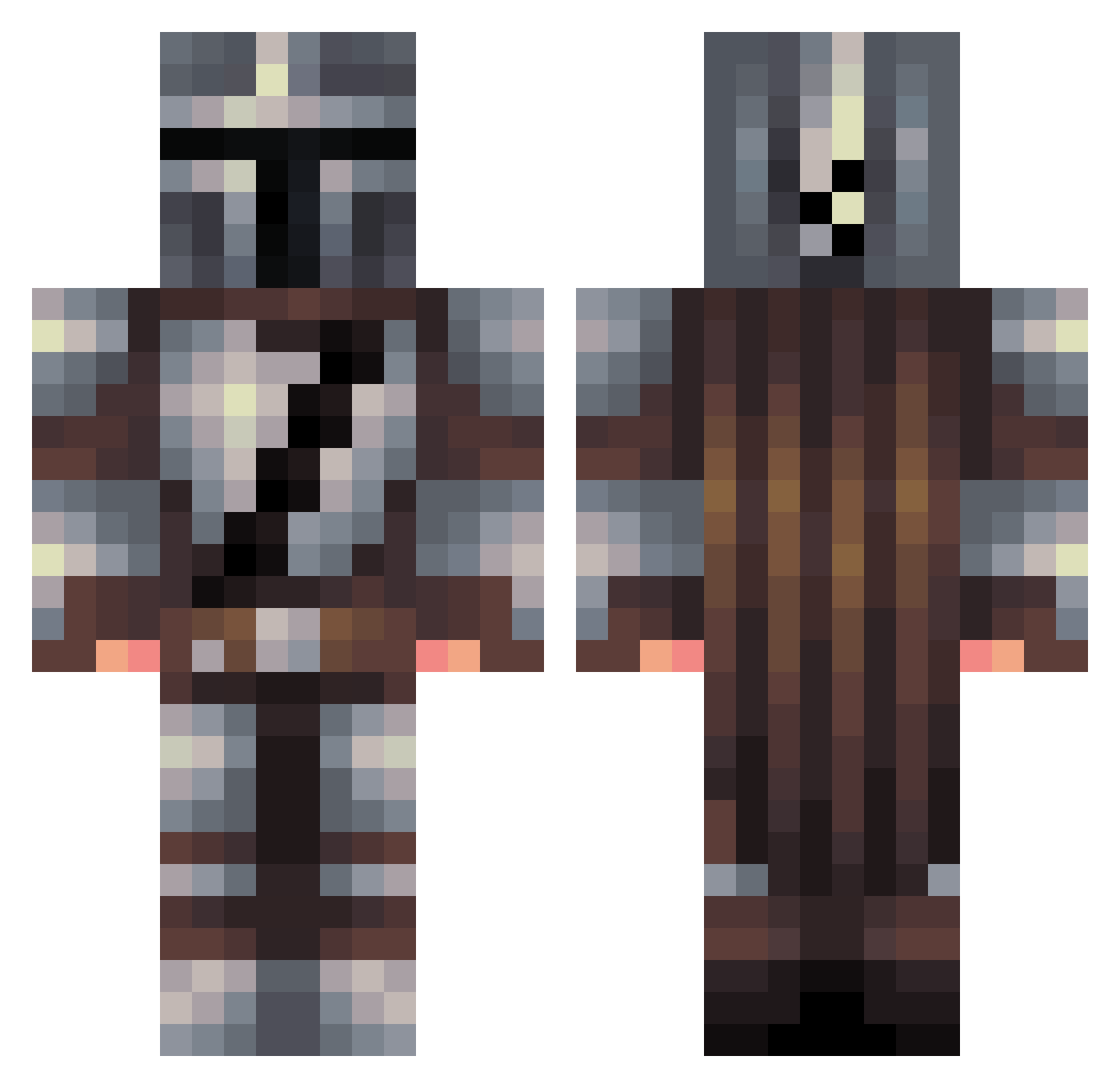
Current Minecraft skin of the player NanoNinja84, loaded from the official Mojang API. Rotate the 3D model with your mouse or finger, then download the skin as a PNG file and use it in Minecraft: Bedrock Edition or Java Edition for free. When NanoNinja84 changes their skin, this page updates automatically and the old skin stays in the history below.
Other players with this skin (61)
NanoNinja84 was the 22nd player we have seen with this skin, first spotted on 14.09.2026. The same skin was seen on these players. Open a nickname to see their current skin and skin history.
 Chaospope Elvevold Nefthan Im_Charge houseprinters SirPaipone leopardlogan LoveDizzle88 Snipes_013 GoodBadMan FunnyS0X Maltiste TheNextGod Maedread Mandogammer Pivquo Thracken Matthew__82 DARKKILLER5507 DonRode Ethan3355 ario94 TheSaxMachine davidzima47 Reborndead Servitios HongKwong Pineapple2365 Howard_LoKI DefectiveOpossum arizaguney short_jesuss Odylak moIIywater josh42870 gofranks Zsabezs Ut0pian Standard_Eel asfalothh thisgameisfun_ bigbudgie FloppyDonkey C4SS14N Spyder8 TREETZ Skullreaper134 Servitius Soul_Preacher JLutemo nelsonm49 NikkaKhat galaxybran UnclesMilk flobunga MyInnerDemons420 HBZach Whozzi Avaaz ElliottIsANerd
More The Mandalorian Minecraft skins
See all 592 The Mandalorian skins
How to install the NanoNinja84 skin
- Press the Download button above to save the skin as a PNG file.
- Minecraft: Bedrock Edition (PE): open the Dressing Room from the main menu (or tap your character → Edit Character), go to Classic Skins → Owned, press the + (new skin) button, choose the downloaded PNG and pick the Classic (Steve) model. Works on PC and mobile; consoles cannot import custom skins.
- Minecraft: Java Edition: open the Minecraft Launcher, go to the Skins tab, click New Skin, load the PNG, pick the Classic (Steve) model and press Save & Use. You can also upload it at minecraft.net → Profile → Change Skin.
The skin does not show up after import - what should I do?
Restart Minecraft and open the Dressing Room again - imported skins sometimes appear only after a restart. Also make sure you selected the imported skin and picked the Classic (Steve) model.
Which model should I choose, Classic or Slim?
This skin is designed for the Classic (Steve) model. If you pick the wrong model, the arms of the skin will look stretched or squeezed.
Is the skin of NanoNinja84 free to download?
Yes. Press Download, save the PNG file and use it in Minecraft: Bedrock Edition or Java Edition - no payment or registration needed. The skin also works on multiplayer servers and Realms.
More skins
Looking for more? Go back to all Minecraft skins and check the top skins of the week, month and all time, or find any player's skin by nickname.