
Nabhith28 - Minecraft Skins & Skin History
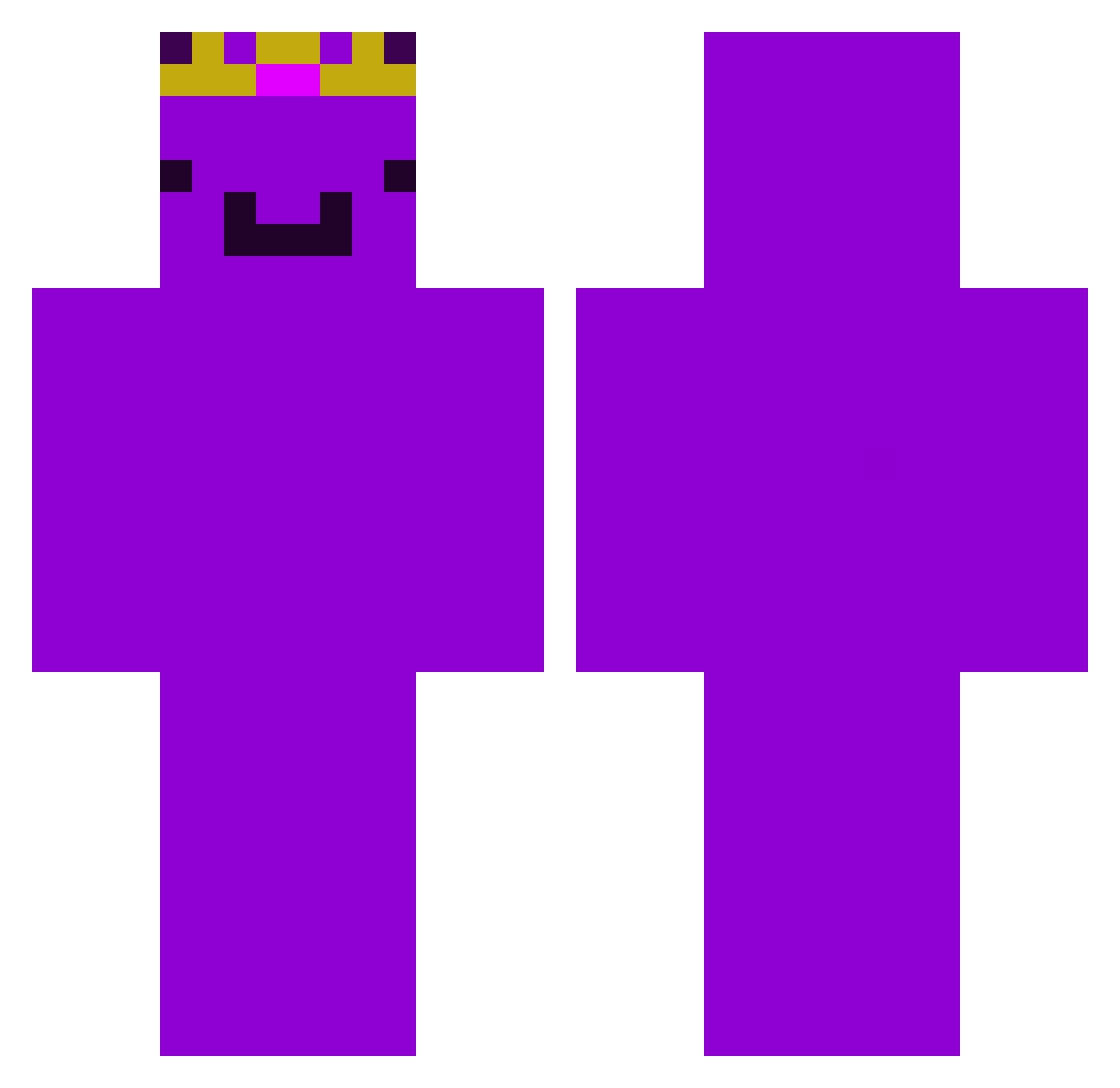
Current Minecraft skin of the player Nabhith28, loaded from the official Mojang API. Rotate the 3D model with your mouse or finger, then download the skin as a PNG file and use it in Minecraft: Bedrock Edition or Java Edition for free. When Nabhith28 changes their skin, this page updates automatically and the old skin stays in the history below.
Other players with this skin (376)
Nabhith28 was the 356th player we have seen with this skin, first spotted on 18.10.2026. The same skin was seen on these players. Open a nickname to see their current skin and skin history.
 AntoniFans Reptx xXGAMERXxprrr Minoessepoes Frost_Hollow ThaobaldTheBird AndreTheBeast SuperMoo34 Y4uk_ cuzsy ANDYandONLY Mirror18 ImSetABlaze loke123456 hypespeed179 MintToastboyy xrisavgitis1967 jubileelin Strxxw D4NDTM ItsRealLucaYT gyattmester _xmc13 OLIWER1223 Lennoxishere COOLPaddy2010 Ray090413 Dummtendo BetterThanU14 TacticTurtle884 prismxop itzmegamer321 Lookout9712 StrafeX2 EnderBrine32 yoboyjoseph15 Wojtussssss Olle214 PerfectTeo11 sensuzuki PASIR2qum1kz5p9y poepie444 KalchCat DragonFishLIVE Mikobykov2 DetectiveMace Wfmmbu loxy_95 Alessio_o_o_o_ kai_5h1n5375u ShnibbleSnab Wemmbum Joonas126 KostakhsX2 Amr1ylse ILikeMyWatermelo Kubaxyz Danon_pro WessiYT TheShuTing
More Crown Minecraft skins
How to install the Nabhith28 skin
- Press the Download button above to save the skin as a PNG file.
- Minecraft: Bedrock Edition (PE): open the Dressing Room from the main menu (or tap your character → Edit Character), go to Classic Skins → Owned, press the + (new skin) button, choose the downloaded PNG and pick the Classic (Steve) model. Works on PC and mobile; consoles cannot import custom skins.
- Minecraft: Java Edition: open the Minecraft Launcher, go to the Skins tab, click New Skin, load the PNG, pick the Classic (Steve) model and press Save & Use. You can also upload it at minecraft.net → Profile → Change Skin.
The skin does not show up after import - what should I do?
Restart Minecraft and open the Dressing Room again - imported skins sometimes appear only after a restart. Also make sure you selected the imported skin and picked the Classic (Steve) model.
Which model should I choose, Classic or Slim?
This skin is designed for the Classic (Steve) model. If you pick the wrong model, the arms of the skin will look stretched or squeezed.
Is the skin of Nabhith28 free to download?
Yes. Press Download, save the PNG file and use it in Minecraft: Bedrock Edition or Java Edition - no payment or registration needed. The skin also works on multiplayer servers and Realms.
More skins
Looking for more? Go back to all Minecraft skins and check the top skins of the week, month and all time, or find any player's skin by nickname.