
NXDc - Minecraft Skins & Skin History
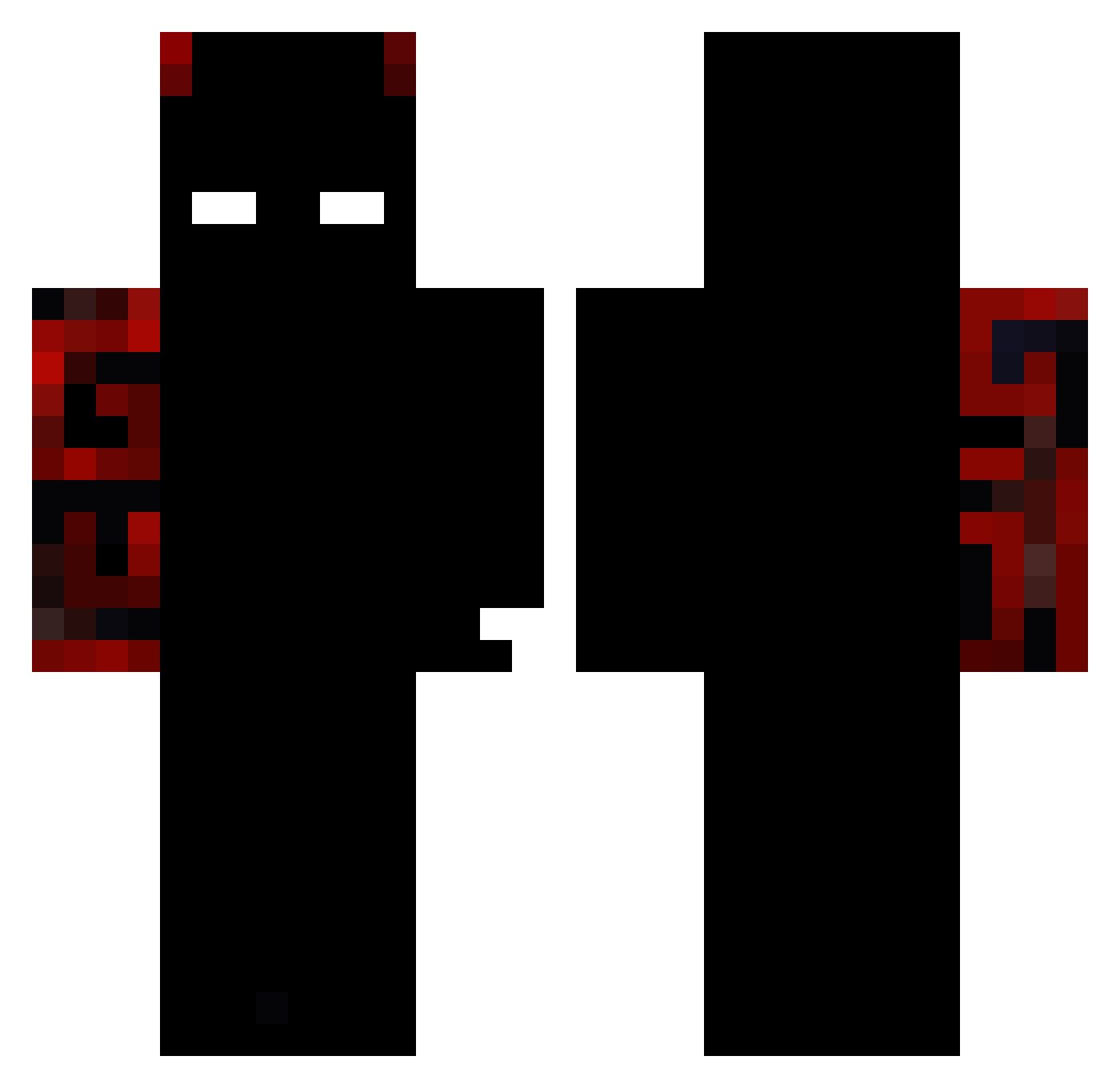
Current Minecraft skin of the player NXDc, loaded from the official Mojang API. Rotate the 3D model with your mouse or finger, then download the skin as a PNG file and use it in Minecraft: Bedrock Edition or Java Edition for free. When NXDc changes their skin, this page updates automatically and the old skin stays in the history below.
Other players with this skin (126)
NXDc was the 96th player we have seen with this skin, first spotted on 20.10.2026. The same skin was seen on these players. Open a nickname to see their current skin and skin history.
 II_Santa_II Night7139 Jubah27 Yufuzi_ roy_ezkill fengziyuzhen NotVorze Mutshu XandreITMCRL JavinskiOG Dark0Phoenix Voii_D SBM2115 lucas7799 poulet47 DragonGustoZz Kasyniarz_1 TangentBongo937 ReAxeShin geezydee66 XLNearly99 hahahha123 xPolakPL xd_435 Pxname EduardoSamaS Bruno034 ZZZtl axoltle224 12killer Bonden_Steve ollebatcat mime4343 Evillq_ MimikyuLEAF cvaruna Linus33752 TaxTheRich_ shnivar Z3n1x4k0s tomxxs EsTruJiDo TQL102 ZhasK666 Nytherune Baron_K3Y Astro_LJJ Pedro3290 EclipseRelic zlDarking Nyxolu OtSoChodziii AuthorForHire M3M0NCHIN oucan NebrecGuguGaga GodZSpeed18 JVX516 MoskitoAdler240 NfsDan13
More Demon Minecraft skins
How to install the NXDc skin
- Press the Download button above to save the skin as a PNG file.
- Minecraft: Bedrock Edition (PE): open the Dressing Room from the main menu (or tap your character → Edit Character), go to Classic Skins → Owned, press the + (new skin) button, choose the downloaded PNG and pick the Classic (Steve) model. Works on PC and mobile; consoles cannot import custom skins.
- Minecraft: Java Edition: open the Minecraft Launcher, go to the Skins tab, click New Skin, load the PNG, pick the Classic (Steve) model and press Save & Use. You can also upload it at minecraft.net → Profile → Change Skin.
The skin does not show up after import - what should I do?
Restart Minecraft and open the Dressing Room again - imported skins sometimes appear only after a restart. Also make sure you selected the imported skin and picked the Classic (Steve) model.
Which model should I choose, Classic or Slim?
This skin is designed for the Classic (Steve) model. If you pick the wrong model, the arms of the skin will look stretched or squeezed.
Is the skin of NXDc free to download?
Yes. Press Download, save the PNG file and use it in Minecraft: Bedrock Edition or Java Edition - no payment or registration needed. The skin also works on multiplayer servers and Realms.
More skins
Looking for more? Go back to all Minecraft skins and check the top skins of the week, month and all time, or find any player's skin by nickname.