
NER_88 - Minecraft Skins & Skin History
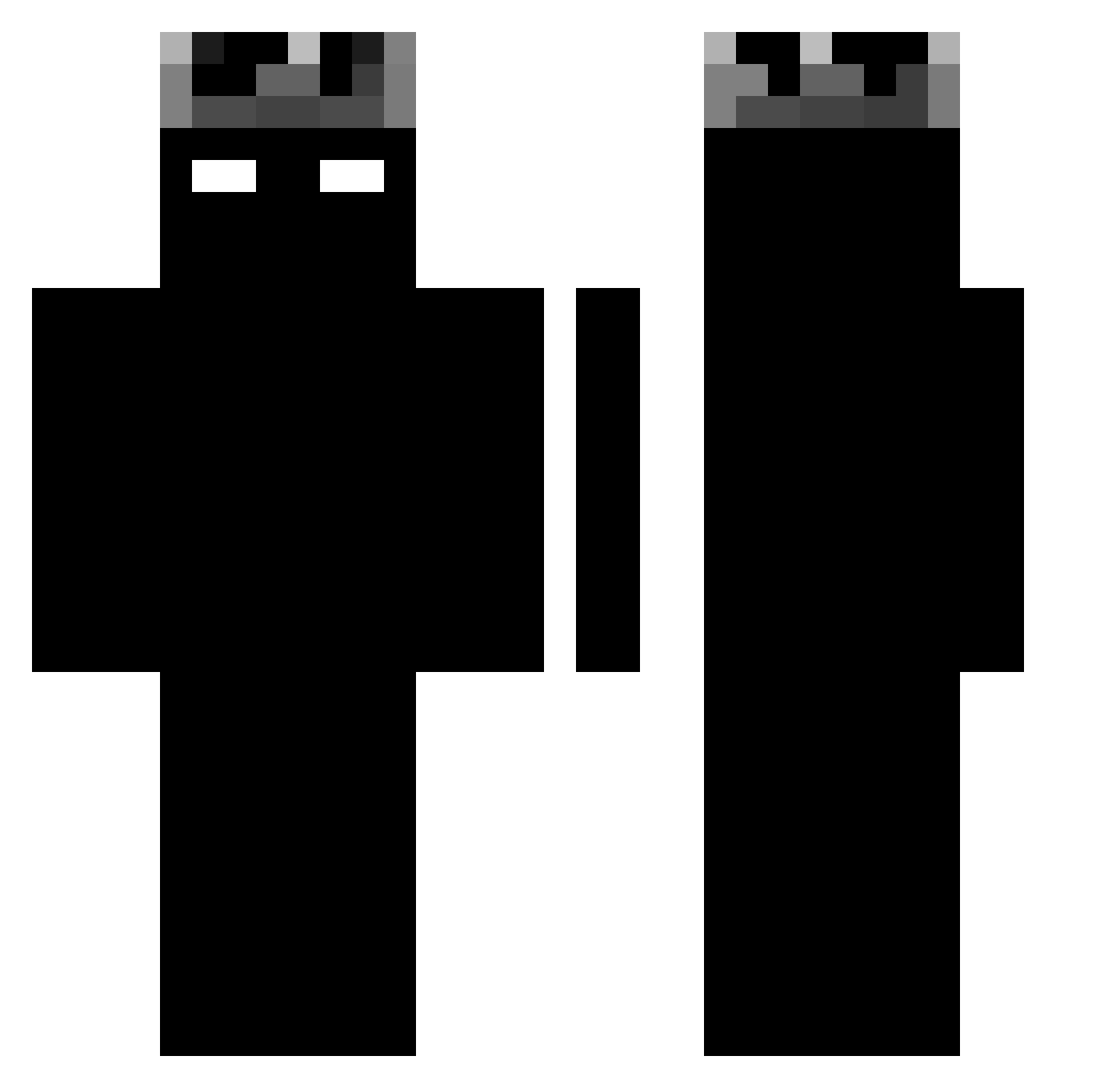
Current Minecraft skin of the player NER_88, loaded from the official Mojang API. Rotate the 3D model with your mouse or finger, then download the skin as a PNG file and use it in Minecraft: Bedrock Edition or Java Edition for free. When NER_88 changes their skin, this page updates automatically and the old skin stays in the history below.
Other players with this skin (1188)
NER_88 was the 1034th player we have seen with this skin, first spotted on 24.10.2026. The same skin was seen on these players. Open a nickname to see their current skin and skin history.
 gianlu812 Yorickooo RIPvexay WESLE1 TrqHardNa aboox01 Baycxn Volt_7 minhskiadgeg 00kosiara23 etanosse enovak67 Byron_141 joiboi2007 Carter187891 McDarkGG _Tripple_ Tobias060311 Leagier kitox23cl techonoblade5656 Flavourgun AquaPlus du_hitta_nemo Ronny18 SpiralGnat75150 minedfield krspl frassetti_ q9w_ Jockelwombats pwbxdfj YeiMing1 Bi713 kkvexkk Drezw ekstraklasalegi4 Elmasdev z7_q ItsPiddy71 calme313 Anubiszs Julitooo7 Ekam07 pressurecooker14 Eier_chan Dqrkness666 r4yan2wavy Tomcaa95 alo0f_ pastafrite xxalejandriaxx batirr bradleexd HermanCHY Memayngonlamdo Simba214 SternSnow444951 Jose_090 xdadeebdx1
More Shadow Minecraft skins
How to install the NER_88 skin
- Press the Download button above to save the skin as a PNG file.
- Minecraft: Bedrock Edition (PE): open the Dressing Room from the main menu (or tap your character → Edit Character), go to Classic Skins → Owned, press the + (new skin) button, choose the downloaded PNG and pick the Classic (Steve) model. Works on PC and mobile; consoles cannot import custom skins.
- Minecraft: Java Edition: open the Minecraft Launcher, go to the Skins tab, click New Skin, load the PNG, pick the Classic (Steve) model and press Save & Use. You can also upload it at minecraft.net → Profile → Change Skin.
The skin does not show up after import - what should I do?
Restart Minecraft and open the Dressing Room again - imported skins sometimes appear only after a restart. Also make sure you selected the imported skin and picked the Classic (Steve) model.
Which model should I choose, Classic or Slim?
This skin is designed for the Classic (Steve) model. If you pick the wrong model, the arms of the skin will look stretched or squeezed.
Is the skin of NER_88 free to download?
Yes. Press Download, save the PNG file and use it in Minecraft: Bedrock Edition or Java Edition - no payment or registration needed. The skin also works on multiplayer servers and Realms.
More skins
Looking for more? Go back to all Minecraft skins and check the top skins of the week, month and all time, or find any player's skin by nickname.