
NATdu33 - Minecraft Skins & Skin History
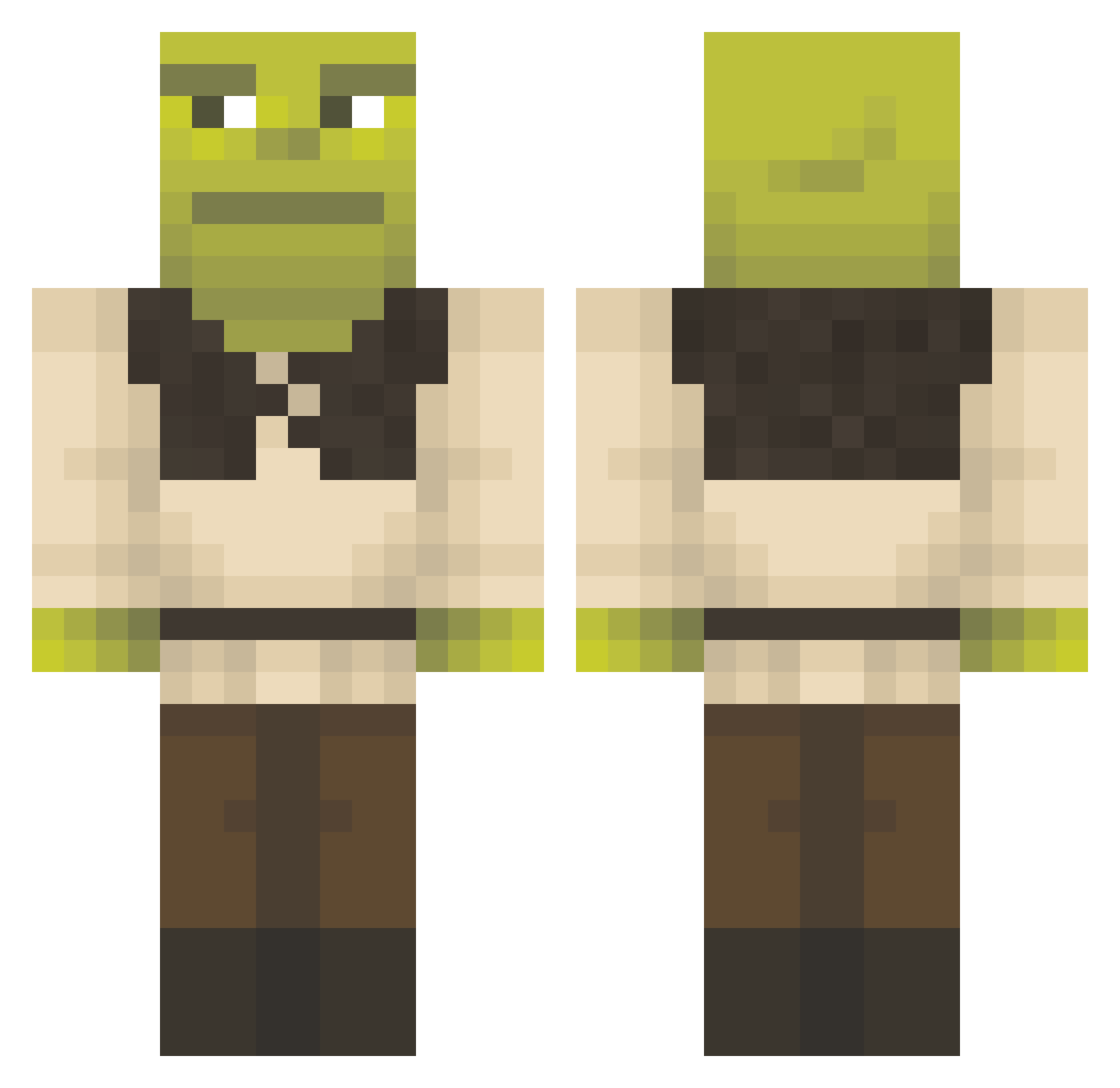
Current Minecraft skin of the player NATdu33, loaded from the official Mojang API. Rotate the 3D model with your mouse or finger, then download the skin as a PNG file and use it in Minecraft: Bedrock Edition or Java Edition for free. When NATdu33 changes their skin, this page updates automatically and the old skin stays in the history below.
Other players with this skin (1358)
NATdu33 was the 422nd player we have seen with this skin, first spotted on 28.08.2026. The same skin was seen on these players. Open a nickname to see their current skin and skin history.
 jzzrll JohannesSejer Cuhrizz Euvene abraajao ClauDoC Cruaaaa
 boopawai lllusion aranaparana MariusBFjeld gonx1taa TheLemonPi szczur10 dvoits JotaFsd DeLaGuetho NatrevallyChickn yigitsquad Horuzella Moo_man734 Musicninja13 Barry_Hallsack lolkek23 SamiHami rboi_ bastinto AniaZen SaberEXZ Nuays skittles367 Olives404 spoinkspunk nicolas161616 tre8or90 SpoonMan7000 SAVAGENINJA1 ManuRuP millieackerman SnifferEnthusias mahh26 Crisostomol3 QueenQueenie FairyDolluwu ItsLiQe GoldenArcher551 PureAidanSwag69 leandro230599 FeridAze kchojo makaraman1 Golden_Giant71 lgrant96 Luisasnw Bogboola DavidMiguel1228 SillySloth84 SenpaiStaliin Norainu123 Leviathan909
More Shrek Minecraft skins
How to install the NATdu33 skin
- Press the Download button above to save the skin as a PNG file.
- Minecraft: Bedrock Edition (PE): open the Dressing Room from the main menu (or tap your character → Edit Character), go to Classic Skins → Owned, press the + (new skin) button, choose the downloaded PNG and pick the Classic (Steve) model. Works on PC and mobile; consoles cannot import custom skins.
- Minecraft: Java Edition: open the Minecraft Launcher, go to the Skins tab, click New Skin, load the PNG, pick the Classic (Steve) model and press Save & Use. You can also upload it at minecraft.net → Profile → Change Skin.
The skin does not show up after import - what should I do?
Restart Minecraft and open the Dressing Room again - imported skins sometimes appear only after a restart. Also make sure you selected the imported skin and picked the Classic (Steve) model.
Which model should I choose, Classic or Slim?
This skin is designed for the Classic (Steve) model. If you pick the wrong model, the arms of the skin will look stretched or squeezed.
Is the skin of NATdu33 free to download?
Yes. Press Download, save the PNG file and use it in Minecraft: Bedrock Edition or Java Edition - no payment or registration needed. The skin also works on multiplayer servers and Realms.
More skins
Looking for more? Go back to all Minecraft skins and check the top skins of the week, month and all time, or find any player's skin by nickname.