
N3WGATE - Minecraft Skins & Skin History
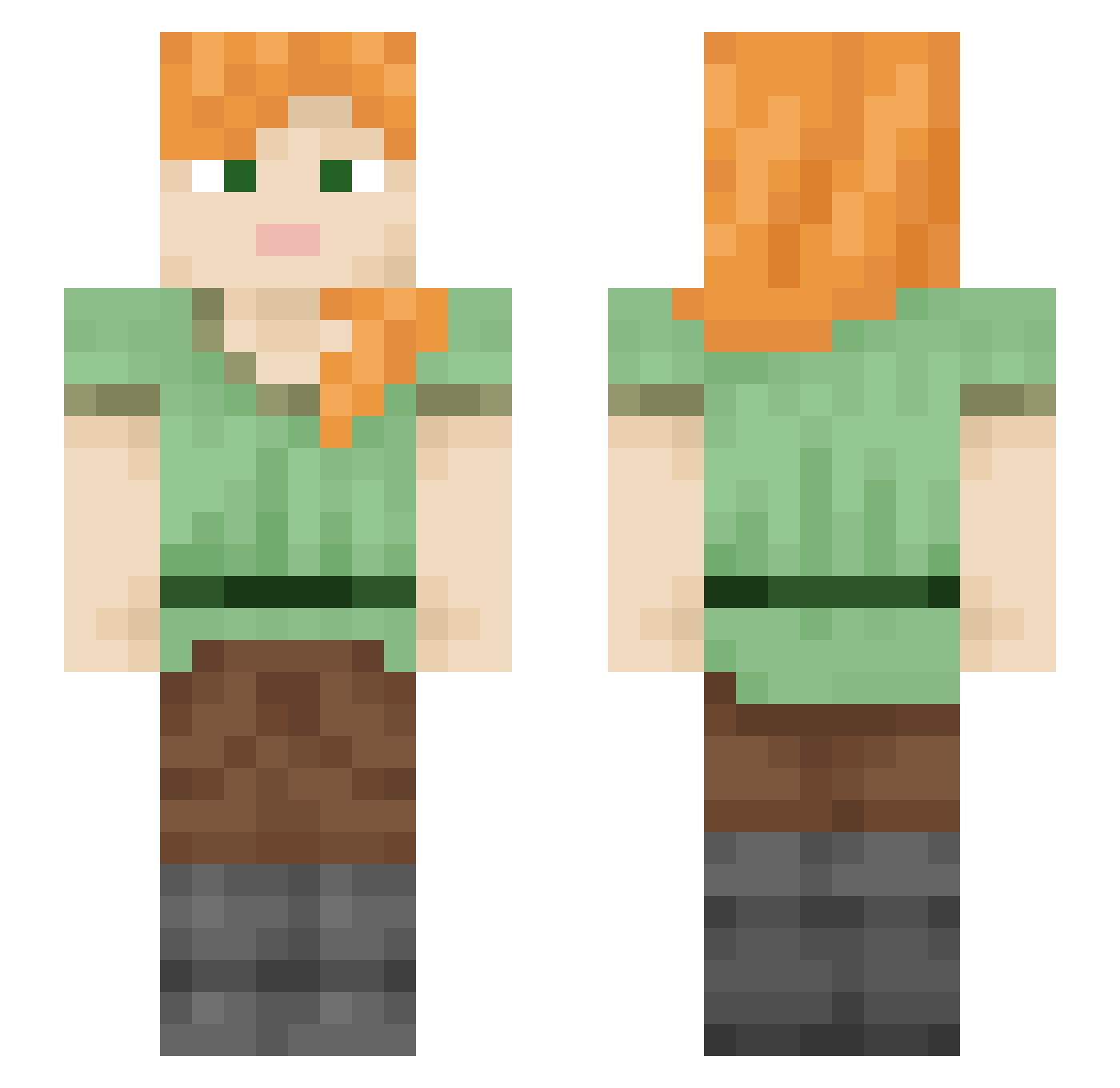
Current Minecraft skin of the player N3WGATE, loaded from the official Mojang API. Rotate the 3D model with your mouse or finger, then download the skin as a PNG file and use it in Minecraft: Bedrock Edition or Java Edition for free. When N3WGATE changes their skin, this page updates automatically and the old skin stays in the history below.
Other players with this skin (2244)
N3WGATE was the 1141st player we have seen with this skin, first spotted on 23.09.2026. The same skin was seen on these players. Open a nickname to see their current skin and skin history.
 KanyeWestFan4 m3xaR_PRO_69 sucorse TimmyRas mog_UAnZf Heliodon Spoksinskv Lias cubIng arcticobra Parsimonious 163justIneffable unburied Blurealis rengocu Cocoulis PresidentTakeshi kimtabi NSahinn Buurekk uncling typy mariodav cancanbom Grubberies blahajlover1 Sleepy_Coconut Malihini KermitsOnCrack Althorn WriestSheet3530 chankki9986 kids2024 moroxite Shakuhachi Jack62 Lutanist A_sim_ Fabersinho Schola JOEL_absurdpants jacobot CloudedCrowd393 zhong2546 LuNaBeLL5 TrenchMaster DjBlueBear Hatemonger MrReinholzen hmce7 Barvisz Sr__Mugiwar ShadowKroniik Feasor Liutenant_toast Abote oCHRP newsboy Error51 vernally
How to install the N3WGATE skin
- Press the Download button above to save the skin as a PNG file.
- Minecraft: Bedrock Edition (PE): open the Dressing Room from the main menu (or tap your character → Edit Character), go to Classic Skins → Owned, press the + (new skin) button, choose the downloaded PNG and pick the Slim (Alex) model. Works on PC and mobile; consoles cannot import custom skins.
- Minecraft: Java Edition: open the Minecraft Launcher, go to the Skins tab, click New Skin, load the PNG, pick the Slim (Alex) model and press Save & Use. You can also upload it at minecraft.net → Profile → Change Skin.
The skin does not show up after import - what should I do?
Restart Minecraft and open the Dressing Room again - imported skins sometimes appear only after a restart. Also make sure you selected the imported skin and picked the Slim (Alex) model.
Which model should I choose, Classic or Slim?
This skin is designed for the Slim (Alex) model. If you pick the wrong model, the arms of the skin will look stretched or squeezed.
Is the skin of N3WGATE free to download?
Yes. Press Download, save the PNG file and use it in Minecraft: Bedrock Edition or Java Edition - no payment or registration needed. The skin also works on multiplayer servers and Realms.
More skins
Looking for more? Go back to all Minecraft skins and check the top skins of the week, month and all time, or find any player's skin by nickname.