
N1gaa - Minecraft Skins & Skin History
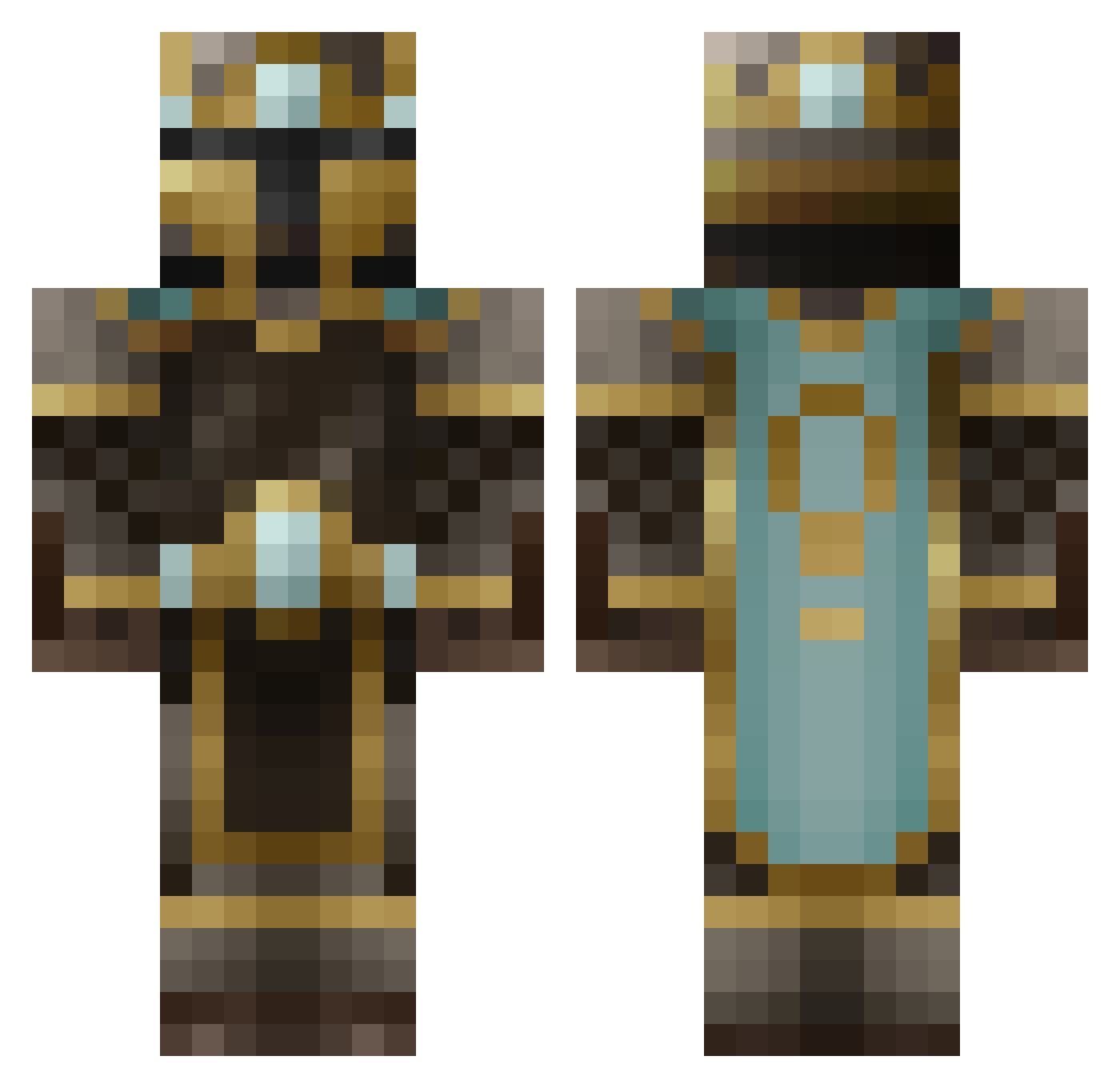
Current Minecraft skin of the player N1gaa, loaded from the official Mojang API. Rotate the 3D model with your mouse or finger, then download the skin as a PNG file and use it in Minecraft: Bedrock Edition or Java Edition for free. When N1gaa changes their skin, this page updates automatically and the old skin stays in the history below.
Other players with this skin (188)
N1gaa was the 101st player we have seen with this skin, first spotted on 09.09.2026. The same skin was seen on these players. Open a nickname to see their current skin and skin history.
 SquatchyBerger Tainted_Renark talkinghead6 Akaido_ Fillion21 ZenzenGrunde UrbanUrbanite Popcoin69 grafoman guacboy rethink42o Reste2762 SilverxKnight Lichy SirNotcelot22 SiddyWello KodeksC4R medi55 HasDementia Ex1tStrategy Charon9865 Wil_Wheaton EnjoyOblivion AWildDingo WorkingBloom15 Zilchn Vbomb1337 Damsha123 plabfish25 Clutchpowers05 Roriee MrAwesomeMan2 Bondcorp Dingus_McRipfist Double_Debrandes LilLionLeo Ordinary_Ninja Deletrixo Waffle_Warlord_ cannon9999 ArcadianIX Morrebab itz_dwakk Ruizana Ferachio PS4forLife25 Voidspooler D0rment iQuick357 Loudest_ Trionfare FURIOUS_SLAYER youDeclined BlackkForrest KadinO252 Irish_Winter Mazant_ pietter121 Akeerian xfortunato
More King Minecraft skins
How to install the N1gaa skin
- Press the Download button above to save the skin as a PNG file.
- Minecraft: Bedrock Edition (PE): open the Dressing Room from the main menu (or tap your character → Edit Character), go to Classic Skins → Owned, press the + (new skin) button, choose the downloaded PNG and pick the Classic (Steve) model. Works on PC and mobile; consoles cannot import custom skins.
- Minecraft: Java Edition: open the Minecraft Launcher, go to the Skins tab, click New Skin, load the PNG, pick the Classic (Steve) model and press Save & Use. You can also upload it at minecraft.net → Profile → Change Skin.
The skin does not show up after import - what should I do?
Restart Minecraft and open the Dressing Room again - imported skins sometimes appear only after a restart. Also make sure you selected the imported skin and picked the Classic (Steve) model.
Which model should I choose, Classic or Slim?
This skin is designed for the Classic (Steve) model. If you pick the wrong model, the arms of the skin will look stretched or squeezed.
Is the skin of N1gaa free to download?
Yes. Press Download, save the PNG file and use it in Minecraft: Bedrock Edition or Java Edition - no payment or registration needed. The skin also works on multiplayer servers and Realms.
More skins
Looking for more? Go back to all Minecraft skins and check the top skins of the week, month and all time, or find any player's skin by nickname.