
Mr_Chaow - Minecraft Skins & Skin History
Current Minecraft skin of the player Mr_Chaow, loaded from the official Mojang API. Rotate the 3D model with your mouse or finger, then download the skin as a PNG file and use it in Minecraft: Bedrock Edition or Java Edition for free. When Mr_Chaow changes their skin, this page updates automatically and the old skin stays in the history below.
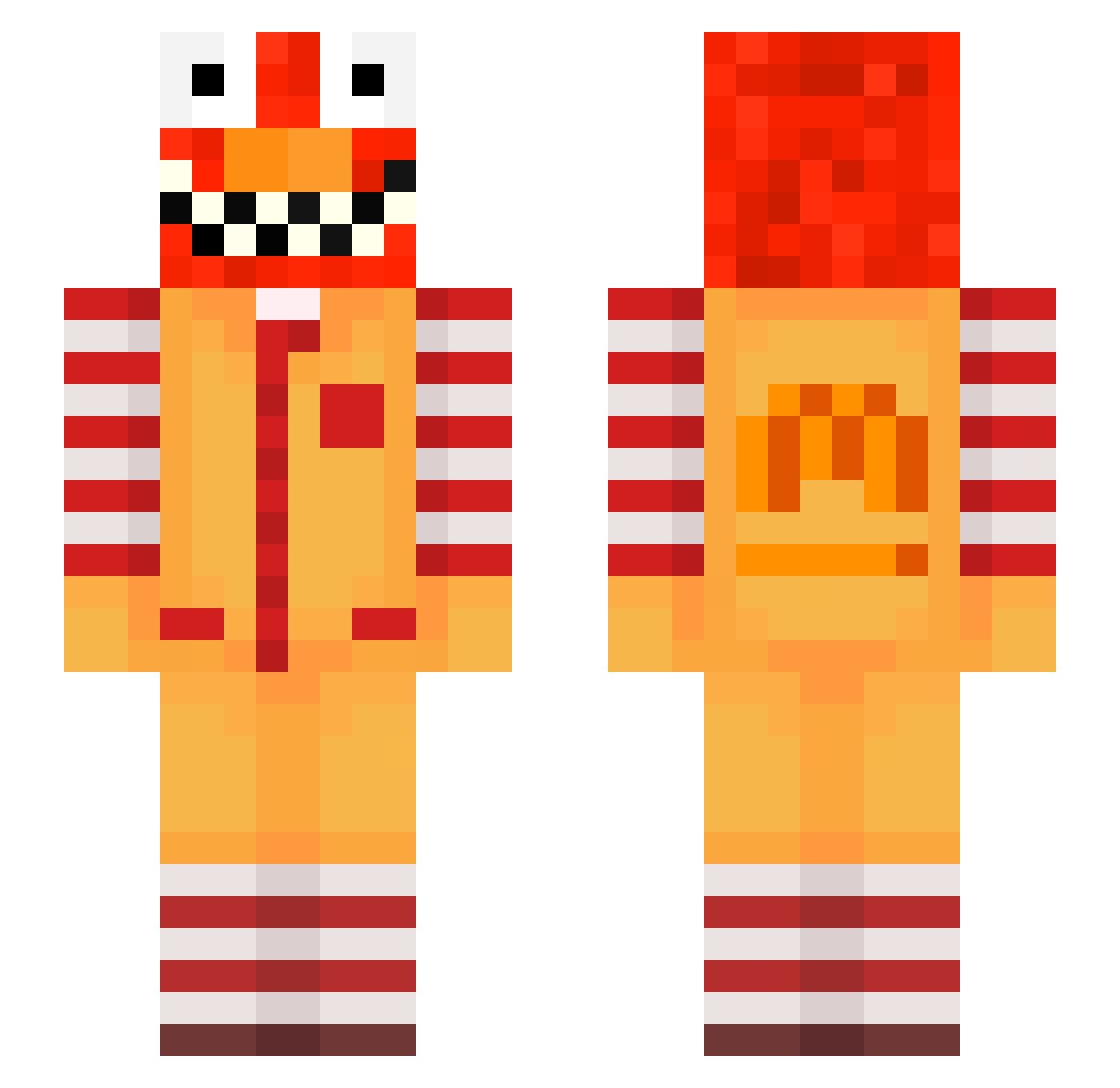
Other players with this skin (621)
Mr_Chaow was the 406th player we have seen with this skin, first spotted on 30.09.2026. The same skin was seen on these players. Open a nickname to see their current skin and skin history.
 AndrewTateFan__2 markcash meow_CgPFM_24 Entitilo_MkJBf zab_TXbto_07_25 pfner_aromatic17 SaborLuvsDihdnd PASIRgszm6s2aui3 Birckett_sore34 coriscon meow_sMqKT_24 LinhDarks96UwU niegas_idiotic48 Astronaut1111111 superseven67 ItzMeRyz_ PASIRr27rctcyr1m raveidbjh53R cr8ispyinaccess axyaxy17 LinhGoldwchUwU LinhQCJjJ0109 takechargepas9t ice_XgCZ7_01_28 McNutty73101 PASIRg0zzptgdvhi recurrentYngene asquilla_next246 Alex4601 kela_tattered762 AltVerseg2lAV Luiz_Lima bo5sraison Coolaidmann444 ly_gjx68_0221 rdman_impartial4 Vranjes_phony703 Hizkiyanormal3 Matileandro1 uraca3shocking77 pq2_shadow_27h Titi64100 cre61tremendous3 aks_XxvQT_02_22 AltVerseXNJX4Sv2 Keldsensmart4 PASIR2jfjwshhtjl bear2137 nass_9ZV04_08_04 PASIRmdtrwwgg33p poo_T7NXr_10_14 drick82content20 DortHit_lKWu01BN joaco235251 LinhGlowusvUwU RaveAlts_iDbke Hetfield_poor9 1NFOWARS DenizTV bz_gP9zB_10_28
More Ronald Mcdonald Minecraft skins
See all 130 Ronald Mcdonald skins
How to install the Mr_Chaow skin
- Press the Download button above to save the skin as a PNG file.
- Minecraft: Bedrock Edition (PE): open the Dressing Room from the main menu (or tap your character → Edit Character), go to Classic Skins → Owned, press the + (new skin) button, choose the downloaded PNG and pick the Slim (Alex) model. Works on PC and mobile; consoles cannot import custom skins.
- Minecraft: Java Edition: open the Minecraft Launcher, go to the Skins tab, click New Skin, load the PNG, pick the Slim (Alex) model and press Save & Use. You can also upload it at minecraft.net → Profile → Change Skin.
The skin does not show up after import - what should I do?
Restart Minecraft and open the Dressing Room again - imported skins sometimes appear only after a restart. Also make sure you selected the imported skin and picked the Slim (Alex) model.
Which model should I choose, Classic or Slim?
This skin is designed for the Slim (Alex) model. If you pick the wrong model, the arms of the skin will look stretched or squeezed.
Is the skin of Mr_Chaow free to download?
Yes. Press Download, save the PNG file and use it in Minecraft: Bedrock Edition or Java Edition - no payment or registration needed. The skin also works on multiplayer servers and Realms.
More skins
Looking for more? Go back to all Minecraft skins and check the top skins of the week, month and all time, or find any player's skin by nickname.