
MrPig4151 - Minecraft Skins & Skin History
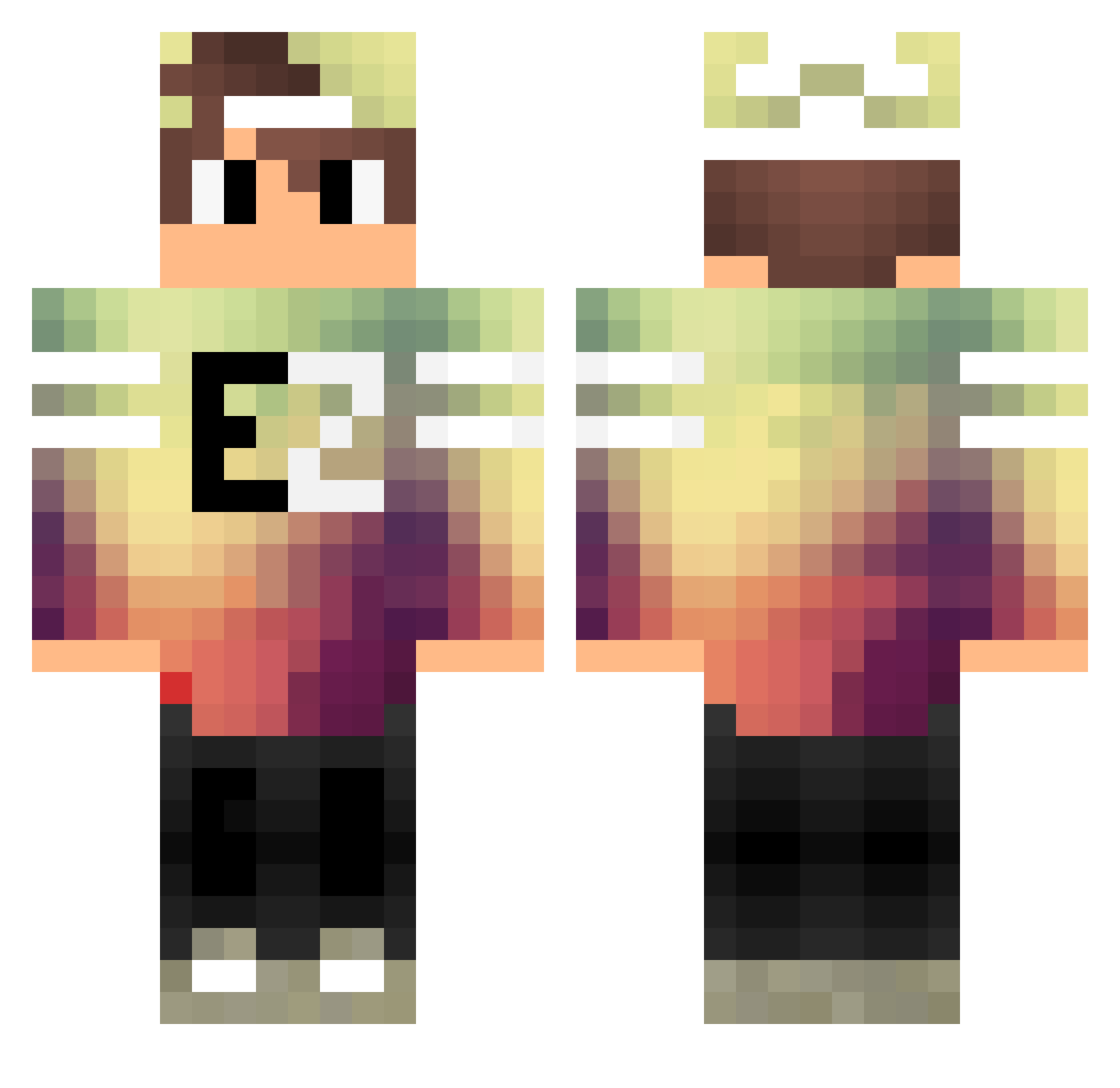
Current Minecraft skin of the player MrPig4151, loaded from the official Mojang API. Rotate the 3D model with your mouse or finger, then download the skin as a PNG file and use it in Minecraft: Bedrock Edition or Java Edition for free. When MrPig4151 changes their skin, this page updates automatically and the old skin stays in the history below.
Other players with this skin (121)
MrPig4151 was the 43rd player we have seen with this skin, first spotted on 02.09.2026. The same skin was seen on these players. Open a nickname to see their current skin and skin history.
 MAlonso8 WP_Eddie IchbinLouis_YT FPS_aMit TheReal_MGT Alone_Scyther FishyBooty arielben885 b0m69 Willyrys Le_BG_du_93 Chinook124 IrithLuck TaPo4oK _Wilax_ Vinsmoke_Sanji94 1The_CAT FunnyHaTu taku_620 xMonsterTR pingu0930 SirAdamo xXGaMeR4YaXx Dodoi89 ArashiSengoku Trollcik RSM_KuiD Slios55 WalusMCYT Herost marcello012358 Killnezz Polochcrafter ThueringerJunge thekillerX01 AlphaSkeppy Acim381 wildginger101 Hanhne24 RupTotPuiule 0hVise lith1um_ Salih_ali Amiton2010 Kayra_Kerem CoolEmperor7497 Bielson Niels1308 98Yousef98 Alexis271318 Faruk1 Pr3ttyPeanut FuriousMinecart Gantz_Ruby AceWxve arsinic xKingSwag_PT Volcaniz Affemit_Waffe InfdevSlab
More Cap Minecraft skins
How to install the MrPig4151 skin
- Press the Download button above to save the skin as a PNG file.
- Minecraft: Bedrock Edition (PE): open the Dressing Room from the main menu (or tap your character → Edit Character), go to Classic Skins → Owned, press the + (new skin) button, choose the downloaded PNG and pick the Classic (Steve) model. Works on PC and mobile; consoles cannot import custom skins.
- Minecraft: Java Edition: open the Minecraft Launcher, go to the Skins tab, click New Skin, load the PNG, pick the Classic (Steve) model and press Save & Use. You can also upload it at minecraft.net → Profile → Change Skin.
The skin does not show up after import - what should I do?
Restart Minecraft and open the Dressing Room again - imported skins sometimes appear only after a restart. Also make sure you selected the imported skin and picked the Classic (Steve) model.
Which model should I choose, Classic or Slim?
This skin is designed for the Classic (Steve) model. If you pick the wrong model, the arms of the skin will look stretched or squeezed.
Is the skin of MrPig4151 free to download?
Yes. Press Download, save the PNG file and use it in Minecraft: Bedrock Edition or Java Edition - no payment or registration needed. The skin also works on multiplayer servers and Realms.
More skins
Looking for more? Go back to all Minecraft skins and check the top skins of the week, month and all time, or find any player's skin by nickname.