
MrMayo123 - Minecraft Skins & Skin History
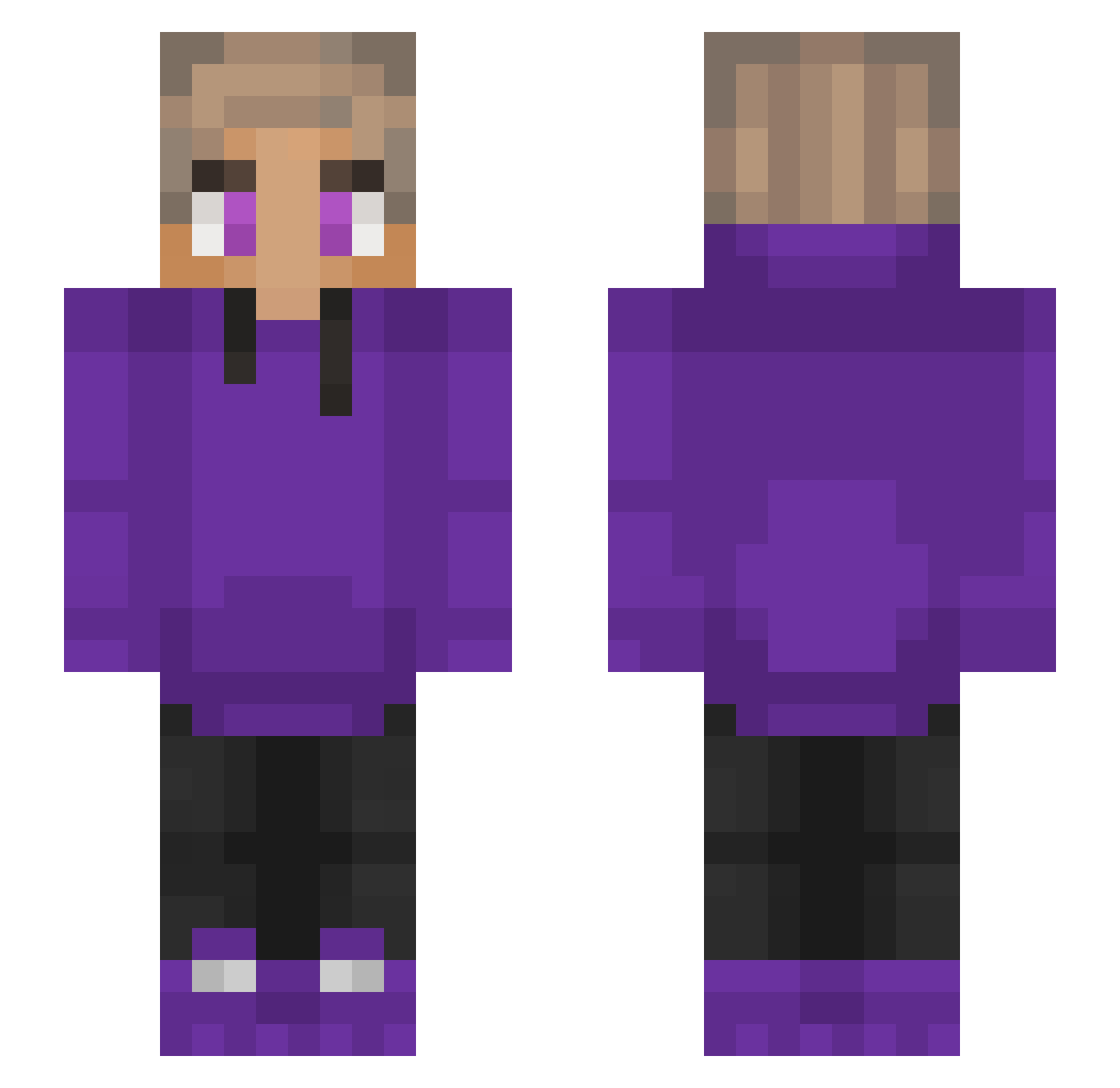
Current Minecraft skin of the player MrMayo123, loaded from the official Mojang API. Rotate the 3D model with your mouse or finger, then download the skin as a PNG file and use it in Minecraft: Bedrock Edition or Java Edition for free. When MrMayo123 changes their skin, this page updates automatically and the old skin stays in the history below.
Other players with this skin (253)
MrMayo123 was the 83rd player we have seen with this skin, first spotted on 02.09.2026. The same skin was seen on these players. Open a nickname to see their current skin and skin history.
 saesca_ YolkyMrmax TTvricky200pump sendgamer 199espace5 TasCri tytyemojie08 UncoiledAura736 StevenJiang Xx_khalil_Xx slxzhz Da_Big_Nad CptWoo vFlyingAstro MisterOddStuff DinoMan2015 Masrawe xfacik sweaty_gurl dreamwastaken3 Mr_MelonDevil Nautilstick CPSLucky firerockets notBrews BUCODELCUBO Afroditah Adana_Kebab_ Touroxo Sasuke_XX ddimow FatRhino07 Diggin_Diamonds DasBasti 4everfouralways annconca ejjjj qoseman impulse_530 Daanpisces ShawnTT ANZKidfury Logicxz_ wuyazhan Blue2618 dinori_ Ramadansfam Mollywhopperz JedrulaP DragonX56 Ary0912 Enrique1337 Ernie2tuff v_kani_v Gprorino
 strght_ YuhNevaKnow yuha0203 Joey563 bakerynextdoor
How to install the MrMayo123 skin
- Press the Download button above to save the skin as a PNG file.
- Minecraft: Bedrock Edition (PE): open the Dressing Room from the main menu (or tap your character → Edit Character), go to Classic Skins → Owned, press the + (new skin) button, choose the downloaded PNG and pick the Slim (Alex) model. Works on PC and mobile; consoles cannot import custom skins.
- Minecraft: Java Edition: open the Minecraft Launcher, go to the Skins tab, click New Skin, load the PNG, pick the Slim (Alex) model and press Save & Use. You can also upload it at minecraft.net → Profile → Change Skin.
The skin does not show up after import - what should I do?
Restart Minecraft and open the Dressing Room again - imported skins sometimes appear only after a restart. Also make sure you selected the imported skin and picked the Slim (Alex) model.
Which model should I choose, Classic or Slim?
This skin is designed for the Slim (Alex) model. If you pick the wrong model, the arms of the skin will look stretched or squeezed.
Is the skin of MrMayo123 free to download?
Yes. Press Download, save the PNG file and use it in Minecraft: Bedrock Edition or Java Edition - no payment or registration needed. The skin also works on multiplayer servers and Realms.
More skins
Looking for more? Go back to all Minecraft skins and check the top skins of the week, month and all time, or find any player's skin by nickname.