
Ary0912 - Minecraft Skins & Skin History
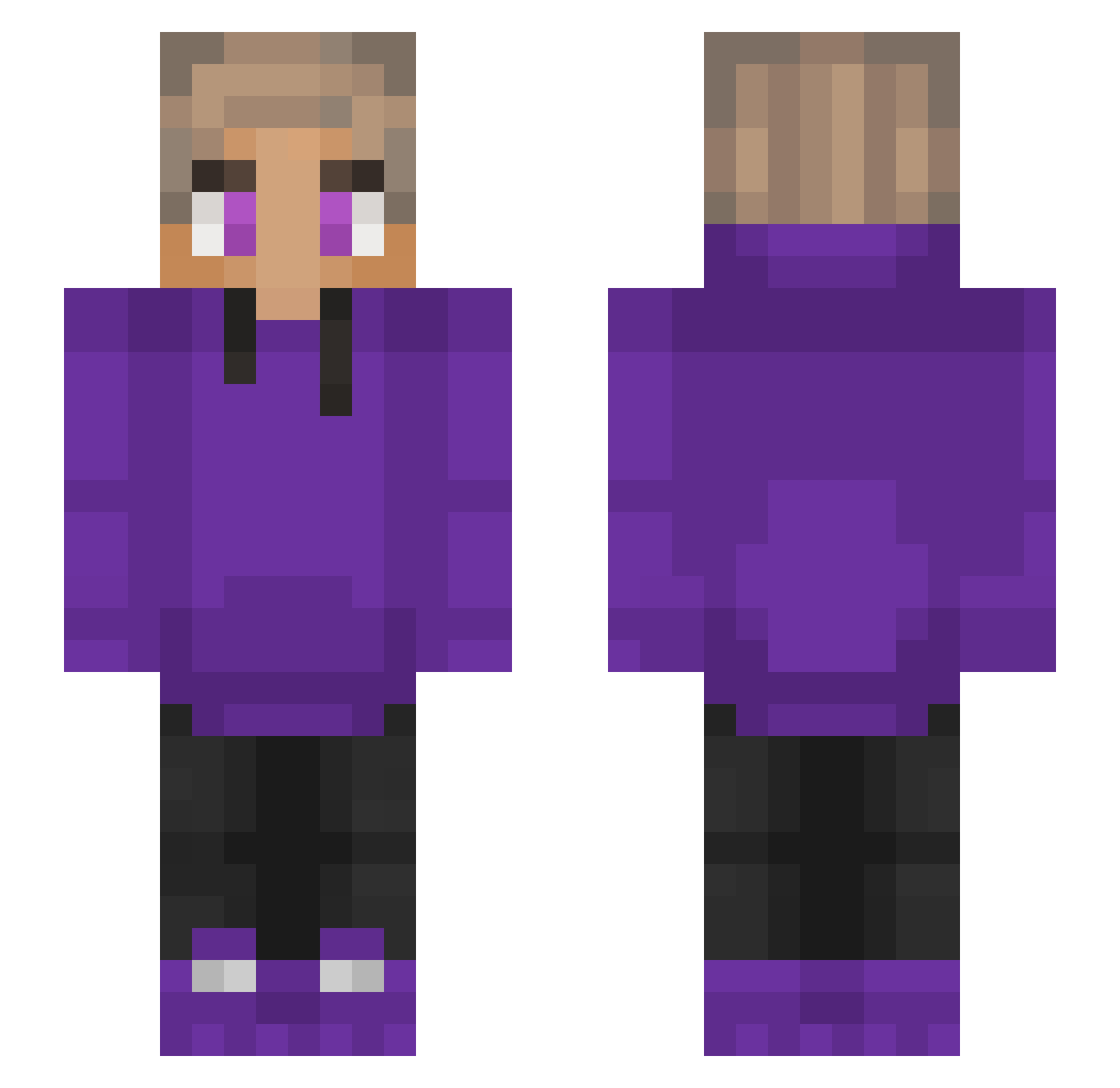
Current Minecraft skin of the player Ary0912, loaded from the official Mojang API. Rotate the 3D model with your mouse or finger, then download the skin as a PNG file and use it in Minecraft: Bedrock Edition or Java Edition for free. When Ary0912 changes their skin, this page updates automatically and the old skin stays in the history below.
Other players with this skin (230)
Ary0912 was the 110th player we have seen with this skin, first spotted on 16.09.2026. The same skin was seen on these players. Open a nickname to see their current skin and skin history.
 Mollywhopperz Ernie2tuff v_kani_v Gprorino Joey563 Logicxz_ Purpledisnt_Here ShawnTT Daanpisces heybackfliper123 hilorenarec qoseman ejjjj Manfredi_G BlazingGamer528 emdb Diggin_Diamonds _Purpled jugie666 Touroxo Adana_Kebab_ Afroditah BUCODELCUBO xFrost26 Benjkun firerockets AmirFreeman199 popfrits Lewxo NamanSwamiYT L3GION117 Jackson4647 Fr33z1ng13 Nautilstick logan20000 FrankDePlank Dreamerky sweaty_gurl xfacik Masrawe Arturek_ MisterOddStuff vFlyingAstro MeLeK_ZeRgRuSh LemraHD Da_Big_Nad slxzhz spongeebob_19 alebox Xx_khalil_Xx StevenJiang Nviv Sky_Whisper TasCri TTvricky200pump YolkyMrmax cezinn Hustoo_ Woody_MC Bananaplays1543
How to install the Ary0912 skin
- Press the Download button above to save the skin as a PNG file.
- Minecraft: Bedrock Edition (PE): open the Dressing Room from the main menu (or tap your character → Edit Character), go to Classic Skins → Owned, press the + (new skin) button, choose the downloaded PNG and pick the Slim (Alex) model. Works on PC and mobile; consoles cannot import custom skins.
- Minecraft: Java Edition: open the Minecraft Launcher, go to the Skins tab, click New Skin, load the PNG, pick the Slim (Alex) model and press Save & Use. You can also upload it at minecraft.net → Profile → Change Skin.
The skin does not show up after import - what should I do?
Restart Minecraft and open the Dressing Room again - imported skins sometimes appear only after a restart. Also make sure you selected the imported skin and picked the Slim (Alex) model.
Which model should I choose, Classic or Slim?
This skin is designed for the Slim (Alex) model. If you pick the wrong model, the arms of the skin will look stretched or squeezed.
Is the skin of Ary0912 free to download?
Yes. Press Download, save the PNG file and use it in Minecraft: Bedrock Edition or Java Edition - no payment or registration needed. The skin also works on multiplayer servers and Realms.
More skins
Looking for more? Go back to all Minecraft skins and check the top skins of the week, month and all time, or find any player's skin by nickname.