
MrMarinho - Minecraft Skins & Skin History
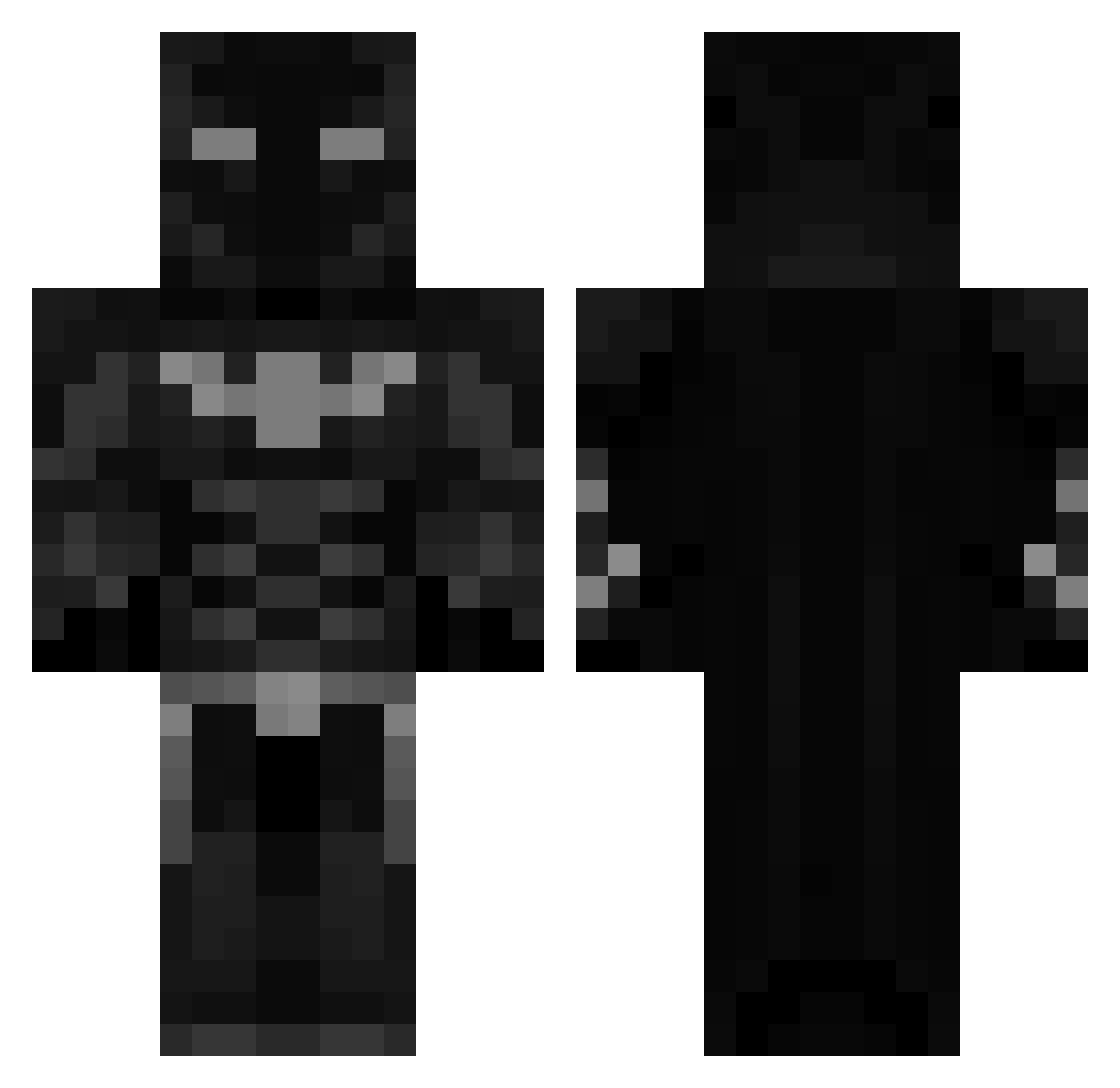
Current Minecraft skin of the player MrMarinho, loaded from the official Mojang API. Rotate the 3D model with your mouse or finger, then download the skin as a PNG file and use it in Minecraft: Bedrock Edition or Java Edition for free. When MrMarinho changes their skin, this page updates automatically and the old skin stays in the history below.
Other players with this skin (460)
MrMarinho was the 81st player we have seen with this skin, first spotted on 13.08.2026. The same skin was seen on these players. Open a nickname to see their current skin and skin history.
 Seb646 E89I julian12234 BenjaHack moocow27 ZCyberX945 Alkaon 6Fi_ Dard2 blueanie StyleTec_ bubuyaku King_Snip3r UShareted ObeliskBomber wazachiquito Huawik Watchthebeemovie 777nlg xema_x Taro21 Donatek_cz SlimMThiKK manojostarz keltem Txm_2009 kentlol DRAKARES00 michaeljorden Gajorp ZULCAST dxuv KingBadal Jacobb_07 pavle_123 eight8_ MestariPati switchpaths qweeps Moisty1605 mmaarrooss yeledlego MAJNOON1111 QwixxTV Smalleleven onlymurda ZYDUK03 MoodyBaguette Ally_Sub Not_TF ThreeI3 Mriraq XDN3ON 144h_peps1 gosymunob2143 ngenthought USVA25 TTVCYBERNEX4 79VillageSageIV MajiroSano
More Batman Minecraft skins
How to install the MrMarinho skin
- Press the Download button above to save the skin as a PNG file.
- Minecraft: Bedrock Edition (PE): open the Dressing Room from the main menu (or tap your character → Edit Character), go to Classic Skins → Owned, press the + (new skin) button, choose the downloaded PNG and pick the Classic (Steve) model. Works on PC and mobile; consoles cannot import custom skins.
- Minecraft: Java Edition: open the Minecraft Launcher, go to the Skins tab, click New Skin, load the PNG, pick the Classic (Steve) model and press Save & Use. You can also upload it at minecraft.net → Profile → Change Skin.
The skin does not show up after import - what should I do?
Restart Minecraft and open the Dressing Room again - imported skins sometimes appear only after a restart. Also make sure you selected the imported skin and picked the Classic (Steve) model.
Which model should I choose, Classic or Slim?
This skin is designed for the Classic (Steve) model. If you pick the wrong model, the arms of the skin will look stretched or squeezed.
Is the skin of MrMarinho free to download?
Yes. Press Download, save the PNG file and use it in Minecraft: Bedrock Edition or Java Edition - no payment or registration needed. The skin also works on multiplayer servers and Realms.
More skins
Looking for more? Go back to all Minecraft skins and check the top skins of the week, month and all time, or find any player's skin by nickname.