
MrJerou55 - Minecraft Skins & Skin History
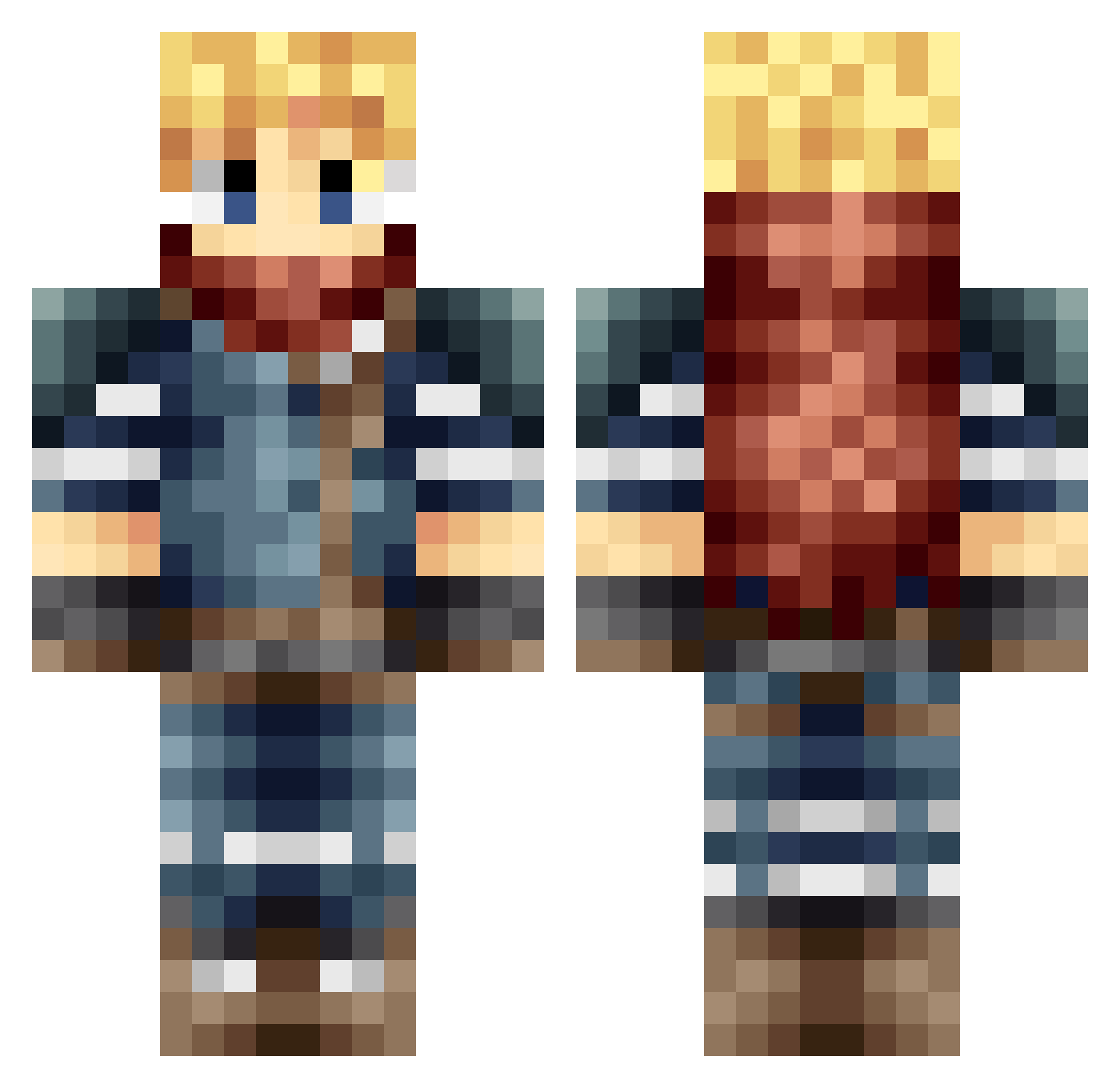
Current Minecraft skin of the player MrJerou55, loaded from the official Mojang API. Rotate the 3D model with your mouse or finger, then download the skin as a PNG file and use it in Minecraft: Bedrock Edition or Java Edition for free. When MrJerou55 changes their skin, this page updates automatically and the old skin stays in the history below.
Other players with this skin (665)
MrJerou55 was the 113th player we have seen with this skin, first spotted on 14.08.2026. The same skin was seen on these players. Open a nickname to see their current skin and skin history.
 FEDI007 grafte123 Sachouuuu Dada_Circus Kayzhookz JoZZx RyanR808 Gerald68 USHuntman SirBalou Nomadxi Druzor UltimateHoshi Argawean CykoTv KazooBob Reaperfoin Kurfy DarkxCloud69 Wizard__Games Ahek Cipher525 Belnadot UnkoPapi JoToTheHannes TheExtoni bayo05 kaelan17 Cdntiger _Omega_Zero_ Azza033 TheTrayl Gragoth90 letspingu Scerion evanimortel Backsp1n EscapeDroid princedarkangel H1GHR1D3R NoodleDoodle93 ba3ti thetruemaxiking LimitAtrocity RileyTheWolf guigui200 dentake Nideenten ViviTro gushyram92 Runpappa Alexhunter6 Galaxy_Soultaker Justone_5 SolaceRage meraxlis wfsYamaha draloc91 Taaddde Bolboa
More Adventurer Minecraft skins
How to install the MrJerou55 skin
- Press the Download button above to save the skin as a PNG file.
- Minecraft: Bedrock Edition (PE): open the Dressing Room from the main menu (or tap your character → Edit Character), go to Classic Skins → Owned, press the + (new skin) button, choose the downloaded PNG and pick the Classic (Steve) model. Works on PC and mobile; consoles cannot import custom skins.
- Minecraft: Java Edition: open the Minecraft Launcher, go to the Skins tab, click New Skin, load the PNG, pick the Classic (Steve) model and press Save & Use. You can also upload it at minecraft.net → Profile → Change Skin.
The skin does not show up after import - what should I do?
Restart Minecraft and open the Dressing Room again - imported skins sometimes appear only after a restart. Also make sure you selected the imported skin and picked the Classic (Steve) model.
Which model should I choose, Classic or Slim?
This skin is designed for the Classic (Steve) model. If you pick the wrong model, the arms of the skin will look stretched or squeezed.
Is the skin of MrJerou55 free to download?
Yes. Press Download, save the PNG file and use it in Minecraft: Bedrock Edition or Java Edition - no payment or registration needed. The skin also works on multiplayer servers and Realms.
More skins
Looking for more? Go back to all Minecraft skins and check the top skins of the week, month and all time, or find any player's skin by nickname.