
MrHamtastic74 - Minecraft Skins & Skin History
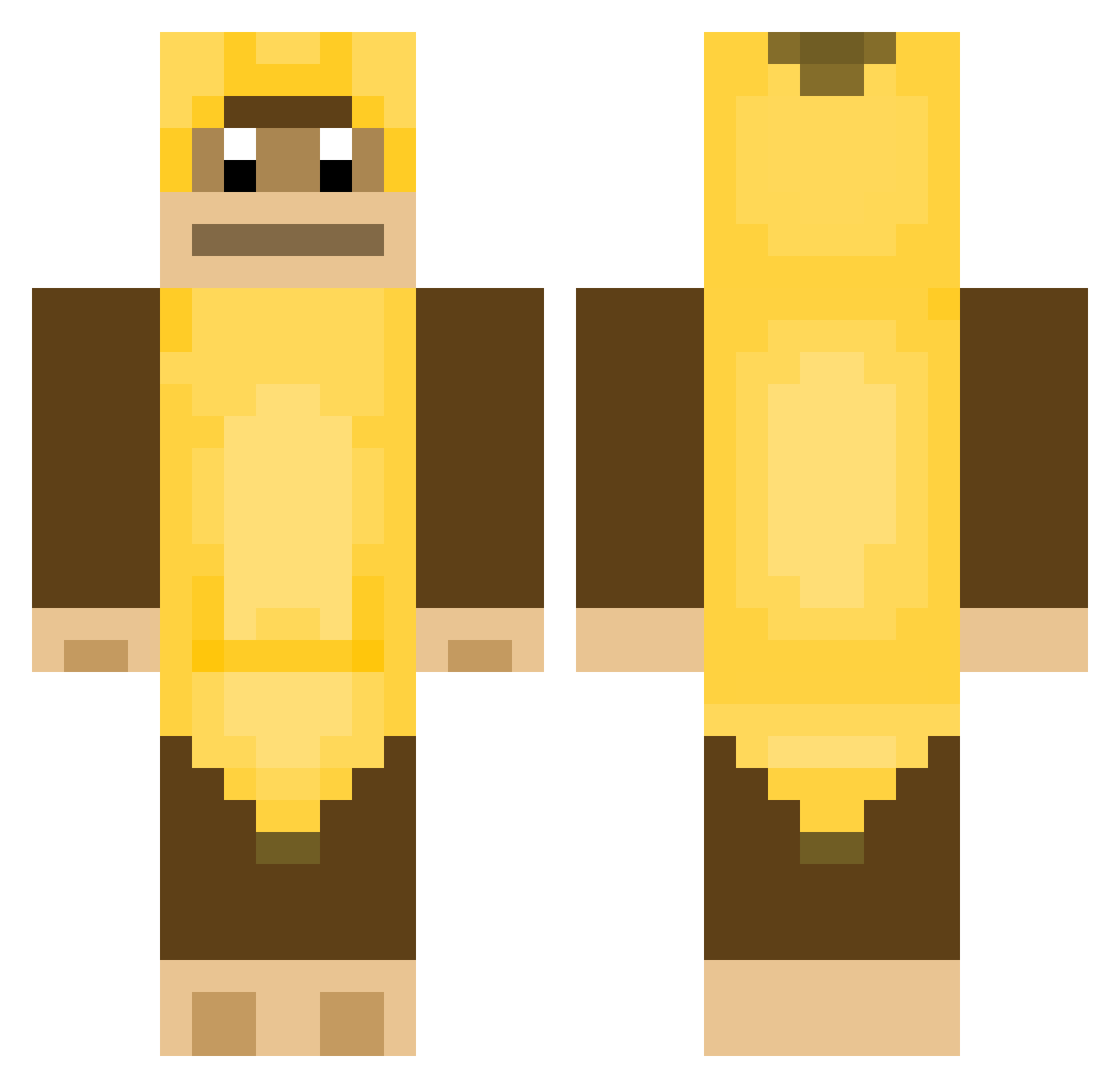
Current Minecraft skin of the player MrHamtastic74, loaded from the official Mojang API. Rotate the 3D model with your mouse or finger, then download the skin as a PNG file and use it in Minecraft: Bedrock Edition or Java Edition for free. When MrHamtastic74 changes their skin, this page updates automatically and the old skin stays in the history below.
Other players with this skin (377)
MrHamtastic74 was the 304th player we have seen with this skin, first spotted on 15.10.2026. The same skin was seen on these players. Open a nickname to see their current skin and skin history.
 chiwp foxiwnl PantherFetish MICESWAG NateLikesBoys BeastxR BigBanana_ gorillaz_ Sneezy480 totallynotuvpg dcamm_ miawah urucaco BestKILLER666 l_Squigley_l wockyballs limpfister Chanchago Willstonson Tjerk22 whatdosu th3meastr0 Tekchepe watrebuffalo uSexy strohhut187 Dans_Holochain Kronol616 ssnyder93 ErPacco Secretkillswitch Klawsini Matyson112 Bobo1909 50__ vedavalles Mimimimike benjamin5612 Star_Platano ImKahlua2k Kaktus158 PlebFilth pamon1 MonkeS1ayer THETRUEMONKEYMAN ZappaYT pixarmoms Coleyguy MMGaming21 sungwo_o koalavinks MillxTwo GibbySmacks anailsec NiqgersNeedDeath goatpeng pofferfosh _GoldennTree_ Zuplas Cheeto7
More Animal Minecraft skins
How to install the MrHamtastic74 skin
- Press the Download button above to save the skin as a PNG file.
- Minecraft: Bedrock Edition (PE): open the Dressing Room from the main menu (or tap your character → Edit Character), go to Classic Skins → Owned, press the + (new skin) button, choose the downloaded PNG and pick the Classic (Steve) model. Works on PC and mobile; consoles cannot import custom skins.
- Minecraft: Java Edition: open the Minecraft Launcher, go to the Skins tab, click New Skin, load the PNG, pick the Classic (Steve) model and press Save & Use. You can also upload it at minecraft.net → Profile → Change Skin.
The skin does not show up after import - what should I do?
Restart Minecraft and open the Dressing Room again - imported skins sometimes appear only after a restart. Also make sure you selected the imported skin and picked the Classic (Steve) model.
Which model should I choose, Classic or Slim?
This skin is designed for the Classic (Steve) model. If you pick the wrong model, the arms of the skin will look stretched or squeezed.
Is the skin of MrHamtastic74 free to download?
Yes. Press Download, save the PNG file and use it in Minecraft: Bedrock Edition or Java Edition - no payment or registration needed. The skin also works on multiplayer servers and Realms.
More skins
Looking for more? Go back to all Minecraft skins and check the top skins of the week, month and all time, or find any player's skin by nickname.