
MrGooden - Minecraft Skins & Skin History
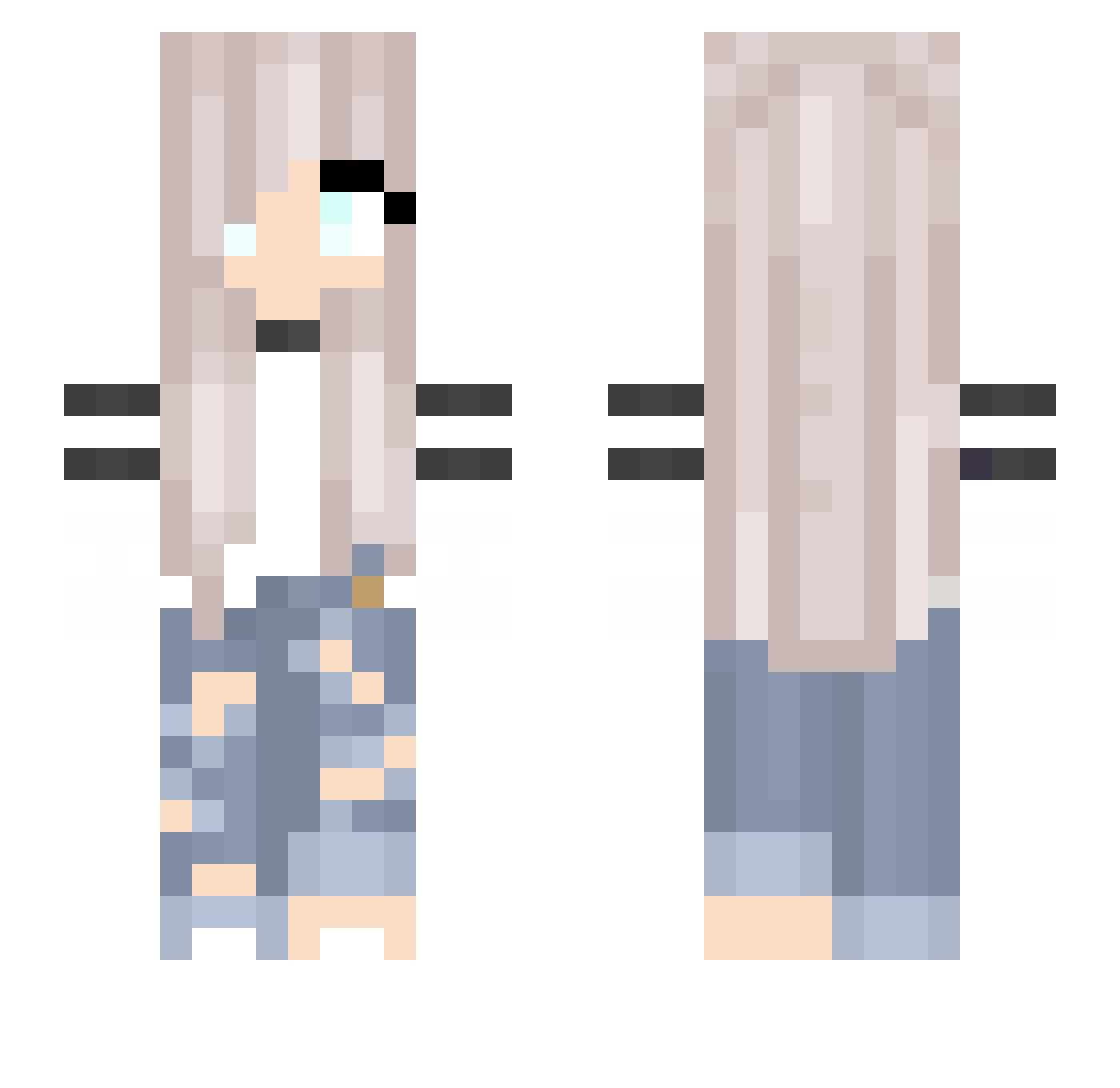
Current Minecraft skin of the player MrGooden, loaded from the official Mojang API. Rotate the 3D model with your mouse or finger, then download the skin as a PNG file and use it in Minecraft: Bedrock Edition or Java Edition for free. When MrGooden changes their skin, this page updates automatically and the old skin stays in the history below.
Other players with this skin (194)
MrGooden was the 34th player we have seen with this skin, first spotted on 07.08.2026. The same skin was seen on these players. Open a nickname to see their current skin and skin history.
 Anoia6254 _EhNoT_ lCosmicl jollerson kosa0706 tkij SunnyMango123 Loltime100 crabberz Daniek_S Adroax TheDitzyGamer TildeWestergard karolajna8686 majcias_ qingruan Polarbaerchen02 N1rtak VOleRka Violet27 Jouliie LegendXPro GLIZZZ _Kochixz_ xEva04xx MarieSweetie TenSpHere458490 verizun Cometa_1 itsbaemeg PrincessMorgan7 Arinapts lexilia46 Finka_YT Neron123_ TrueRyse TTV_zAbqeflogen MetalMatz3 ByNoXXas jiene_games Scoogester hom2sal lilmadz2121 heckuii CoffeeLop walter8765 chakittochakicha aisan0517 Return785 georgia_s_s Bikczi 7Sterrn jumao07 H_X_Y233 Lunnalai Lian_Queen SimpsonY JustMaD autumn112200 Fie1909
More Girl Minecraft skins
How to install the MrGooden skin
- Press the Download button above to save the skin as a PNG file.
- Minecraft: Bedrock Edition (PE): open the Dressing Room from the main menu (or tap your character → Edit Character), go to Classic Skins → Owned, press the + (new skin) button, choose the downloaded PNG and pick the Slim (Alex) model. Works on PC and mobile; consoles cannot import custom skins.
- Minecraft: Java Edition: open the Minecraft Launcher, go to the Skins tab, click New Skin, load the PNG, pick the Slim (Alex) model and press Save & Use. You can also upload it at minecraft.net → Profile → Change Skin.
The skin does not show up after import - what should I do?
Restart Minecraft and open the Dressing Room again - imported skins sometimes appear only after a restart. Also make sure you selected the imported skin and picked the Slim (Alex) model.
Which model should I choose, Classic or Slim?
This skin is designed for the Slim (Alex) model. If you pick the wrong model, the arms of the skin will look stretched or squeezed.
Is the skin of MrGooden free to download?
Yes. Press Download, save the PNG file and use it in Minecraft: Bedrock Edition or Java Edition - no payment or registration needed. The skin also works on multiplayer servers and Realms.
More skins
Looking for more? Go back to all Minecraft skins and check the top skins of the week, month and all time, or find any player's skin by nickname.