
Mozayan_ - Minecraft Skins & Skin History
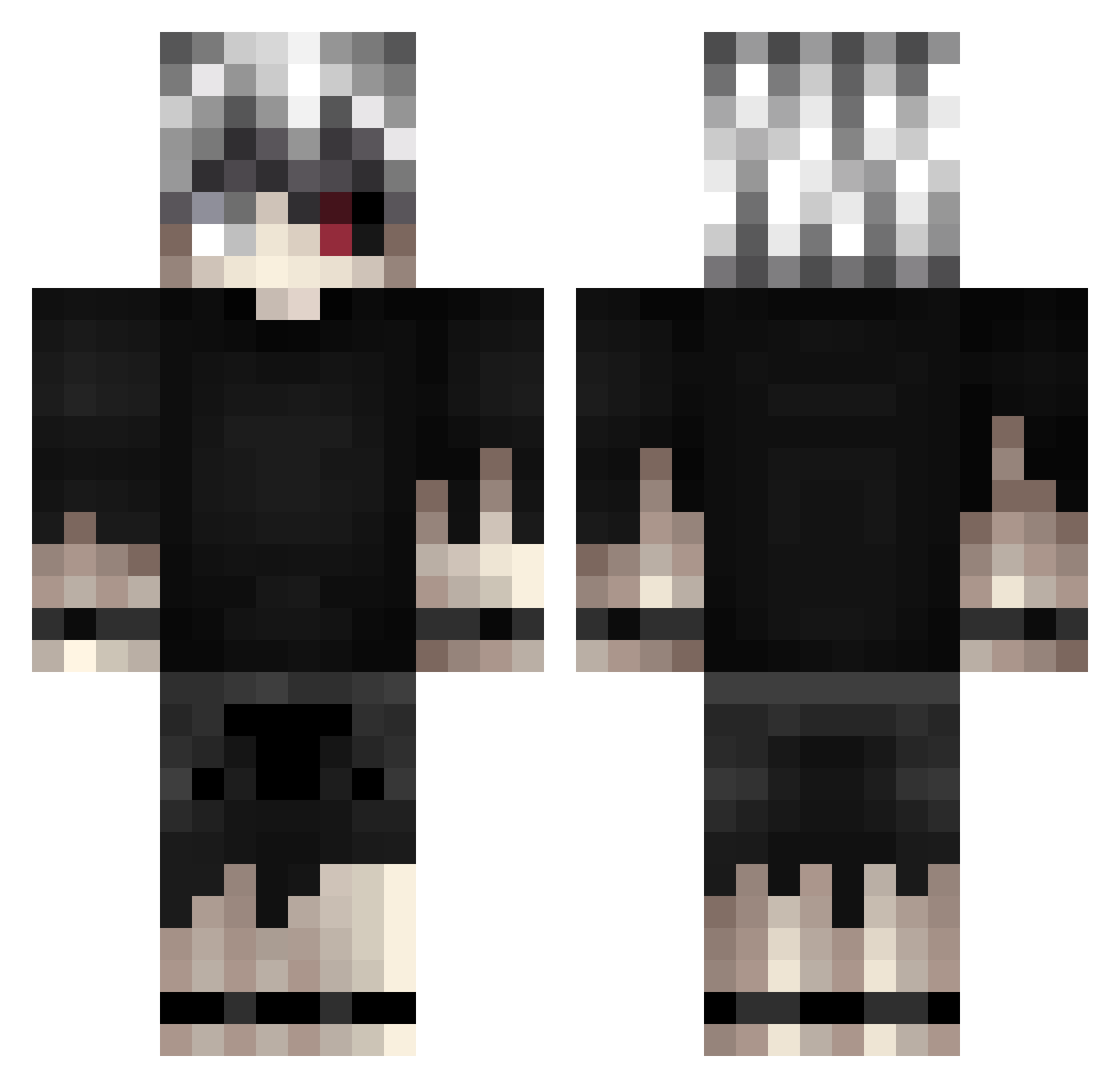
Current Minecraft skin of the player Mozayan_, loaded from the official Mojang API. Rotate the 3D model with your mouse or finger, then download the skin as a PNG file and use it in Minecraft: Bedrock Edition or Java Edition for free. When Mozayan_ changes their skin, this page updates automatically and the old skin stays in the history below.
Other players with this skin (421)
Mozayan_ was the 102nd player we have seen with this skin, first spotted on 25.08.2026. The same skin was seen on these players. Open a nickname to see their current skin and skin history.
 summrsfan Outlast_Ghost Phyllis__ Farttartt OuO_Neal MORGENHSTERN Batmanbro2722 misa600 hayseq soutelozxs Toast_19 Eugenio76 TheBoodleBob Twanee_ topblom Haise469 Croznar 0one_Eyed_king Cinnamonka228 IamKairos Mugiwara_D_Yass Goose_017 _XPrepr_ JammyyKun Sissko_ DarthRyujin EmilyErdbeer11 ArtyGriffin UnsealedSteam81 aSynisterChoice NotTrayHard Ariko02 captsimain1 BellXaphan Ph4z3D GS_2302 Kan99ki Y_971 guttera kingjojoo EMONeRA Mel1102 FriyiFriyi SoulReaper_55 Nestr3 Balougum _NoFexX_ _daviassuncao_ JK1609 ImVaas21 jozemaru XxXRoSoMaKXxX yokotears STOL3NXXVIII YoungBania Seba_lax mxchele_mxzzei_7 Degryo Domindy TiP_FlexX
More Kaneki Ken Minecraft skins
How to install the Mozayan_ skin
- Press the Download button above to save the skin as a PNG file.
- Minecraft: Bedrock Edition (PE): open the Dressing Room from the main menu (or tap your character → Edit Character), go to Classic Skins → Owned, press the + (new skin) button, choose the downloaded PNG and pick the Classic (Steve) model. Works on PC and mobile; consoles cannot import custom skins.
- Minecraft: Java Edition: open the Minecraft Launcher, go to the Skins tab, click New Skin, load the PNG, pick the Classic (Steve) model and press Save & Use. You can also upload it at minecraft.net → Profile → Change Skin.
The skin does not show up after import - what should I do?
Restart Minecraft and open the Dressing Room again - imported skins sometimes appear only after a restart. Also make sure you selected the imported skin and picked the Classic (Steve) model.
Which model should I choose, Classic or Slim?
This skin is designed for the Classic (Steve) model. If you pick the wrong model, the arms of the skin will look stretched or squeezed.
Is the skin of Mozayan_ free to download?
Yes. Press Download, save the PNG file and use it in Minecraft: Bedrock Edition or Java Edition - no payment or registration needed. The skin also works on multiplayer servers and Realms.
More skins
Looking for more? Go back to all Minecraft skins and check the top skins of the week, month and all time, or find any player's skin by nickname.