
Mossy_Mann - Minecraft Skins & Skin History
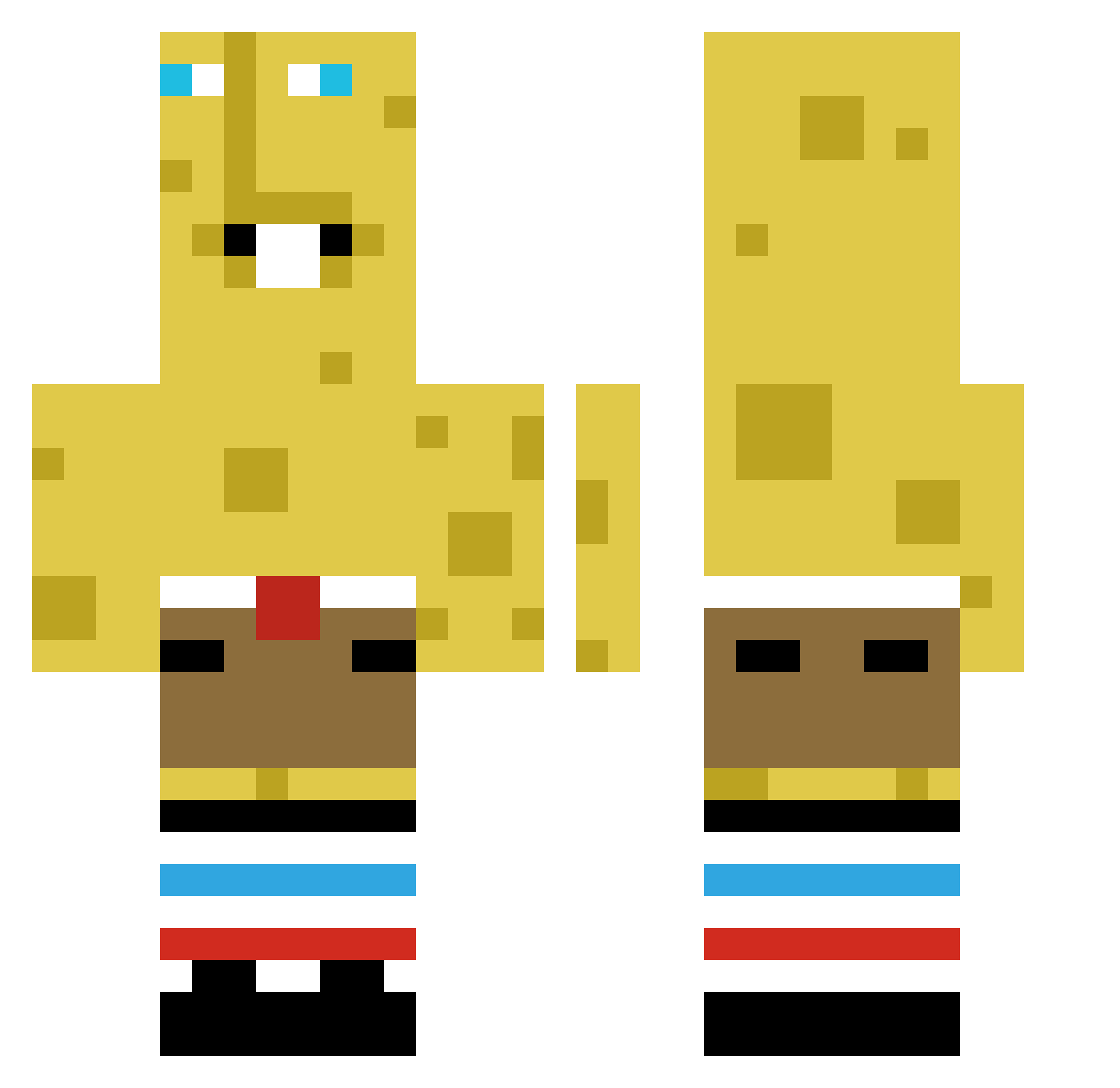
Current Minecraft skin of the player Mossy_Mann, loaded from the official Mojang API. Rotate the 3D model with your mouse or finger, then download the skin as a PNG file and use it in Minecraft: Bedrock Edition or Java Edition for free. When Mossy_Mann changes their skin, this page updates automatically and the old skin stays in the history below.
Other players with this skin (383)
Mossy_Mann was the 103rd player we have seen with this skin, first spotted on 17.08.2026. The same skin was seen on these players. Open a nickname to see their current skin and skin history.
 Kalculat_e Xxshyhither C0wNugg3tz luvtrick TheRomanelli KOXU301 ktj222 CloudSky10 BingoDorthe123 SbpingedSpbonged Slinkay Bl9ght bevid7 GOKAN2008 PuppetMercury eliott2 adricules Gorabr Twistedchains
 Karmelek1906 ggbgsalt7 Luca02062013 MicMac48 Barbalios_ brubsEdge KittySlayer5555 Stoanz zhnitahnacka
 odomen859 Jeppers DIDI88100s
 xPrzemekX66 anders098 Master231454 aidensolo2842
 LateHourss
 HEXDIO Iubesc5nu5 OskarViik Kevin941201 Succmasterr blobybloby DayByNight AFSilzlm
 DERI2005
 Myself06 JoseWojtinho XenoCloid Cannierbrick ZurxJunior
 iiMysthic pandziula360 MENTx3569 Chungus4444 pat71003 Gooobka juju4561 HyacinthPhoenix sejki ItsBraximi
More Spongebob Minecraft skins
How to install the Mossy_Mann skin
- Press the Download button above to save the skin as a PNG file.
- Minecraft: Bedrock Edition (PE): open the Dressing Room from the main menu (or tap your character → Edit Character), go to Classic Skins → Owned, press the + (new skin) button, choose the downloaded PNG and pick the Classic (Steve) model. Works on PC and mobile; consoles cannot import custom skins.
- Minecraft: Java Edition: open the Minecraft Launcher, go to the Skins tab, click New Skin, load the PNG, pick the Classic (Steve) model and press Save & Use. You can also upload it at minecraft.net → Profile → Change Skin.
The skin does not show up after import - what should I do?
Restart Minecraft and open the Dressing Room again - imported skins sometimes appear only after a restart. Also make sure you selected the imported skin and picked the Classic (Steve) model.
Which model should I choose, Classic or Slim?
This skin is designed for the Classic (Steve) model. If you pick the wrong model, the arms of the skin will look stretched or squeezed.
Is the skin of Mossy_Mann free to download?
Yes. Press Download, save the PNG file and use it in Minecraft: Bedrock Edition or Java Edition - no payment or registration needed. The skin also works on multiplayer servers and Realms.
More skins
Looking for more? Go back to all Minecraft skins and check the top skins of the week, month and all time, or find any player's skin by nickname.