
Mormon_Gamer - Minecraft Skins & Skin History
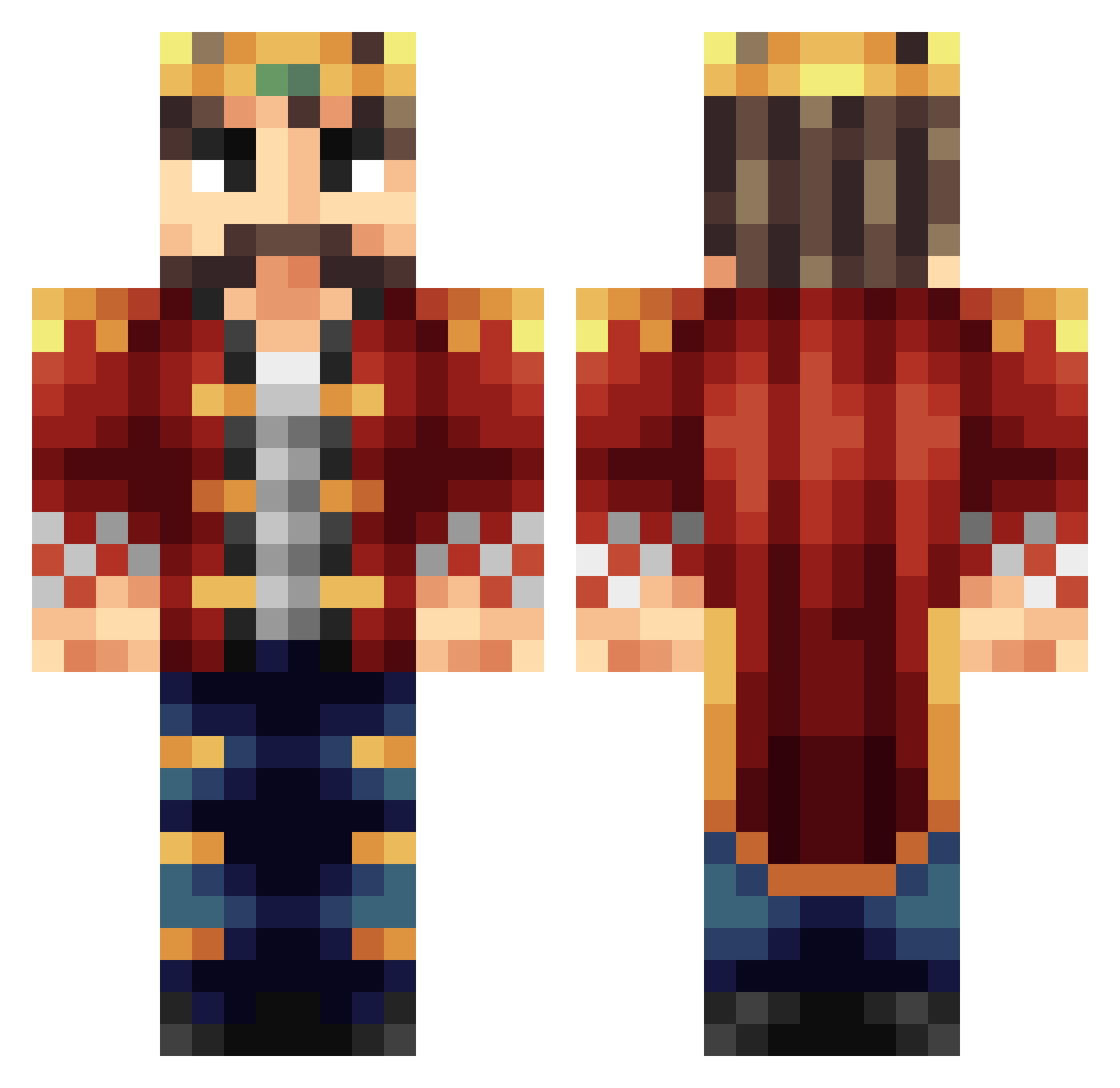
Current Minecraft skin of the player Mormon_Gamer, loaded from the official Mojang API. Rotate the 3D model with your mouse or finger, then download the skin as a PNG file and use it in Minecraft: Bedrock Edition or Java Edition for free. When Mormon_Gamer changes their skin, this page updates automatically and the old skin stays in the history below.
Other players with this skin (401)
Mormon_Gamer was the 216th player we have seen with this skin, first spotted on 01.10.2026. The same skin was seen on these players. Open a nickname to see their current skin and skin history.
 sootyput b3ez_ dflood98 Astromicium mildsalsa345 Haazo GamingProduct ExoStone pronecow45 HunterThaBeast AudaciousBS Tacolicious_13 SwordMaster214 CKsuperspeed 501LegionRex RobertJ_T CrumbledTime bighit32 LubasCZ Syndamatic Veech ImortalCenturian PTour jefflaw Bumble_Fluff OmerDuha talesofkings dager75 pjenkins14 3cats4me Mr_Poopdle_pop Voopac maurerj bb22__ Oliver_Closauf AbeTheKing Jaysel SaintGrevis Invertry Hamlee TheRealBoswell Bobbunny Molletjuh faellhs Hippie_Lettuce Bajoingan scuba_steve_8 MaadKing KingOfEndercraft picard170101 FusionV2 V2missile kingnovak guccibur Mickky Some_Random_King DinosaurJohn Zimbo4 GspTito The_True_RockG0D
More Streamer Minecraft skins
How to install the Mormon_Gamer skin
- Press the Download button above to save the skin as a PNG file.
- Minecraft: Bedrock Edition (PE): open the Dressing Room from the main menu (or tap your character → Edit Character), go to Classic Skins → Owned, press the + (new skin) button, choose the downloaded PNG and pick the Classic (Steve) model. Works on PC and mobile; consoles cannot import custom skins.
- Minecraft: Java Edition: open the Minecraft Launcher, go to the Skins tab, click New Skin, load the PNG, pick the Classic (Steve) model and press Save & Use. You can also upload it at minecraft.net → Profile → Change Skin.
The skin does not show up after import - what should I do?
Restart Minecraft and open the Dressing Room again - imported skins sometimes appear only after a restart. Also make sure you selected the imported skin and picked the Classic (Steve) model.
Which model should I choose, Classic or Slim?
This skin is designed for the Classic (Steve) model. If you pick the wrong model, the arms of the skin will look stretched or squeezed.
Is the skin of Mormon_Gamer free to download?
Yes. Press Download, save the PNG file and use it in Minecraft: Bedrock Edition or Java Edition - no payment or registration needed. The skin also works on multiplayer servers and Realms.
More skins
Looking for more? Go back to all Minecraft skins and check the top skins of the week, month and all time, or find any player's skin by nickname.