
Morlyxxx - Minecraft Skins & Skin History
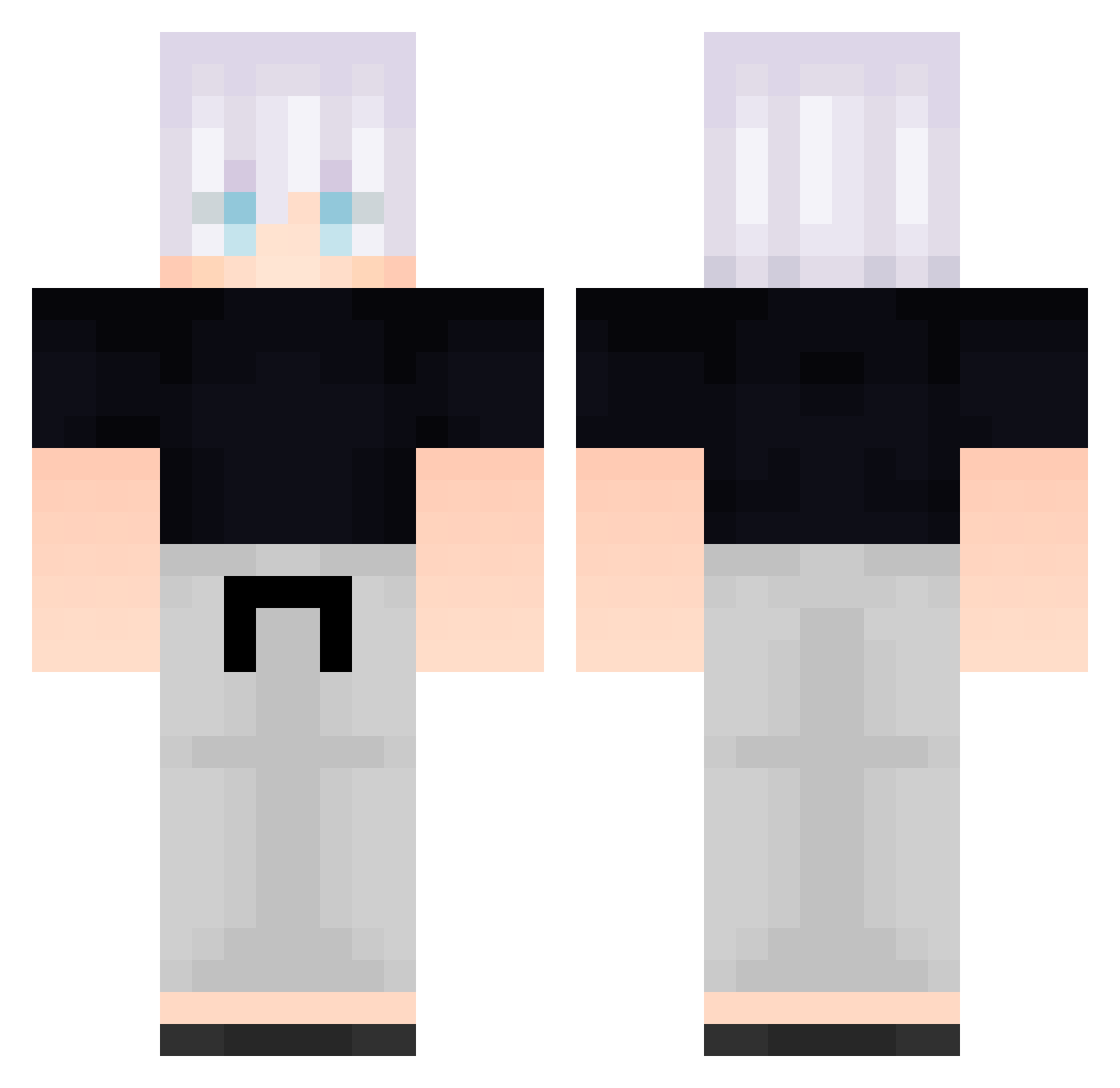
Current Minecraft skin of the player Morlyxxx, loaded from the official Mojang API. Rotate the 3D model with your mouse or finger, then download the skin as a PNG file and use it in Minecraft: Bedrock Edition or Java Edition for free. When Morlyxxx changes their skin, this page updates automatically and the old skin stays in the history below.
Other players with this skin (584)
Morlyxxx was the 245th player we have seen with this skin, first spotted on 13.09.2026. The same skin was seen on these players. Open a nickname to see their current skin and skin history.
 FreeLoganRain112 Clocker5091 lexymore ssz591 baltaxD FreeLoganRain273 _backbeingaHh924 McCloutin ndD639 _backbeingaat268 niqski KouSage kMD419 htA563 B_MxaOCOMrLVn138 GojoSatoru26 lBp276 ciriu13 RedCroww Arcaha SiC841 AxJUoulqPjrbo496 notShougi DatZuly Particularize05 Rddwn B_yvoqUJNbSOt327 Xqk903 unfazedjordan LPFC_TUTO eDM289 cOr32 B_JjQQwLZkGGo537 WWN643 7x2s cPa391 rZP823 Durgeroni HyM374 rypsonn FreeLoganRain814 jbS553 ImJama_ FolloMinecraft86 yQK147 piZ681 FreeLoganRain457 FolloMinecraft95 PlatooCat MarreTeint ylH527 hQf535 wmt917 B_zZAyWEFhJXJ191 aa_backbeingp310 zenoxsux SPy439 _backbeingaae229 ZXn798 gHd453
More Satoru Gojo Minecraft skins
See all 1317 Satoru Gojo skins
How to install the Morlyxxx skin
- Press the Download button above to save the skin as a PNG file.
- Minecraft: Bedrock Edition (PE): open the Dressing Room from the main menu (or tap your character → Edit Character), go to Classic Skins → Owned, press the + (new skin) button, choose the downloaded PNG and pick the Classic (Steve) model. Works on PC and mobile; consoles cannot import custom skins.
- Minecraft: Java Edition: open the Minecraft Launcher, go to the Skins tab, click New Skin, load the PNG, pick the Classic (Steve) model and press Save & Use. You can also upload it at minecraft.net → Profile → Change Skin.
The skin does not show up after import - what should I do?
Restart Minecraft and open the Dressing Room again - imported skins sometimes appear only after a restart. Also make sure you selected the imported skin and picked the Classic (Steve) model.
Which model should I choose, Classic or Slim?
This skin is designed for the Classic (Steve) model. If you pick the wrong model, the arms of the skin will look stretched or squeezed.
Is the skin of Morlyxxx free to download?
Yes. Press Download, save the PNG file and use it in Minecraft: Bedrock Edition or Java Edition - no payment or registration needed. The skin also works on multiplayer servers and Realms.
More skins
Looking for more? Go back to all Minecraft skins and check the top skins of the week, month and all time, or find any player's skin by nickname.