
MoonTea_ - Minecraft Skins & Skin History
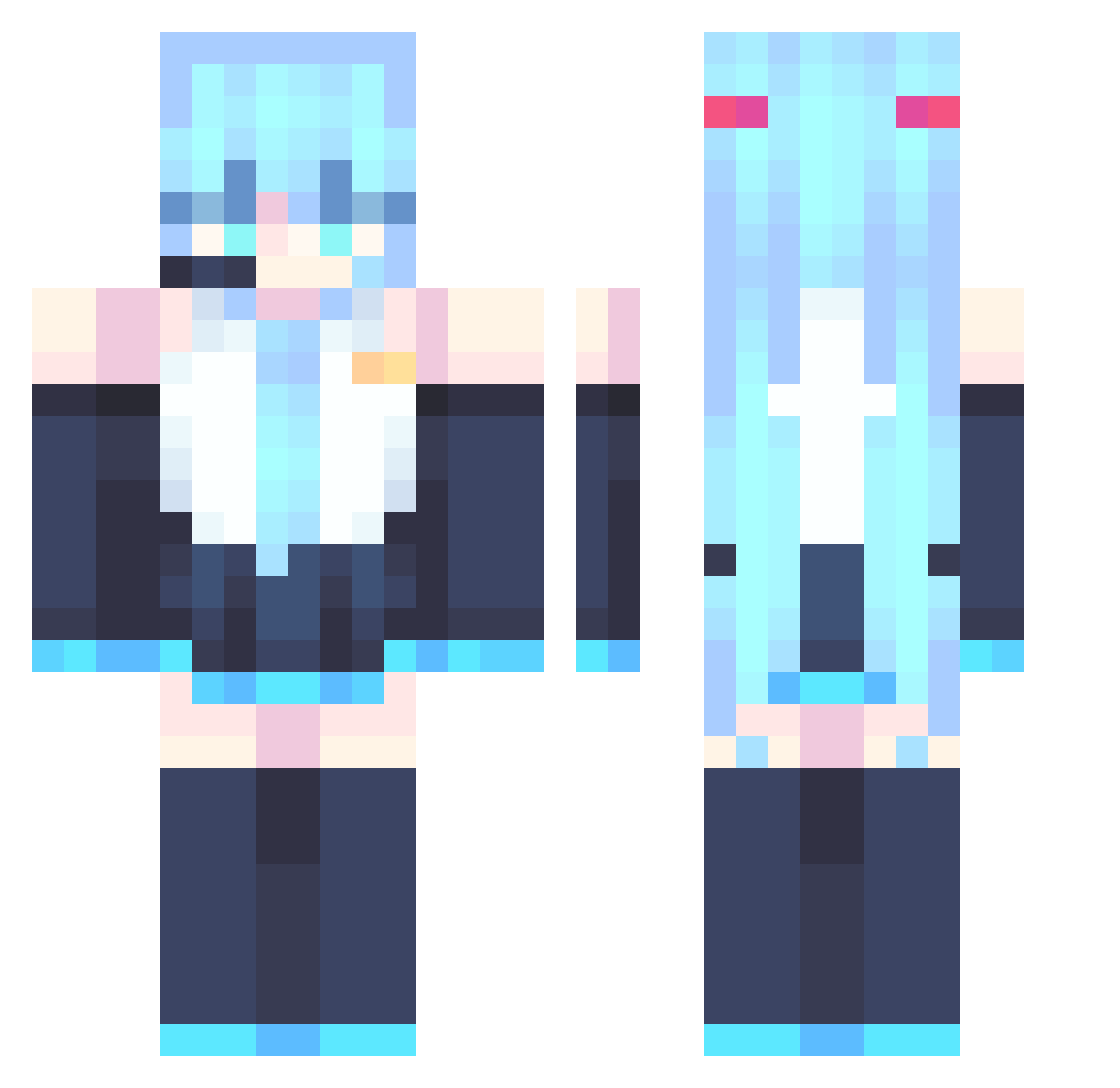
Current Minecraft skin of the player MoonTea_, loaded from the official Mojang API. Rotate the 3D model with your mouse or finger, then download the skin as a PNG file and use it in Minecraft: Bedrock Edition or Java Edition for free. When MoonTea_ changes their skin, this page updates automatically and the old skin stays in the history below.
Other players with this skin (886)
MoonTea_ was the 249th player we have seen with this skin, first spotted on 25.08.2026. The same skin was seen on these players. Open a nickname to see their current skin and skin history.
 Hakr0 ich1zu TwoBeesWife orange_greninja bilibili66 Summer23312 johnkoodleberry kami0503 laplaceJie Elias_Z0 wifiskeletons SirSensi ddozori real_MikuHatsune shmupster LonelyPotatos sharphin
 EllenBaker_39 OnceNight Alex_1006_ Alonsez2 _Octan_ Egnaro99 NormalSatyr5461 Jukynen acrafter008 Liamickpie apecci mocdocbool Winterchild21 KGStar IsaCat9235 Ooze202 seilster lucaaspt Pirates_LP ParVenus1171 raychen0805 qwqbored SuSLimits ForniteLuvr123 Chizuruba llllliiiiiiiiii Kai_Hammy MrBurgerMan37 leonel113 Y83N4 sharky0vibin SpookyLem0n LukiBezBazuki Comm1itment HYITA233 m_OwO_m PachiPichi iulian12h Hasuwu_ CirMoI LiarMiku SetsunaC42 AdmiralWhomst
More Hatsune Miku Minecraft skins
See all 904 Hatsune Miku skins
How to install the MoonTea_ skin
- Press the Download button above to save the skin as a PNG file.
- Minecraft: Bedrock Edition (PE): open the Dressing Room from the main menu (or tap your character → Edit Character), go to Classic Skins → Owned, press the + (new skin) button, choose the downloaded PNG and pick the Classic (Steve) model. Works on PC and mobile; consoles cannot import custom skins.
- Minecraft: Java Edition: open the Minecraft Launcher, go to the Skins tab, click New Skin, load the PNG, pick the Classic (Steve) model and press Save & Use. You can also upload it at minecraft.net → Profile → Change Skin.
The skin does not show up after import - what should I do?
Restart Minecraft and open the Dressing Room again - imported skins sometimes appear only after a restart. Also make sure you selected the imported skin and picked the Classic (Steve) model.
Which model should I choose, Classic or Slim?
This skin is designed for the Classic (Steve) model. If you pick the wrong model, the arms of the skin will look stretched or squeezed.
Is the skin of MoonTea_ free to download?
Yes. Press Download, save the PNG file and use it in Minecraft: Bedrock Edition or Java Edition - no payment or registration needed. The skin also works on multiplayer servers and Realms.
More skins
Looking for more? Go back to all Minecraft skins and check the top skins of the week, month and all time, or find any player's skin by nickname.