
Mooises - Minecraft Skins & Skin History
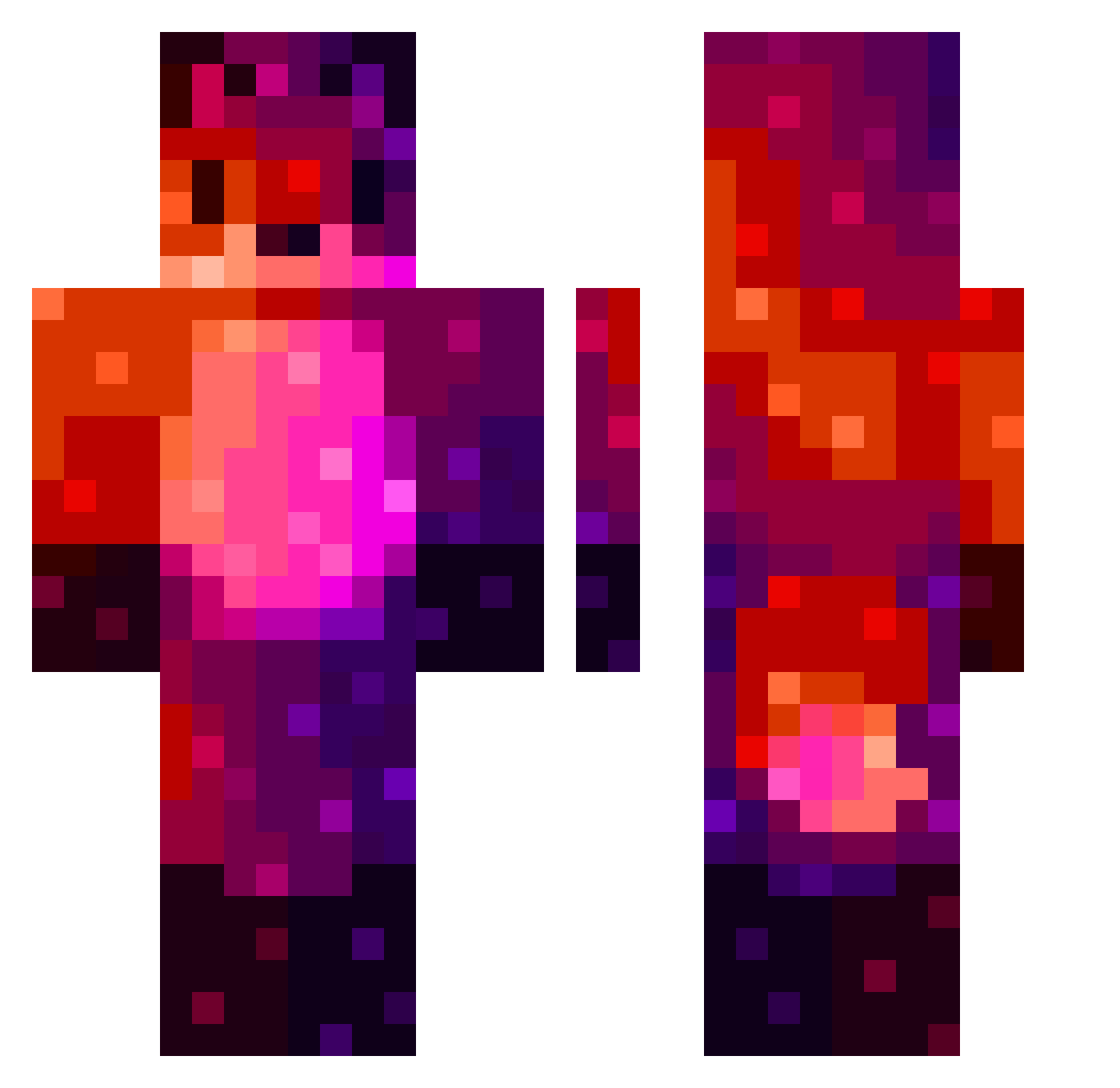
Current Minecraft skin of the player Mooises, loaded from the official Mojang API. Rotate the 3D model with your mouse or finger, then download the skin as a PNG file and use it in Minecraft: Bedrock Edition or Java Edition for free. When Mooises changes their skin, this page updates automatically and the old skin stays in the history below.
Other players with this skin (150)
Mooises was the 45th player we have seen with this skin, first spotted on 23.08.2026. The same skin was seen on these players. Open a nickname to see their current skin and skin history.
 ants_killjoy V1hm
 chewynater12 8r0n3k_GD
 MooonCoop WildingHurdle17 Daniel46560 Pizzasimpa AlexPekST Alexion96 __PIGI silverfurredfox willings Muciacios_Jonusz UrbanSteve Screwdium Kijson hawioida
 SilentVamp16 OrangeKap8634 redelleur Shiijo AntoniusFistus08 P4TR1CKZJ TiTleg KAKOS_TTOTTA powermojomojo mft39 Rodosik Aristite FoxDJ1901 Tymbek33 MartiniQ OESoft M_Fire_ David_1919 Lammu79 _SnoraX_ xSeregon Lulee21 HeartyWig53447 MainPlanet36542 Starwars11 XxMichalxX jinwoo0614 Sakkoi72 ___Vexxy_ MayraDia PeerapatP Elrago Spider5647 ambrion5
 Wertpxyt Virushades83 SSGOMEZ JuiceSnow ChangeDemon bastiencc iSimply01 KapitanSz
More Nebula Minecraft skins
How to install the Mooises skin
- Press the Download button above to save the skin as a PNG file.
- Minecraft: Bedrock Edition (PE): open the Dressing Room from the main menu (or tap your character → Edit Character), go to Classic Skins → Owned, press the + (new skin) button, choose the downloaded PNG and pick the Classic (Steve) model. Works on PC and mobile; consoles cannot import custom skins.
- Minecraft: Java Edition: open the Minecraft Launcher, go to the Skins tab, click New Skin, load the PNG, pick the Classic (Steve) model and press Save & Use. You can also upload it at minecraft.net → Profile → Change Skin.
The skin does not show up after import - what should I do?
Restart Minecraft and open the Dressing Room again - imported skins sometimes appear only after a restart. Also make sure you selected the imported skin and picked the Classic (Steve) model.
Which model should I choose, Classic or Slim?
This skin is designed for the Classic (Steve) model. If you pick the wrong model, the arms of the skin will look stretched or squeezed.
Is the skin of Mooises free to download?
Yes. Press Download, save the PNG file and use it in Minecraft: Bedrock Edition or Java Edition - no payment or registration needed. The skin also works on multiplayer servers and Realms.
More skins
Looking for more? Go back to all Minecraft skins and check the top skins of the week, month and all time, or find any player's skin by nickname.