
MonotoneProwess - Minecraft Skins & Skin History
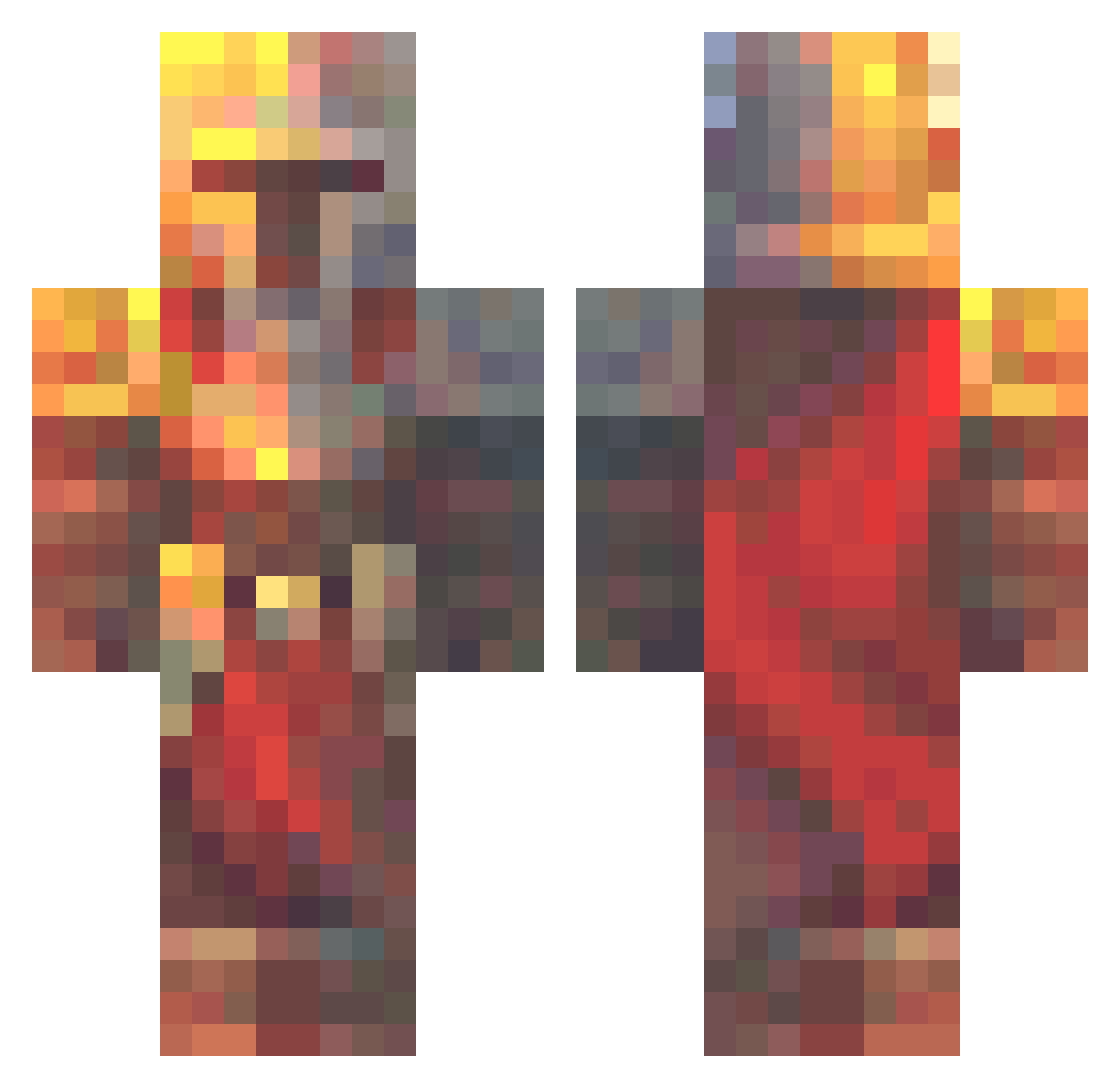
Current Minecraft skin of the player MonotoneProwess, loaded from the official Mojang API. Rotate the 3D model with your mouse or finger, then download the skin as a PNG file and use it in Minecraft: Bedrock Edition or Java Edition for free. When MonotoneProwess changes their skin, this page updates automatically and the old skin stays in the history below.
Other players with this skin (574)
MonotoneProwess was the 544th player we have seen with this skin, first spotted on 27.10.2026. The same skin was seen on these players. Open a nickname to see their current skin and skin history.
 KillerZ4444 ThreeXXXL DarkBoy049 UnaLLanta Delumon GoldenBlade12 SpatialTimeChaos Rextie Cuxiel BallisticBeans79 Dave208 InvoluntaryReset Danimals1205 angumar1 testyyy Brutus959 XanderNL_2004 MD8_____ MCoshyP ArcaneB1ade Sir_John_ DragonSlayerzz4 Zoombod78 SneakerGuy97 oglotion Sirantny1975 Spectre794 Blobby72 R_a_z_a_r Dsile Phantomlegolas among_berry KingNothing834 UGLY_HAIRY_BUSH MathijsVM NotSaavedra RoadRanger73 Despanya skullkidd32 Arod1066 Tangliandi Ghandu3 El1ii kipris DRIP562 ninjacrafter14 T0asterBrain Cailion poetr_ Hirsele woodentr33 GrizzlyNwK XwXGary AlRoci jade_0_ Digboi69 SH03KY Dacz N7ELiTE90 I_Maui
More Medieval Minecraft skins
How to install the MonotoneProwess skin
- Press the Download button above to save the skin as a PNG file.
- Minecraft: Bedrock Edition (PE): open the Dressing Room from the main menu (or tap your character → Edit Character), go to Classic Skins → Owned, press the + (new skin) button, choose the downloaded PNG and pick the Classic (Steve) model. Works on PC and mobile; consoles cannot import custom skins.
- Minecraft: Java Edition: open the Minecraft Launcher, go to the Skins tab, click New Skin, load the PNG, pick the Classic (Steve) model and press Save & Use. You can also upload it at minecraft.net → Profile → Change Skin.
The skin does not show up after import - what should I do?
Restart Minecraft and open the Dressing Room again - imported skins sometimes appear only after a restart. Also make sure you selected the imported skin and picked the Classic (Steve) model.
Which model should I choose, Classic or Slim?
This skin is designed for the Classic (Steve) model. If you pick the wrong model, the arms of the skin will look stretched or squeezed.
Is the skin of MonotoneProwess free to download?
Yes. Press Download, save the PNG file and use it in Minecraft: Bedrock Edition or Java Edition - no payment or registration needed. The skin also works on multiplayer servers and Realms.
More skins
Looking for more? Go back to all Minecraft skins and check the top skins of the week, month and all time, or find any player's skin by nickname.