
Moneybayzleo - Minecraft Skins & Skin History
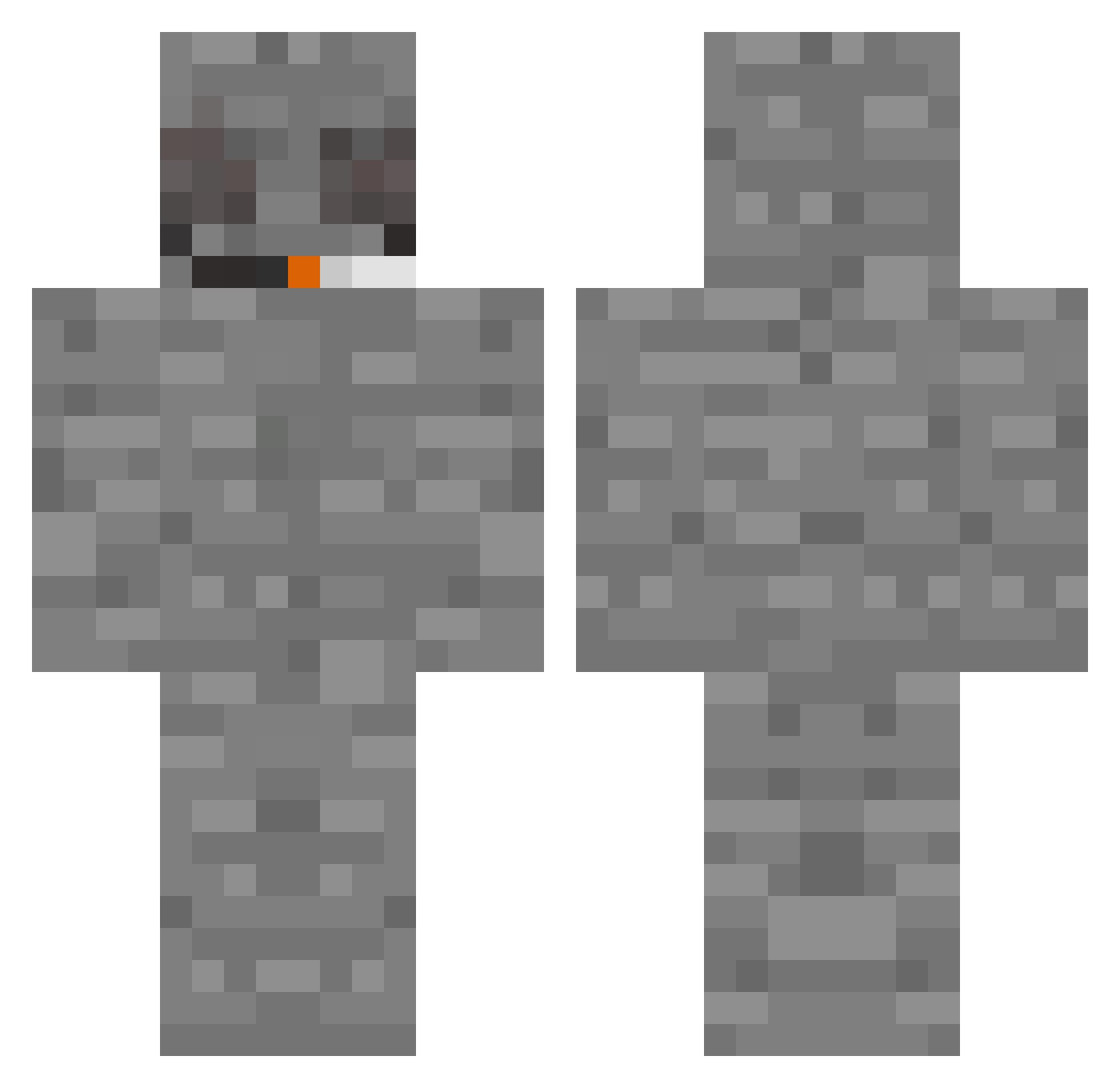
Current Minecraft skin of the player Moneybayzleo, loaded from the official Mojang API. Rotate the 3D model with your mouse or finger, then download the skin as a PNG file and use it in Minecraft: Bedrock Edition or Java Edition for free. When Moneybayzleo changes their skin, this page updates automatically and the old skin stays in the history below.
Other players with this skin (323)
Moneybayzleo was the 201st player we have seen with this skin, first spotted on 30.09.2026. The same skin was seen on these players. Open a nickname to see their current skin and skin history.
 obvy Papalatte123 Kxolf Soggy34 rachelspardo Dark_arm3 Zoozoo445 JIMONKENZAZA McKain123 JB_Jacob PASHA061 haqxe Siler Kr0ss7 kcamx pn642 subux8 WonderOfSlafx Chr0x6eOs Gagamolch4 Purple_tide Rqtte velt1c DeepFriedToe SnoopDoggyDieng vasagame nocanto blazqalb G_Daawg Centerfire1234 Maddox2 MountHashmore HelloMyNameIsEEF Jaac777 jded FisX Peter2823r ChargeRules Chromixl m0rgenshtern666 HarambeDiq HexaComeback ProWhipp B0NGHUSTEN 7tpaa ThatLeon kokoloko984 Quinfiny bbb898 rockerreedy Bensha027 Sven_Lars_Becker x2_an2ew ReLabz Just_Legion KOITOOo GoblinWeen Mcnugggetss Yubs1 ILikeEevee
More Rock Minecraft skins
How to install the Moneybayzleo skin
- Press the Download button above to save the skin as a PNG file.
- Minecraft: Bedrock Edition (PE): open the Dressing Room from the main menu (or tap your character → Edit Character), go to Classic Skins → Owned, press the + (new skin) button, choose the downloaded PNG and pick the Classic (Steve) model. Works on PC and mobile; consoles cannot import custom skins.
- Minecraft: Java Edition: open the Minecraft Launcher, go to the Skins tab, click New Skin, load the PNG, pick the Classic (Steve) model and press Save & Use. You can also upload it at minecraft.net → Profile → Change Skin.
The skin does not show up after import - what should I do?
Restart Minecraft and open the Dressing Room again - imported skins sometimes appear only after a restart. Also make sure you selected the imported skin and picked the Classic (Steve) model.
Which model should I choose, Classic or Slim?
This skin is designed for the Classic (Steve) model. If you pick the wrong model, the arms of the skin will look stretched or squeezed.
Is the skin of Moneybayzleo free to download?
Yes. Press Download, save the PNG file and use it in Minecraft: Bedrock Edition or Java Edition - no payment or registration needed. The skin also works on multiplayer servers and Realms.
More skins
Looking for more? Go back to all Minecraft skins and check the top skins of the week, month and all time, or find any player's skin by nickname.