
Mog1255 - Minecraft Skins & Skin History
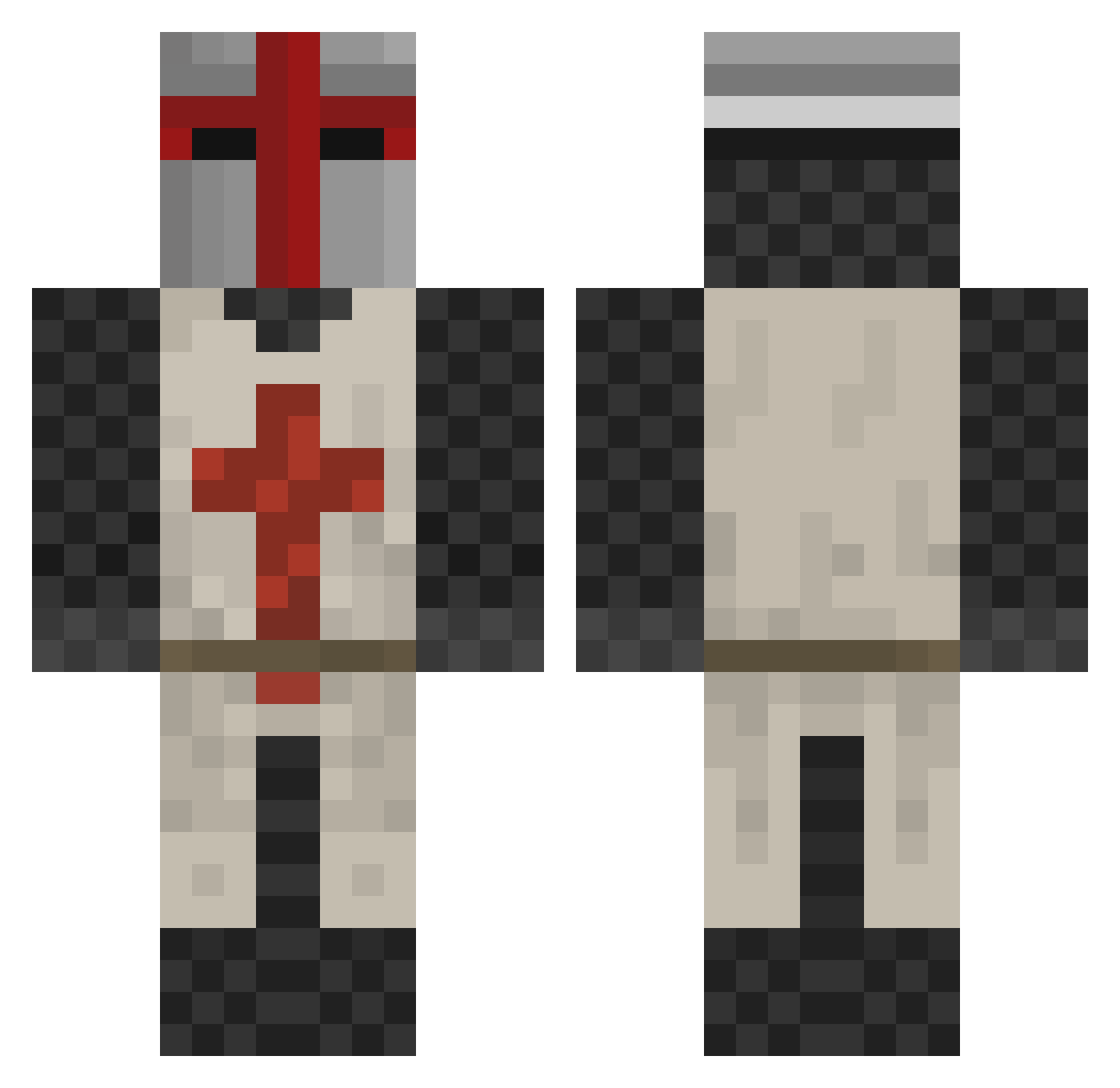
Current Minecraft skin of the player Mog1255, loaded from the official Mojang API. Rotate the 3D model with your mouse or finger, then download the skin as a PNG file and use it in Minecraft: Bedrock Edition or Java Edition for free. When Mog1255 changes their skin, this page updates automatically and the old skin stays in the history below.
Other players with this skin (413)
Mog1255 was the 110th player we have seen with this skin, first spotted on 26.08.2026. The same skin was seen on these players. Open a nickname to see their current skin and skin history.
 Gazer117 Kalexin Texa5Rang3r dinopuppy garychow1990 FooMan12 tankersnake kxscrolls DangerousJoe123 Grallenn STGKING GRISEmil magnus19 NC17 Ktromboner 2233rush Redgoose Widoooo Malinto bobthehouse franscartoons don_willard DerDawn Smileycraft969 Driend siegeros drrusski HAWK1124 The_Lizeryn_King iR04R Ekryze DrJacko DJCal1998 Willianderma MrKhicken miksuli Nurre Knights_Tempura Desmond_Clarke AlmightyRuler GWinUS R4ptoXx genryan chrisseb Buildoholic naxioz crazyjam37 rickolassmith wizardsun21 ohhazzyboy johnson2020 PaulXxX123 hkk232 erez111 darkvinny1234 SamieZaurus jesnes123456 NtKPDX CartmanM OVERLORD0097
More Crusader Minecraft skins
How to install the Mog1255 skin
- Press the Download button above to save the skin as a PNG file.
- Minecraft: Bedrock Edition (PE): open the Dressing Room from the main menu (or tap your character → Edit Character), go to Classic Skins → Owned, press the + (new skin) button, choose the downloaded PNG and pick the Classic (Steve) model. Works on PC and mobile; consoles cannot import custom skins.
- Minecraft: Java Edition: open the Minecraft Launcher, go to the Skins tab, click New Skin, load the PNG, pick the Classic (Steve) model and press Save & Use. You can also upload it at minecraft.net → Profile → Change Skin.
The skin does not show up after import - what should I do?
Restart Minecraft and open the Dressing Room again - imported skins sometimes appear only after a restart. Also make sure you selected the imported skin and picked the Classic (Steve) model.
Which model should I choose, Classic or Slim?
This skin is designed for the Classic (Steve) model. If you pick the wrong model, the arms of the skin will look stretched or squeezed.
Is the skin of Mog1255 free to download?
Yes. Press Download, save the PNG file and use it in Minecraft: Bedrock Edition or Java Edition - no payment or registration needed. The skin also works on multiplayer servers and Realms.
More skins
Looking for more? Go back to all Minecraft skins and check the top skins of the week, month and all time, or find any player's skin by nickname.