
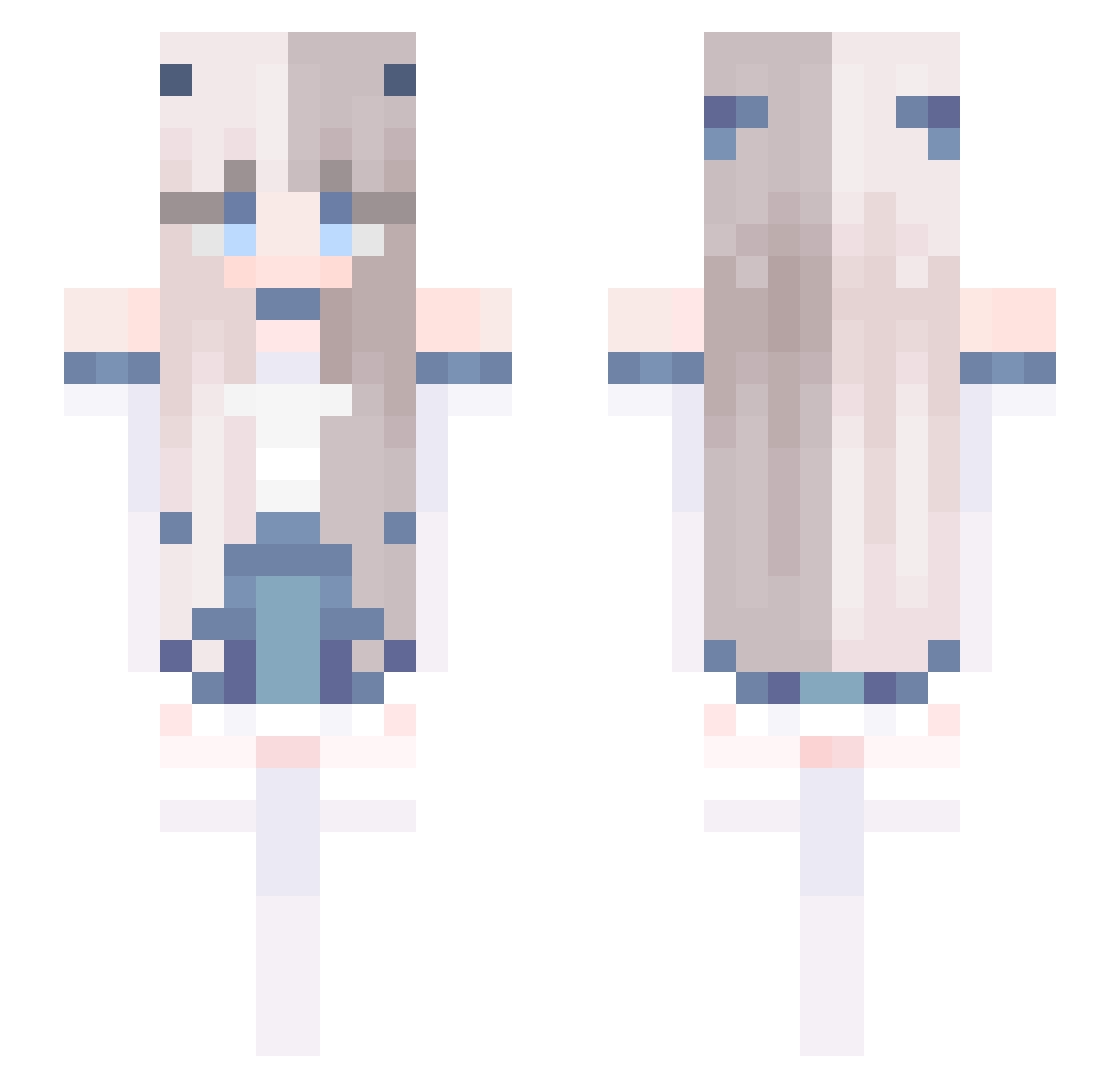
Current Minecraft skin of the player Miyukiy, loaded from the official Mojang API. Rotate the 3D model with your mouse or finger, then download the skin as a PNG file and use it in Minecraft: Bedrock Edition or Java Edition for free. When Miyukiy changes their skin, this page updates automatically and the old skin stays in the history below.
Other players with this skin (536)
Miyukiy was the 506th player we have seen with this skin, first spotted on 12.10.2026. The same skin was seen on these players. Open a nickname to see their current skin and skin history.
 Rcaitlyn03 Goodgirl_Jay Hjy017 MoYo_17 VasilisaQQ Naimiaomiao Namikawa_Jay kasikkkkk shiro_momo JyunJuyn qba15 Brii_xo newriri BBOYAM 195194yuan ting112012 MotherDumpling motuya AzzurraGirl tansanii Ratemetrics QIU2333 ola14559 bandu6 wu_wu3 tonkatsu1986 CHO_XDD smart21 White_Steve_0109 daqiu555 xllrvx Jack13_ DabHawk izadoraschmackle _BlueHour LiendoCS Aataraxia Mayag2008 rachelrce Yzgnb Milk03056 threetimes6 chongyue_ FlyinGSoFT Biscuit__Bear Chiou0319 RenatoFreitas13 G_G_cider Color_Ram miku33 liumengli1211 Light2307 llC0TT0Nll WaltWhiteBB YoJefc yo___da fanyuanq Emily1118 oopix Akiller_ax
More Horns Minecraft skins
How to install the Miyukiy skin
- Press the Download button above to save the skin as a PNG file.
- Minecraft: Bedrock Edition (PE): open the Dressing Room from the main menu (or tap your character → Edit Character), go to Classic Skins → Owned, press the + (new skin) button, choose the downloaded PNG and pick the Slim (Alex) model. Works on PC and mobile; consoles cannot import custom skins.
- Minecraft: Java Edition: open the Minecraft Launcher, go to the Skins tab, click New Skin, load the PNG, pick the Slim (Alex) model and press Save & Use. You can also upload it at minecraft.net → Profile → Change Skin.
The skin does not show up after import - what should I do?
Restart Minecraft and open the Dressing Room again - imported skins sometimes appear only after a restart. Also make sure you selected the imported skin and picked the Slim (Alex) model.
Which model should I choose, Classic or Slim?
This skin is designed for the Slim (Alex) model. If you pick the wrong model, the arms of the skin will look stretched or squeezed.
Is the skin of Miyukiy free to download?
Yes. Press Download, save the PNG file and use it in Minecraft: Bedrock Edition or Java Edition - no payment or registration needed. The skin also works on multiplayer servers and Realms.
More skins
Looking for more? Go back to all Minecraft skins and check the top skins of the week, month and all time, or find any player's skin by nickname.