
MitsukiiAi - Minecraft Skins & Skin History
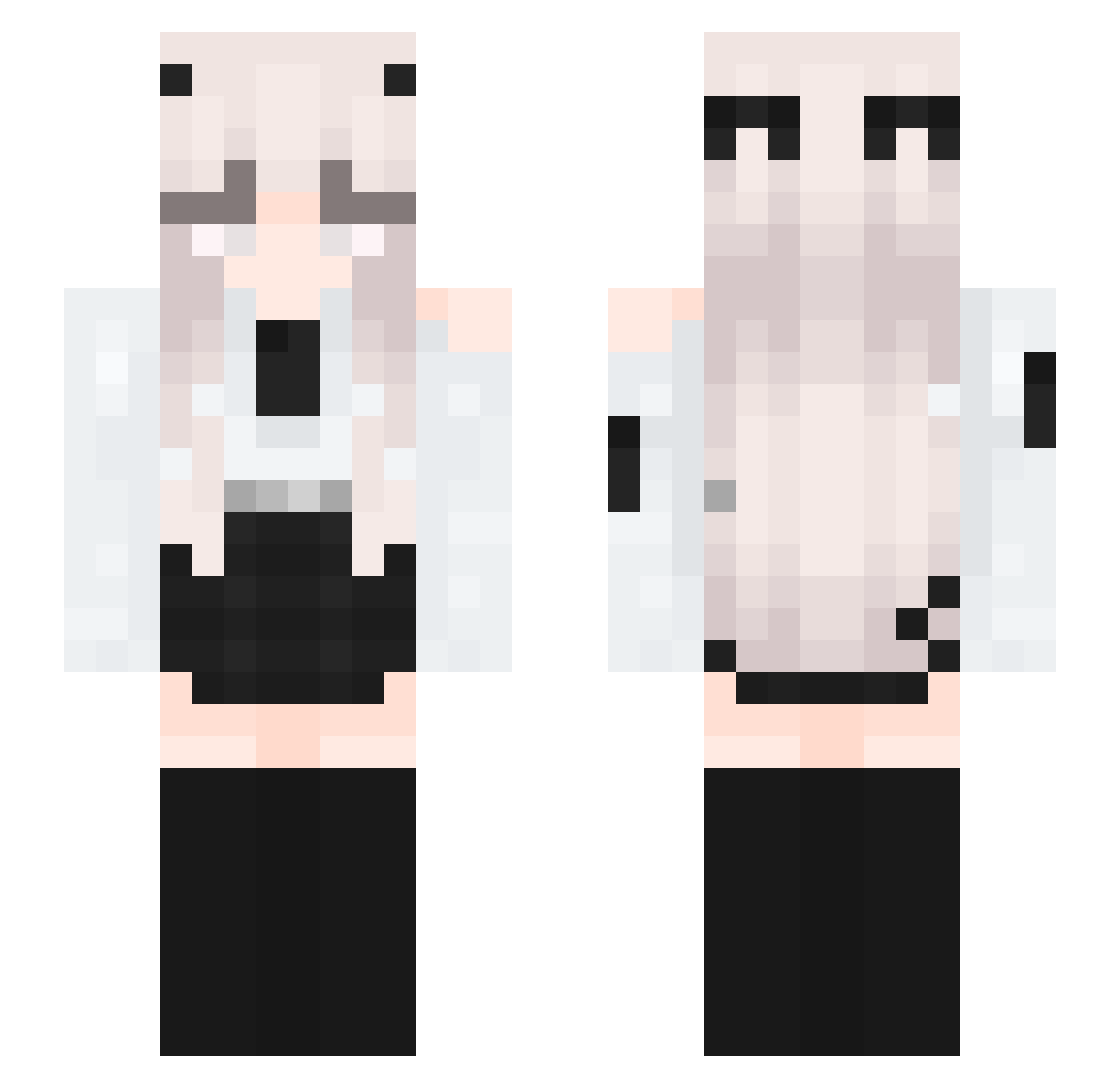
Current Minecraft skin of the player MitsukiiAi, loaded from the official Mojang API. Rotate the 3D model with your mouse or finger, then download the skin as a PNG file and use it in Minecraft: Bedrock Edition or Java Edition for free. When MitsukiiAi changes their skin, this page updates automatically and the old skin stays in the history below.
Other players with this skin (336)
MitsukiiAi was the 163rd player we have seen with this skin, first spotted on 14.09.2026. The same skin was seen on these players. Open a nickname to see their current skin and skin history.
 not_m00dy Elatebacon42163 JustynaCZMK Wabbit8772 _Eqi RainGoogle JBLGOAT Unanina59 Stonebrice18 RavenYu27 littlechems T4PL0 MeiF_ NightStar9727 ValkyrieDarkness Karma_ST Rakln GeorgeTakei_ Umpogn 322153 Pvrity__ Charlycat13 DarkTiger5728 rinadct Veriety omank0 Palutzhul puppyboytank iXola Misaxeva KeiZyki_ii Galaxy924 LalaKoala69 roadslayer1337 JUNG_Y_R RaffiNhya ShisuNotFound Sievna 78DGBnb violateee RealDoggy Keta00 Butterfly_Spirit Someone_xp Itzz_OL3SK0_OFC erdog7 turbobob78 xiuderita104 Baguette221 AndyIstU LaynaUwU asmawi Gyrosbox SantoroAle5 GTSDrettY Fire_Dragon777 Kayucoh lobby_chen kyuutie BeIImona
More Horns Minecraft skins
How to install the MitsukiiAi skin
- Press the Download button above to save the skin as a PNG file.
- Minecraft: Bedrock Edition (PE): open the Dressing Room from the main menu (or tap your character → Edit Character), go to Classic Skins → Owned, press the + (new skin) button, choose the downloaded PNG and pick the Slim (Alex) model. Works on PC and mobile; consoles cannot import custom skins.
- Minecraft: Java Edition: open the Minecraft Launcher, go to the Skins tab, click New Skin, load the PNG, pick the Slim (Alex) model and press Save & Use. You can also upload it at minecraft.net → Profile → Change Skin.
The skin does not show up after import - what should I do?
Restart Minecraft and open the Dressing Room again - imported skins sometimes appear only after a restart. Also make sure you selected the imported skin and picked the Slim (Alex) model.
Which model should I choose, Classic or Slim?
This skin is designed for the Slim (Alex) model. If you pick the wrong model, the arms of the skin will look stretched or squeezed.
Is the skin of MitsukiiAi free to download?
Yes. Press Download, save the PNG file and use it in Minecraft: Bedrock Edition or Java Edition - no payment or registration needed. The skin also works on multiplayer servers and Realms.
More skins
Looking for more? Go back to all Minecraft skins and check the top skins of the week, month and all time, or find any player's skin by nickname.