
Misumi1779 - Minecraft Skins & Skin History
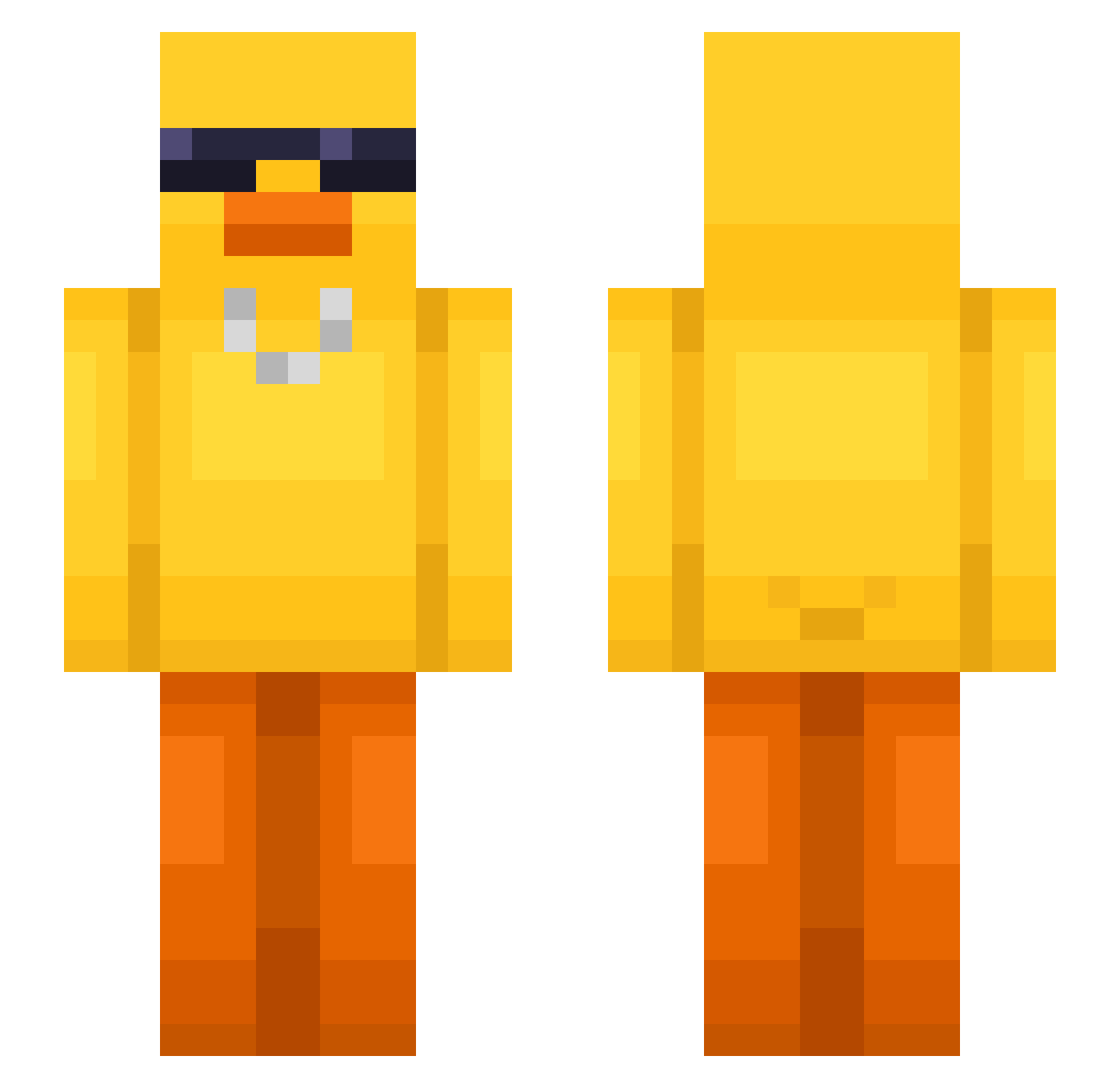
Current Minecraft skin of the player Misumi1779, loaded from the official Mojang API. Rotate the 3D model with your mouse or finger, then download the skin as a PNG file and use it in Minecraft: Bedrock Edition or Java Edition for free. When Misumi1779 changes their skin, this page updates automatically and the old skin stays in the history below.
Other players with this skin (550)
Misumi1779 was the 149th player we have seen with this skin, first spotted on 19.08.2026. The same skin was seen on these players. Open a nickname to see their current skin and skin history.
 Alpienweiss Manda3 Ragnarx224 Joaoluck94 Mortis0 pinotankun Qitzr AkinnaNI Jongwon_0 Pixisko lolheyman SwApOrIsH Not_Michael53 suspaige K0kku YuJA49 Selkaaaa iamyoong Epiccrafty8 DenjiTickles BabyFaceAssassin KiShack junghan1218 CarlaFlett LordYhorn Emozing 1748ja wooseong001 Misako010 Alex87024 LiL_Kix rehoguma begforegg DerDil16 fartnugget6985 Laure_420 Rashkala tomeo426 UbyX PlaterGames kimjian1 kimguszan0126 LegitPascal beans0151 ichmagkekse32 shisheng0514 susimaru777 geckor22 pililaodiandeng6 BBero kasjan107 mint_zero Truggan hyeungjun AlexKertman baepeul shady_cow Cosmicpooop jasonsuper 1NightMare1
More Chain Minecraft skins
How to install the Misumi1779 skin
- Press the Download button above to save the skin as a PNG file.
- Minecraft: Bedrock Edition (PE): open the Dressing Room from the main menu (or tap your character → Edit Character), go to Classic Skins → Owned, press the + (new skin) button, choose the downloaded PNG and pick the Slim (Alex) model. Works on PC and mobile; consoles cannot import custom skins.
- Minecraft: Java Edition: open the Minecraft Launcher, go to the Skins tab, click New Skin, load the PNG, pick the Slim (Alex) model and press Save & Use. You can also upload it at minecraft.net → Profile → Change Skin.
The skin does not show up after import - what should I do?
Restart Minecraft and open the Dressing Room again - imported skins sometimes appear only after a restart. Also make sure you selected the imported skin and picked the Slim (Alex) model.
Which model should I choose, Classic or Slim?
This skin is designed for the Slim (Alex) model. If you pick the wrong model, the arms of the skin will look stretched or squeezed.
Is the skin of Misumi1779 free to download?
Yes. Press Download, save the PNG file and use it in Minecraft: Bedrock Edition or Java Edition - no payment or registration needed. The skin also works on multiplayer servers and Realms.
More skins
Looking for more? Go back to all Minecraft skins and check the top skins of the week, month and all time, or find any player's skin by nickname.