
MisguidedGod - Minecraft Skins & Skin History
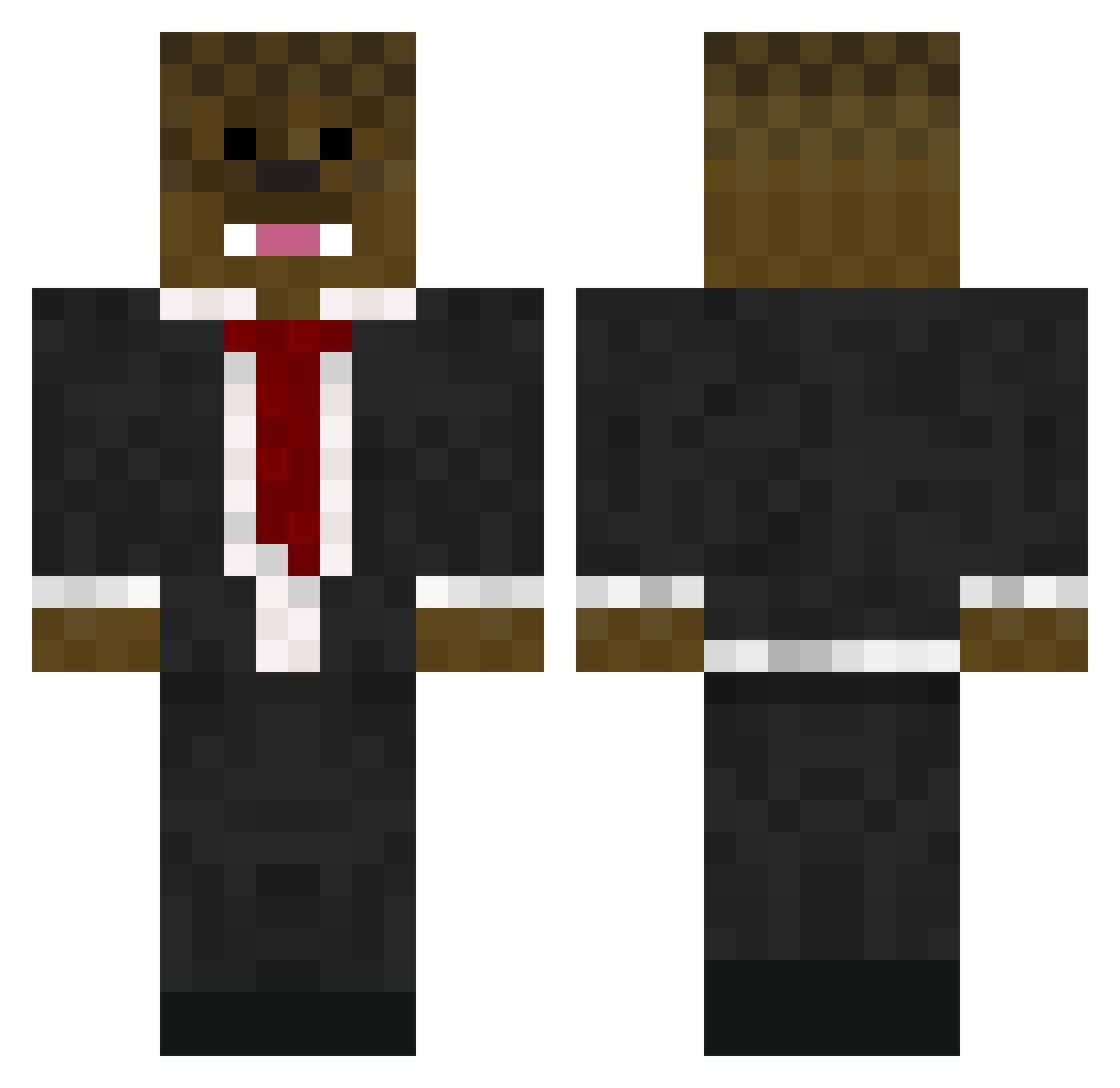
Current Minecraft skin of the player MisguidedGod, loaded from the official Mojang API. Rotate the 3D model with your mouse or finger, then download the skin as a PNG file and use it in Minecraft: Bedrock Edition or Java Edition for free. When MisguidedGod changes their skin, this page updates automatically and the old skin stays in the history below.
Other players with this skin (576)
MisguidedGod was the 121st player we have seen with this skin, first spotted on 15.08.2026. The same skin was seen on these players. Open a nickname to see their current skin and skin history.
 carlosjames liamisboss10 bigxpro24 briansaunders3 Ninja_man17 mrcheesytoast109 gangsterman1534 farreljh TheBajanAus CoastGuardkids KingConnected SirAbsol ShiftTeam1 1DJS FloppyFish14 dogattak88 YallTrashAF CatcherLJB ikester37 nerf221 Yogyb3ar chimblock TECHMASTER11 yzzirG Footballer571 blaineandabbi hunterouzts11 Drjonathanio0 Amandary parkourgalexy windei Branch_McGeehan skidrow6969 BadBadger4 doublebalde Mrdiamond914 lalboe BaccamanASF11 preator546 AvengerCoop TonioV3 Messi0220 Nic1603 CuBeHaCkEr1 MathewTuck138 grrrnator UndoingJupiter ealeman1 jocular_jim TheKIller1022 Rapidfire48 dani1962 teot59 j0eb0b DeikyOneFour tkrocket Hasman9 Bonnan MrNaboo jda671
More Chewbacca Minecraft skins
How to install the MisguidedGod skin
- Press the Download button above to save the skin as a PNG file.
- Minecraft: Bedrock Edition (PE): open the Dressing Room from the main menu (or tap your character → Edit Character), go to Classic Skins → Owned, press the + (new skin) button, choose the downloaded PNG and pick the Classic (Steve) model. Works on PC and mobile; consoles cannot import custom skins.
- Minecraft: Java Edition: open the Minecraft Launcher, go to the Skins tab, click New Skin, load the PNG, pick the Classic (Steve) model and press Save & Use. You can also upload it at minecraft.net → Profile → Change Skin.
The skin does not show up after import - what should I do?
Restart Minecraft and open the Dressing Room again - imported skins sometimes appear only after a restart. Also make sure you selected the imported skin and picked the Classic (Steve) model.
Which model should I choose, Classic or Slim?
This skin is designed for the Classic (Steve) model. If you pick the wrong model, the arms of the skin will look stretched or squeezed.
Is the skin of MisguidedGod free to download?
Yes. Press Download, save the PNG file and use it in Minecraft: Bedrock Edition or Java Edition - no payment or registration needed. The skin also works on multiplayer servers and Realms.
More skins
Looking for more? Go back to all Minecraft skins and check the top skins of the week, month and all time, or find any player's skin by nickname.