
Misakifujiwara - Minecraft Skins & Skin History
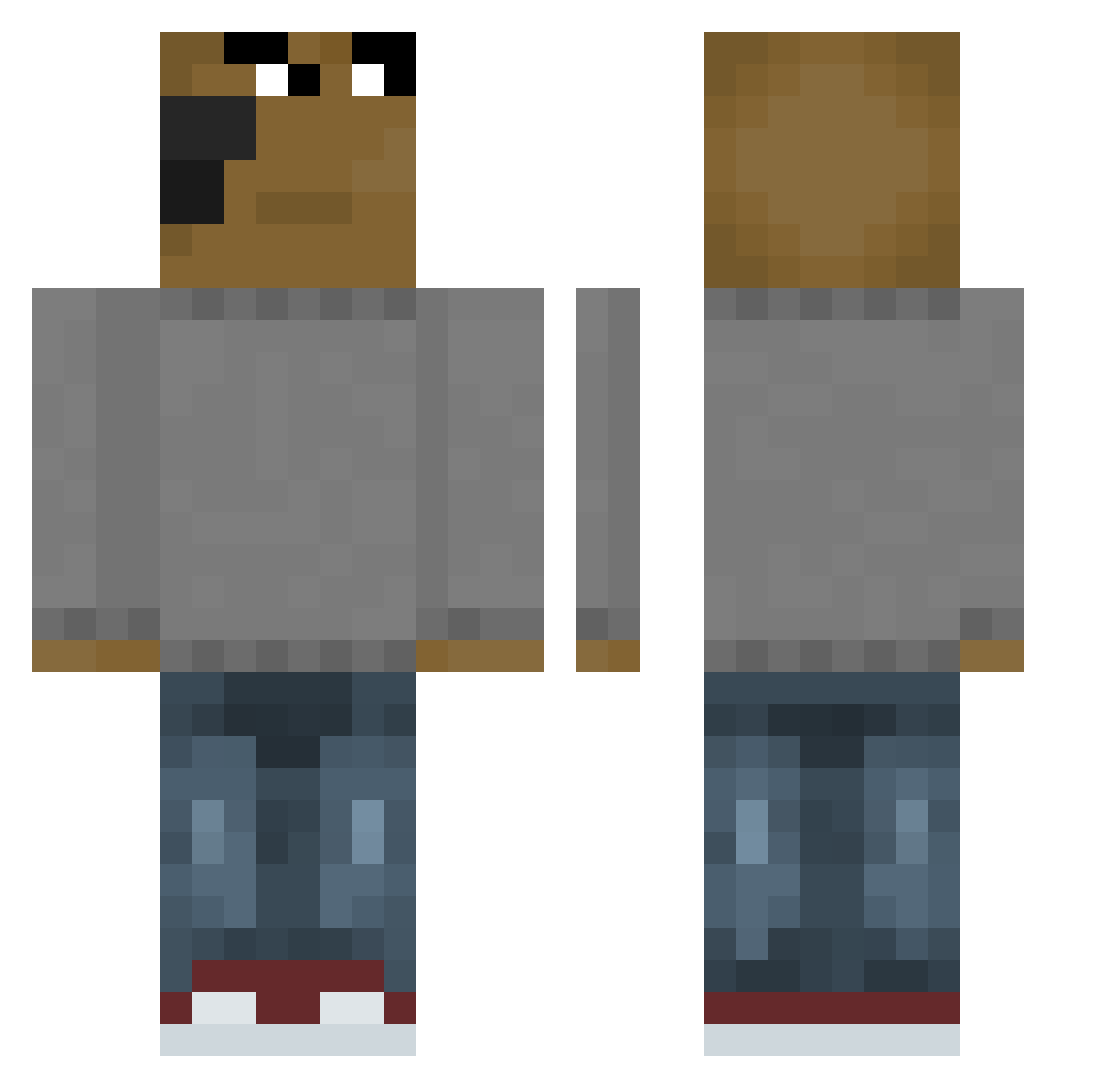
Current Minecraft skin of the player Misakifujiwara, loaded from the official Mojang API. Rotate the 3D model with your mouse or finger, then download the skin as a PNG file and use it in Minecraft: Bedrock Edition or Java Edition for free. When Misakifujiwara changes their skin, this page updates automatically and the old skin stays in the history below.
Other players with this skin (660)
Misakifujiwara was the 378th player we have seen with this skin, first spotted on 28.09.2026. The same skin was seen on these players. Open a nickname to see their current skin and skin history.
 tisi235 km1nh0 AlluringRook710 twisty2410 Rigux09 4ChillGuy Lorwex kiffeur_deBourek Microfibe1 Ultra4KHD yoah0 SR4KU JMen48 Wartty Lacosteira IamXenon ayanoxyz TupoI_ObrygaN JotaPreto_ Upperw grimace267 SouperDouperMan Fuad1710 bryzionn BorislavJergovic Zatannz joopjoopjoop kimbob1024 Do_viuxW kingrei03 IceWrld55 astorcha hadowu NguyenDixie121 1kor1 Trapsa WZM0110 goxue Nibui_ LAMALAESTGANGX87 BubbaVincent fjs0305 Kuraboy_ Mootsifer tagil96 bangmang Chill_guy_00 sackeman LastKungZa PiptoTheMoon destroyerMAX16 RainB0wBBA kinji00 antoniovaly _Julii1_ nwarz__ Yezir_ ssm9884 MevenLeGoat frgj
How to install the Misakifujiwara skin
- Press the Download button above to save the skin as a PNG file.
- Minecraft: Bedrock Edition (PE): open the Dressing Room from the main menu (or tap your character → Edit Character), go to Classic Skins → Owned, press the + (new skin) button, choose the downloaded PNG and pick the Classic (Steve) model. Works on PC and mobile; consoles cannot import custom skins.
- Minecraft: Java Edition: open the Minecraft Launcher, go to the Skins tab, click New Skin, load the PNG, pick the Classic (Steve) model and press Save & Use. You can also upload it at minecraft.net → Profile → Change Skin.
The skin does not show up after import - what should I do?
Restart Minecraft and open the Dressing Room again - imported skins sometimes appear only after a restart. Also make sure you selected the imported skin and picked the Classic (Steve) model.
Which model should I choose, Classic or Slim?
This skin is designed for the Classic (Steve) model. If you pick the wrong model, the arms of the skin will look stretched or squeezed.
Is the skin of Misakifujiwara free to download?
Yes. Press Download, save the PNG file and use it in Minecraft: Bedrock Edition or Java Edition - no payment or registration needed. The skin also works on multiplayer servers and Realms.
More skins
Looking for more? Go back to all Minecraft skins and check the top skins of the week, month and all time, or find any player's skin by nickname.