
Misaka13140 - Minecraft Skins & Skin History
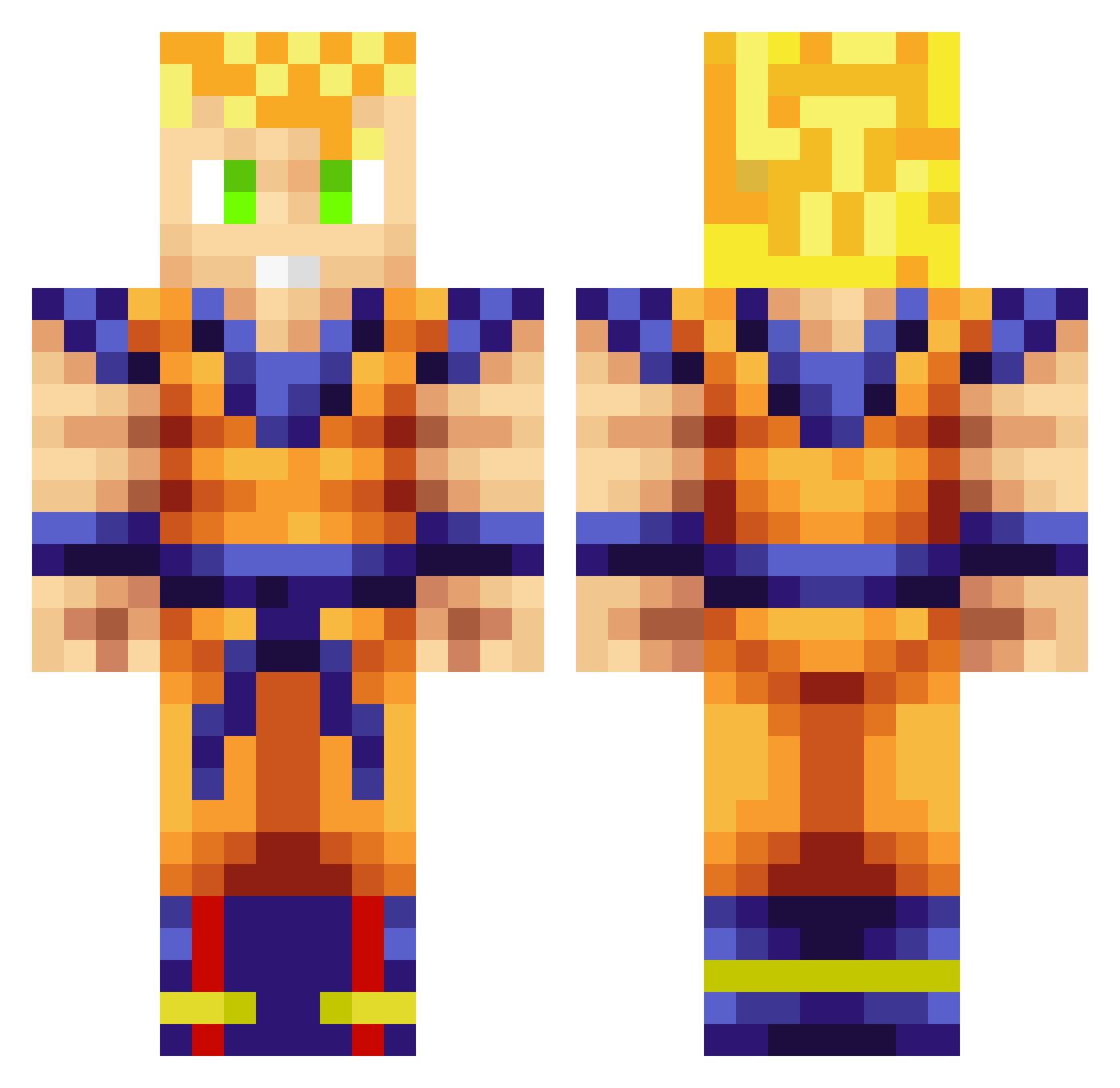
Current Minecraft skin of the player Misaka13140, loaded from the official Mojang API. Rotate the 3D model with your mouse or finger, then download the skin as a PNG file and use it in Minecraft: Bedrock Edition or Java Edition for free. When Misaka13140 changes their skin, this page updates automatically and the old skin stays in the history below.
Other players with this skin (258)
Misaka13140 was the 62nd player we have seen with this skin, first spotted on 18.08.2026. The same skin was seen on these players. Open a nickname to see their current skin and skin history.
 JorgenKik iAckerMan9 Blasters1000 Dai_Chan69 Soulis_97 THR1LLH0 kakiwa Rico3794 UMEDASHOUKI TheFrenchRicard Profizy fahrine miyu197 Naird11 Autumns123 Nenito Loky23 YEET1020 TzurielGG TheRuthless94 Yutir beikyv3 atsukyy BrielleBell PAAGO
 reo0405 VanillaOMLT MUNEOHAUSU santiao0727 GamePlayer_sama YUGO55555 Sukkzyy Marinala01 SqlShooter Chenano iso8 OrtegaFX Majin_Z MGPA09 sealofthewoods D1m1try_ Cabravelha1 FatBongs Jabbled Nicz21 Ragnarr1998 saiyaman0209 Nekkiro LauDuncan Jwoodxx Lukaqqq11 RG_Sal uChiller JPyzk luckyarko ichnosi IshizakiPL Kershak777 mells123 Slasch5
More Goku Minecraft skins
How to install the Misaka13140 skin
- Press the Download button above to save the skin as a PNG file.
- Minecraft: Bedrock Edition (PE): open the Dressing Room from the main menu (or tap your character → Edit Character), go to Classic Skins → Owned, press the + (new skin) button, choose the downloaded PNG and pick the Classic (Steve) model. Works on PC and mobile; consoles cannot import custom skins.
- Minecraft: Java Edition: open the Minecraft Launcher, go to the Skins tab, click New Skin, load the PNG, pick the Classic (Steve) model and press Save & Use. You can also upload it at minecraft.net → Profile → Change Skin.
The skin does not show up after import - what should I do?
Restart Minecraft and open the Dressing Room again - imported skins sometimes appear only after a restart. Also make sure you selected the imported skin and picked the Classic (Steve) model.
Which model should I choose, Classic or Slim?
This skin is designed for the Classic (Steve) model. If you pick the wrong model, the arms of the skin will look stretched or squeezed.
Is the skin of Misaka13140 free to download?
Yes. Press Download, save the PNG file and use it in Minecraft: Bedrock Edition or Java Edition - no payment or registration needed. The skin also works on multiplayer servers and Realms.
More skins
Looking for more? Go back to all Minecraft skins and check the top skins of the week, month and all time, or find any player's skin by nickname.