
IshizakiPL - Minecraft Skins & Skin History
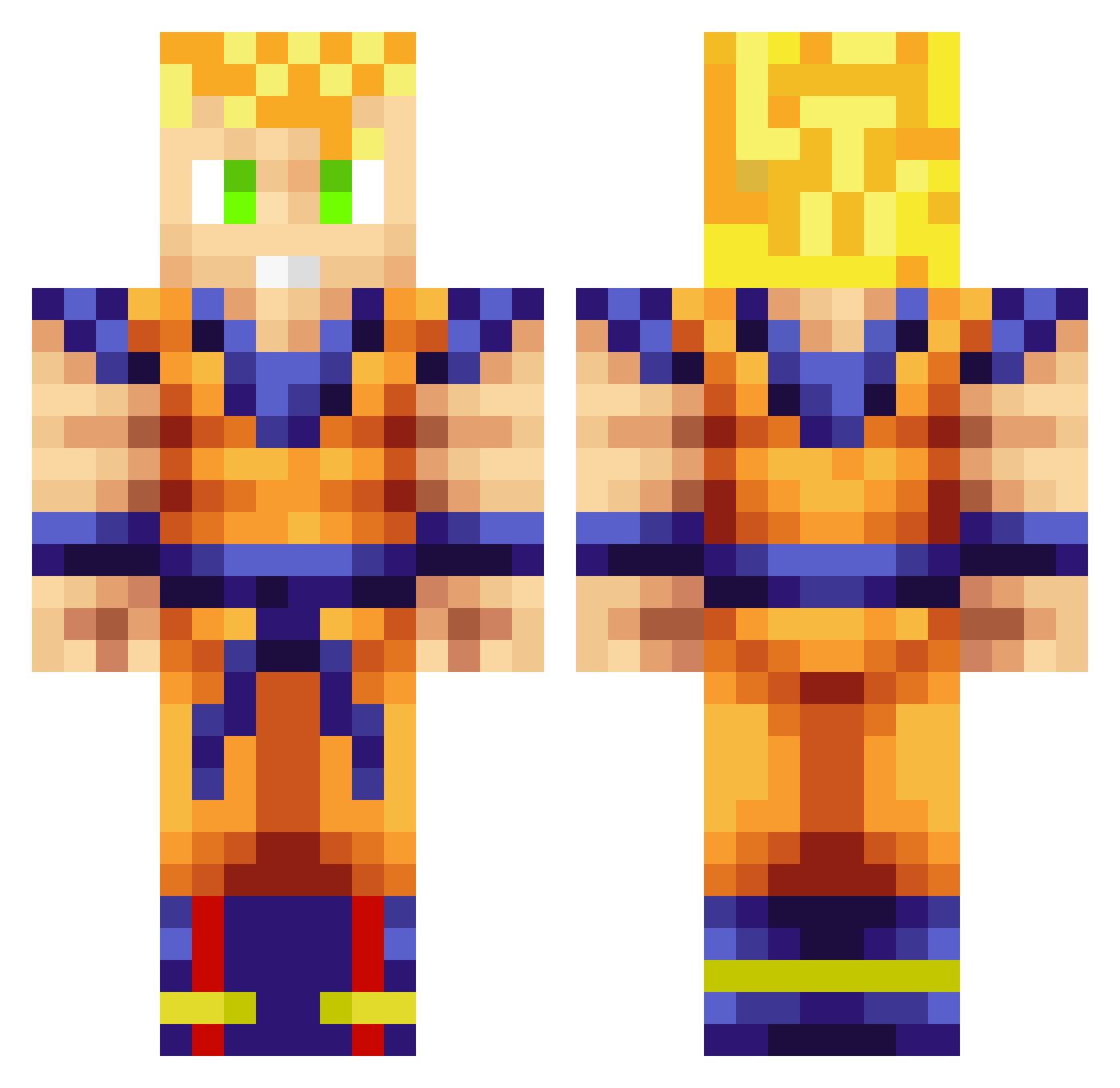
Current Minecraft skin of the player IshizakiPL, loaded from the official Mojang API. Rotate the 3D model with your mouse or finger, then download the skin as a PNG file and use it in Minecraft: Bedrock Edition or Java Edition for free. When IshizakiPL changes their skin, this page updates automatically and the old skin stays in the history below.
Other players with this skin (259)
IshizakiPL was the 34th player we have seen with this skin, first spotted on 04.08.2026. The same skin was seen on these players. Open a nickname to see their current skin and skin history.
 Kershak777 mells123 Slasch5 Filhosdodragao ichnosi luckyarko TAKESATO2020 uChiller Lukaqqq11 Mittsun0820 Jwoodxx Ricky_P Edalric Madoness Younes_dz_ nico57950 FatBongs Mr_Hibou Radomir2003 Cabravelha1 D1m1try_ Feronimus Worri777 JavoQuetzal VitorManicoba Zarlah iso8 shimihiro SqlShooter VIGA878 NicoKasanzky YUGO55555 Saroughhh Darkstalis VanillaOMLT
 reo0405 ADPUME Striveahead jungle8519 atsukyy beikyv3 Hu_ber Cwitty2684 TzurielGG Loky23 Nenito KungFuChin miyu197 murphinator1 fahrine
 Magilius KkKkKane SmallJeff UMEDASHOUKI kakiwa THR1LLH0 Soulis_97 Dai_Chan69 iAckerMan9 JorgenKik
More Goku Minecraft skins
How to install the IshizakiPL skin
- Press the Download button above to save the skin as a PNG file.
- Minecraft: Bedrock Edition (PE): open the Dressing Room from the main menu (or tap your character → Edit Character), go to Classic Skins → Owned, press the + (new skin) button, choose the downloaded PNG and pick the Classic (Steve) model. Works on PC and mobile; consoles cannot import custom skins.
- Minecraft: Java Edition: open the Minecraft Launcher, go to the Skins tab, click New Skin, load the PNG, pick the Classic (Steve) model and press Save & Use. You can also upload it at minecraft.net → Profile → Change Skin.
The skin does not show up after import - what should I do?
Restart Minecraft and open the Dressing Room again - imported skins sometimes appear only after a restart. Also make sure you selected the imported skin and picked the Classic (Steve) model.
Which model should I choose, Classic or Slim?
This skin is designed for the Classic (Steve) model. If you pick the wrong model, the arms of the skin will look stretched or squeezed.
Is the skin of IshizakiPL free to download?
Yes. Press Download, save the PNG file and use it in Minecraft: Bedrock Edition or Java Edition - no payment or registration needed. The skin also works on multiplayer servers and Realms.
More skins
Looking for more? Go back to all Minecraft skins and check the top skins of the week, month and all time, or find any player's skin by nickname.