
Mirco2442 - Minecraft Skins & Skin History
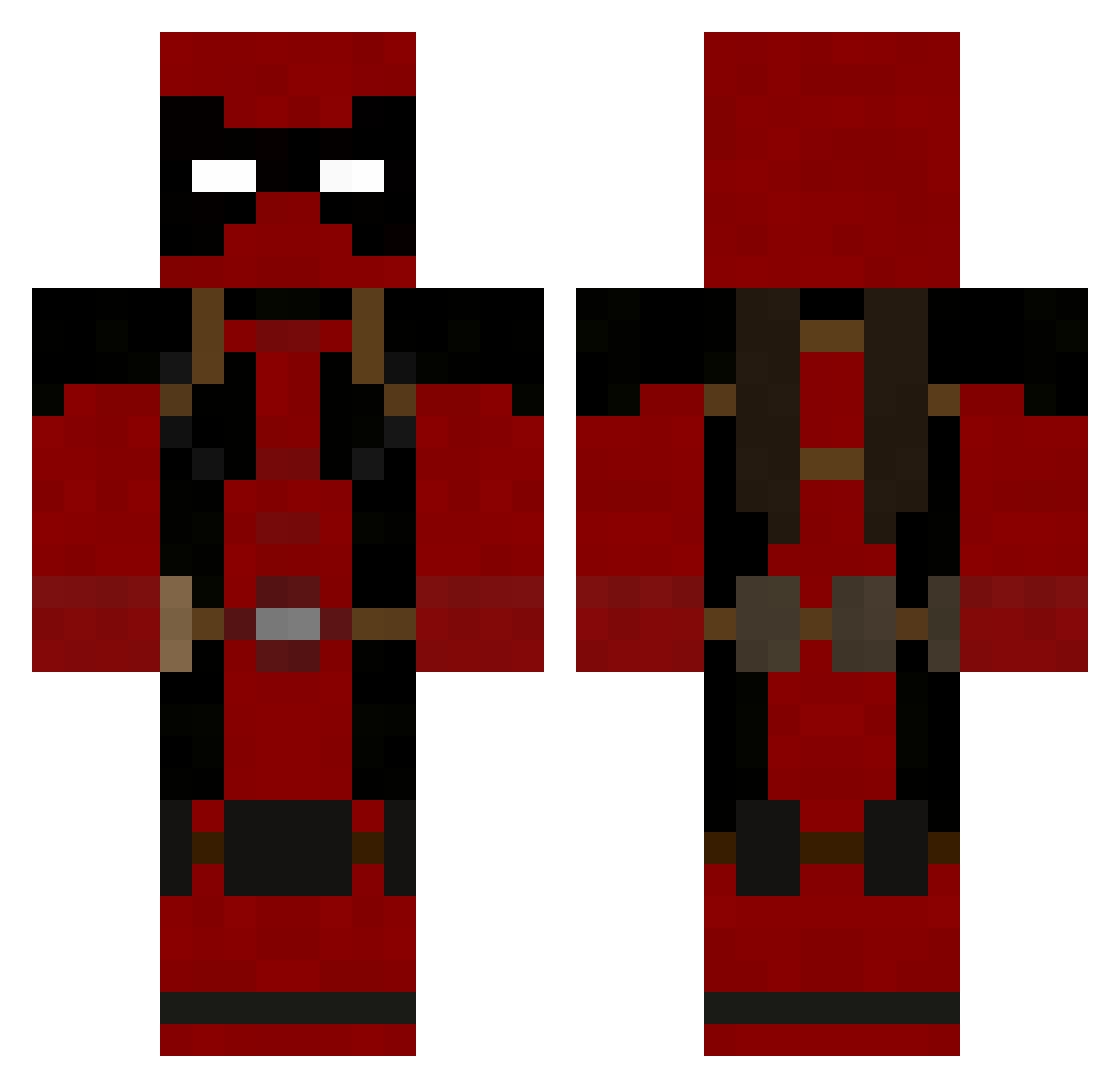
Current Minecraft skin of the player Mirco2442, loaded from the official Mojang API. Rotate the 3D model with your mouse or finger, then download the skin as a PNG file and use it in Minecraft: Bedrock Edition or Java Edition for free. When Mirco2442 changes their skin, this page updates automatically and the old skin stays in the history below.
Other players with this skin (753)
Mirco2442 was the 177th player we have seen with this skin, first spotted on 15.08.2026. The same skin was seen on these players. Open a nickname to see their current skin and skin history.
 Squantchatron skar92 TottiBest92 Dayon_Hill NoxiousInstinct Tapir_of_Despair burritozen ValkyrieStrike guitarxman01 Riand TRY1NGJAM FLST8FAN2012 BigDave76 Travguy69 mavrickOO13 Jerry51339 REICEMAN xDaimienx TheRealFreddy Harryatkinson angelsakai suspence16 erandking6 Hubbafett MajinJager PriceIsRight8 Bladhaire Skytler Skulldyz Omadais russianhobo123 ShirtShir bodhisttva andre_the_dragon Oupla ErectoSaur pigwatch leoskate11 PolarToxin Matthew57 dougienight24 QuietKing kittycatatomic RickyDeath666 RoryBlaize zzman369 SpaceGlue69 super000 MatthewBrooke21 Krazykool8D minimassy Need_ToLate Gauchong Nico2423 lambm20 Preece03 Jake_Rose Malbrea69 Scarwell ballisticballer
More Deadpool Minecraft skins
How to install the Mirco2442 skin
- Press the Download button above to save the skin as a PNG file.
- Minecraft: Bedrock Edition (PE): open the Dressing Room from the main menu (or tap your character → Edit Character), go to Classic Skins → Owned, press the + (new skin) button, choose the downloaded PNG and pick the Classic (Steve) model. Works on PC and mobile; consoles cannot import custom skins.
- Minecraft: Java Edition: open the Minecraft Launcher, go to the Skins tab, click New Skin, load the PNG, pick the Classic (Steve) model and press Save & Use. You can also upload it at minecraft.net → Profile → Change Skin.
The skin does not show up after import - what should I do?
Restart Minecraft and open the Dressing Room again - imported skins sometimes appear only after a restart. Also make sure you selected the imported skin and picked the Classic (Steve) model.
Which model should I choose, Classic or Slim?
This skin is designed for the Classic (Steve) model. If you pick the wrong model, the arms of the skin will look stretched or squeezed.
Is the skin of Mirco2442 free to download?
Yes. Press Download, save the PNG file and use it in Minecraft: Bedrock Edition or Java Edition - no payment or registration needed. The skin also works on multiplayer servers and Realms.
More skins
Looking for more? Go back to all Minecraft skins and check the top skins of the week, month and all time, or find any player's skin by nickname.