
Michyyy05 - Minecraft Skins & Skin History
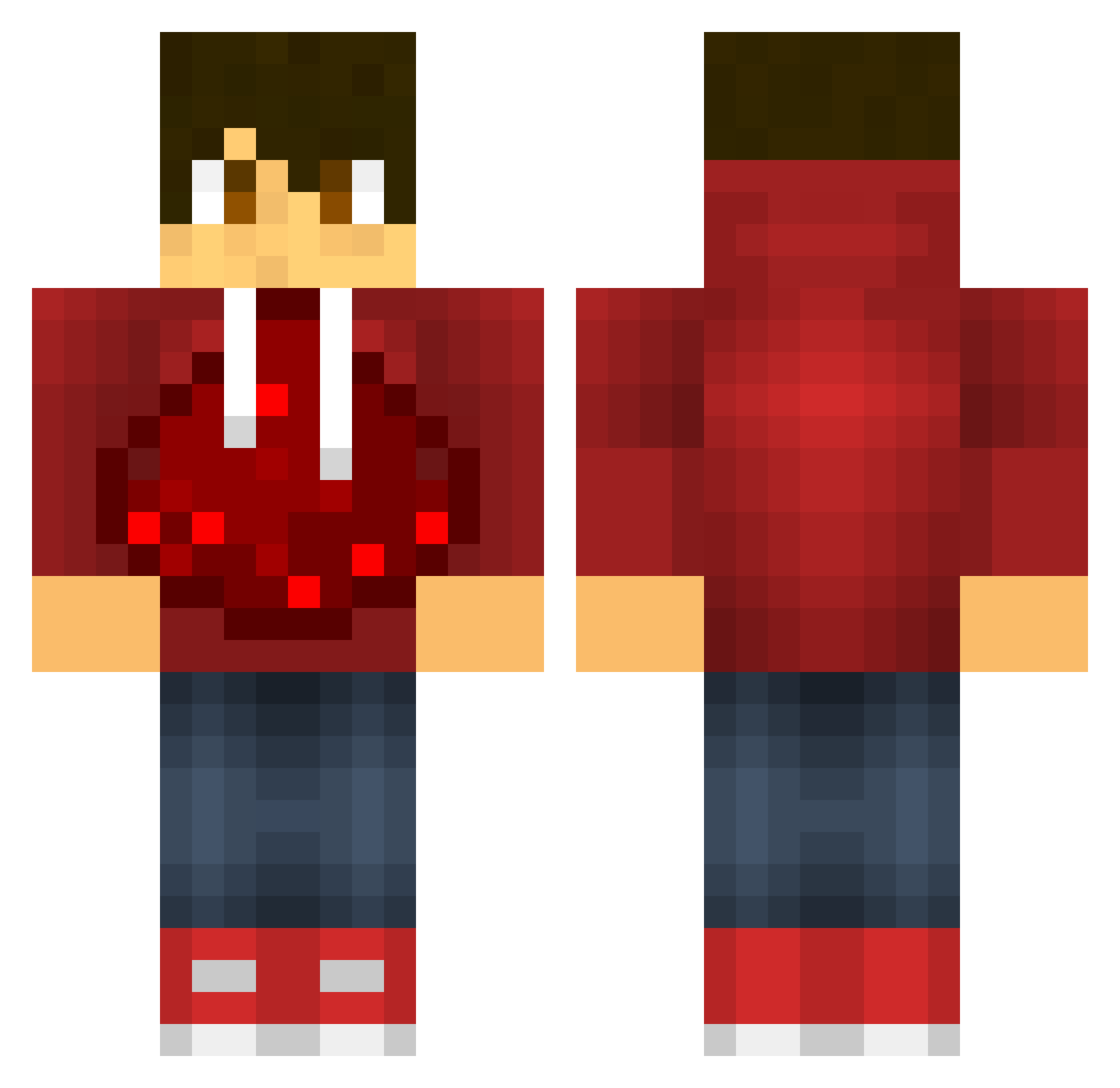
Current Minecraft skin of the player Michyyy05, loaded from the official Mojang API. Rotate the 3D model with your mouse or finger, then download the skin as a PNG file and use it in Minecraft: Bedrock Edition or Java Edition for free. When Michyyy05 changes their skin, this page updates automatically and the old skin stays in the history below.
Other players with this skin (603)
Michyyy05 was the 429th player we have seen with this skin, first spotted on 11.10.2026. The same skin was seen on these players. Open a nickname to see their current skin and skin history.
 FireLordGamer11 Hyp3Panda dima_musihin CoolCreeper205 Noahka05 XxS0L1D_G0DZxX claymoor01 IBlackStarZ Valixon WilliamD00 jojoboi831 xx36Skeletor49xx BooJohan william_wigert EmailNoob Tofula Eliaslogdahl Jadchew daredevil51 nfukami CoolJohn9 Wbssmall Cbarber42 craftboy03 lostsniper10 Hysteria_cF lee21020 Danuliek JakeTalling NAmbroa oskarfonseca fightersworddgb JASPERROCKS101 xswaseaboyx weekendgamerHD MASTERPETER saintsmarch _KingWood_ Jake1702 pokezach1275 thanadolps JC_X PrivateSniper GlowstoneHog kieferhuang Master10231 ProCrastNationz NickIsAwesome101 Wagg123 Bradleyforthewin MaltoxTv ironsteel6 Vierioux just_a_boss14 redz1 Possibly_Human ZeNuE1025 porkyjayden12 roninuta Drewvix26
More Redstone Minecraft skins
How to install the Michyyy05 skin
- Press the Download button above to save the skin as a PNG file.
- Minecraft: Bedrock Edition (PE): open the Dressing Room from the main menu (or tap your character → Edit Character), go to Classic Skins → Owned, press the + (new skin) button, choose the downloaded PNG and pick the Classic (Steve) model. Works on PC and mobile; consoles cannot import custom skins.
- Minecraft: Java Edition: open the Minecraft Launcher, go to the Skins tab, click New Skin, load the PNG, pick the Classic (Steve) model and press Save & Use. You can also upload it at minecraft.net → Profile → Change Skin.
The skin does not show up after import - what should I do?
Restart Minecraft and open the Dressing Room again - imported skins sometimes appear only after a restart. Also make sure you selected the imported skin and picked the Classic (Steve) model.
Which model should I choose, Classic or Slim?
This skin is designed for the Classic (Steve) model. If you pick the wrong model, the arms of the skin will look stretched or squeezed.
Is the skin of Michyyy05 free to download?
Yes. Press Download, save the PNG file and use it in Minecraft: Bedrock Edition or Java Edition - no payment or registration needed. The skin also works on multiplayer servers and Realms.
More skins
Looking for more? Go back to all Minecraft skins and check the top skins of the week, month and all time, or find any player's skin by nickname.