
Mia_Medic - Minecraft Skins & Skin History
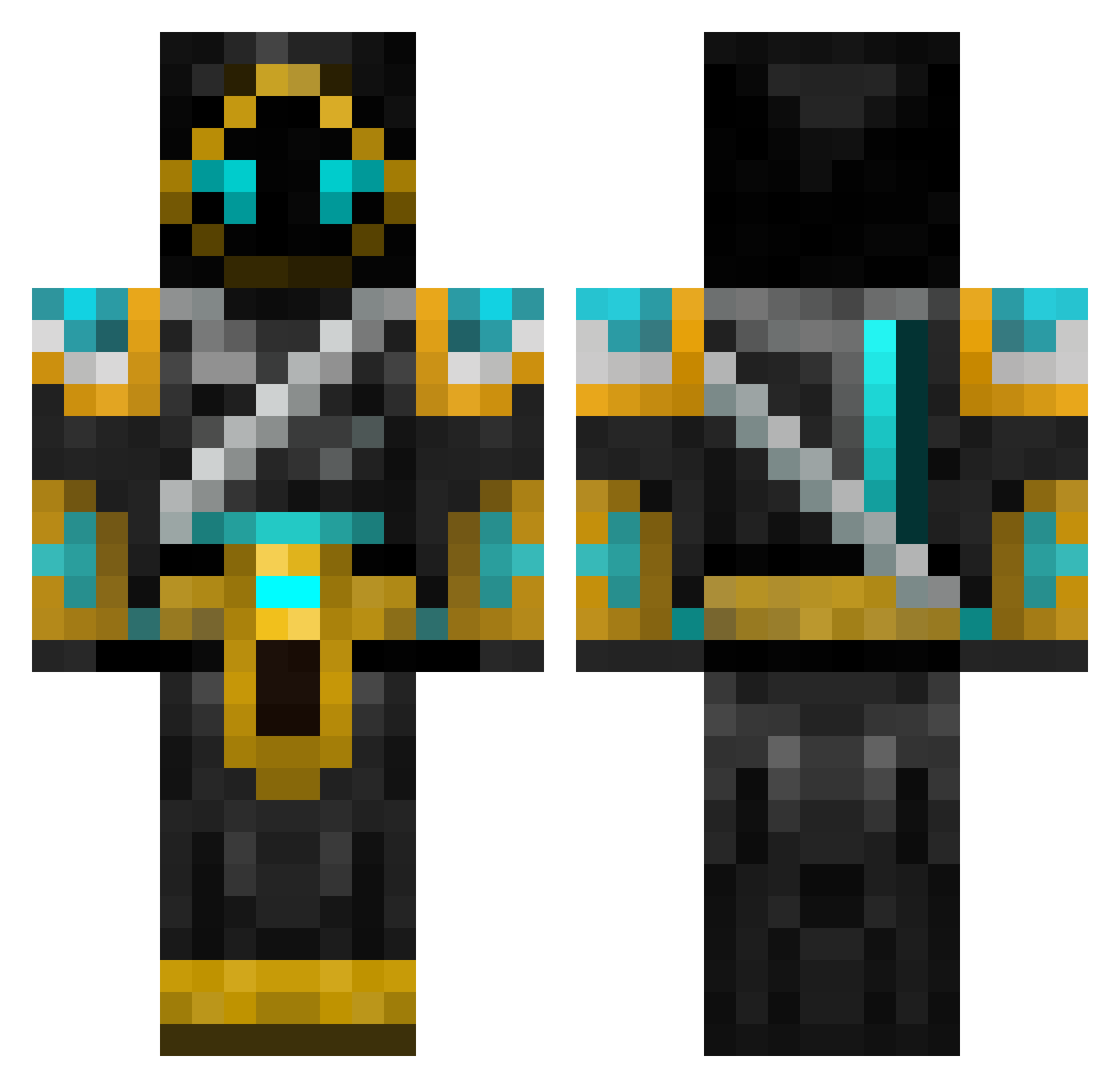
Current Minecraft skin of the player Mia_Medic, loaded from the official Mojang API. Rotate the 3D model with your mouse or finger, then download the skin as a PNG file and use it in Minecraft: Bedrock Edition or Java Edition for free. When Mia_Medic changes their skin, this page updates automatically and the old skin stays in the history below.
Other players with this skin (136)
Mia_Medic was the 107th player we have seen with this skin, first spotted on 24.10.2026. The same skin was seen on these players. Open a nickname to see their current skin and skin history.
 ratman5141 Demon_Shuriken dillpicklewoo iceGG77 Scringlo Daltormind Crosstampler Tinty99 LG303 Mackan1112 bujkelly Nacho32 yumpie CuzImJoxl AAZhe Kievkz peikk0 Thaydarin Deadlytiger23 GipperGaming Mystyfrostt Jorgboy Burdcat ZombieRampage belovedbluestar CJCHYX SilencePower mattube1505 Anexxis k1s_Juhry ArcticKnight777 CptnKrunch5150 TippyNaria Sackuon24 WhatWard Dastaner SERBAX joshliam90000 zatch2870 kingofhertz King_Drec Bistel Godthunder56 Fresh_Abyss APDmadkid Populusque SpinyDawg SHADE_DEATHLORD Hildibran uni_corn12138 i_want_play Violeht Kiltasaurus Valkyries_21 Poxl_ siruskishire NUDT OneTrickPwny iTrypzi tw1tchyk1d
More Glowing Eyes Minecraft skins
See all 2873 Glowing Eyes skins
How to install the Mia_Medic skin
- Press the Download button above to save the skin as a PNG file.
- Minecraft: Bedrock Edition (PE): open the Dressing Room from the main menu (or tap your character → Edit Character), go to Classic Skins → Owned, press the + (new skin) button, choose the downloaded PNG and pick the Classic (Steve) model. Works on PC and mobile; consoles cannot import custom skins.
- Minecraft: Java Edition: open the Minecraft Launcher, go to the Skins tab, click New Skin, load the PNG, pick the Classic (Steve) model and press Save & Use. You can also upload it at minecraft.net → Profile → Change Skin.
The skin does not show up after import - what should I do?
Restart Minecraft and open the Dressing Room again - imported skins sometimes appear only after a restart. Also make sure you selected the imported skin and picked the Classic (Steve) model.
Which model should I choose, Classic or Slim?
This skin is designed for the Classic (Steve) model. If you pick the wrong model, the arms of the skin will look stretched or squeezed.
Is the skin of Mia_Medic free to download?
Yes. Press Download, save the PNG file and use it in Minecraft: Bedrock Edition or Java Edition - no payment or registration needed. The skin also works on multiplayer servers and Realms.
More skins
Looking for more? Go back to all Minecraft skins and check the top skins of the week, month and all time, or find any player's skin by nickname.